How to Plan an AWS Cloud Migration
Plan the move to AWS, transfer applications and data, and prepare for cutover.


An AWS cloud migration moves an application and its data from existing servers or another hosting provider into AWS. A team might move its current setup onto EC2 or use the migration to adopt managed services such as Amazon RDS and ECS Fargate.
Before users switch to the AWS deployment, the application needs to run there with its database, files, and background jobs. This guide covers setting up that destination, transferring production data, and switching traffic.
We'll also look at how Encore makes adopting AWS simpler for backend teams: the platform provisions infrastructure from application code and handles deployment in your own AWS account.
AWS cloud migration at a glance
What are you moving to AWS?
Start with the application and its dependencies. A backend may use a database, files stored on a local disk, and scheduled work that runs on the same server. It may also call systems that will stay in the current environment. Those connections need to keep working while the migration takes place.
The migration approach determines what changes. Rehosting moves the existing server-based application onto AWS compute with limited application changes. Replatforming moves selected parts onto managed services, such as RDS for a database or a managed container runtime for the backend. Refactoring changes the application architecture more substantially.
An application can also move in stages. The backend may be deployed in AWS while it still calls an existing business system over a private connection. Moving connected systems together can simplify that period, but the order depends on which dependencies are ready to move.
The broader cloud migration strategy guide explains those choices across multiple applications.
Prepare the destination
The application needs an AWS account and a region in which its resources will run. Larger organizations often use separate accounts for teams or environments, with shared access and logging settings. AWS Organizations and Control Tower support that account structure.
Networking connects the new application to its data and any systems it still uses outside AWS. The configuration includes how users reach the service and how the service reaches its dependencies. During the migration, both the old and new environments may need access to some of the same systems.
For a backend using Encore, the cloud connection setup grants the platform access through an AWS IAM role. Once the app's services and resources are declared in code, the platform can create and connect their AWS infrastructure. Developers use the deployment workflow to release the application rather than setting up every resource and connection by hand.
Deploy the application before switching traffic
A test deployment lets the team work through the AWS setup while users continue using the existing application. It can run against a copy of the data and a separate set of files, so tests do not change production records.
For server rehosting, AWS Transform MGN replicates supported source servers and launches instances in AWS for testing and cutover. Replatforming involves deploying the application to its selected runtime and configuring its resource connections.
Application tests exercise the behavior that needs to survive the move. A database connection test verifies access; a test that creates and retrieves a record also exercises the schema and query behavior. Uploading and reading back a file checks the storage changes made for the new environment.
Background jobs and external integrations need the same attention. A test environment can use isolated queues and test credentials, allowing the team to exercise that work without processing production tasks twice.
Move databases and files
Production data needs to arrive in the destination before the new application begins serving users. For a small database with an acceptable maintenance window, that can be an export and restore while writes are paused. Larger or busier systems often need an initial copy followed by replication of ongoing changes.
AWS Database Migration Service supports full loads and ongoing replication for supported source and target combinations. The application also needs a compatible schema, including the data types and database features it uses. Moving to a different database engine can involve query and schema changes alongside the transfer.
AWS DataSync transfers data between supported file and object storage systems and AWS storage services. The application may need changes if files are moving from a shared directory to S3: reading an object through an API differs from opening a local filesystem path.
The amount of data and the available connection determine how long the first copy takes. Ongoing changes then need to catch up before cutover. Testing the transfer with representative volumes gives the team a basis for planning that final pause.
Switch traffic to the AWS deployment
Cutover moves live use from the source to the destination. For an application with a database and file uploads, it commonly follows this sequence:
The old deployment becomes out of date once users write data in AWS. Returning traffic to it after that point requires those new records to be accounted for. A DNS change alone would direct users to an older copy of the data.
A cutover rehearsal establishes which steps can be reversed and how the team handles writes made after the switch. Recovery can involve reconciling that data before returning to the source or fixing the destination while it remains live.
Complete the migration
After traffic moves, the team watches the application's errors and performance in AWS. Queues, database connections, and external calls can behave differently with the new capacity or network paths. Billing also shows the effect of the new resources and data transfers.
The source deployment can be removed after the team has accepted the new environment and no longer needs it for recovery. That includes stopping replication and removing temporary access created for the migration. Backups and a tested restore process provide recovery for the application now running in AWS.
Getting your backend running on AWS with Encore
With Encore, your team can get a backend running on AWS without first building a system to provision infrastructure and deploy releases. You declare the resources the application needs in code, and the platform creates them in your own account, configures their connections and permissions, and deploys the backend.
A database declaration can provision RDS, a storage bucket can use S3, and Pub/Sub topics and subscriptions can use SNS and SQS. Services can run on ECS Fargate. The networking and access policies needed to connect them are handled as part of the deployment, so your team has less AWS configuration to work through before it can test the application.
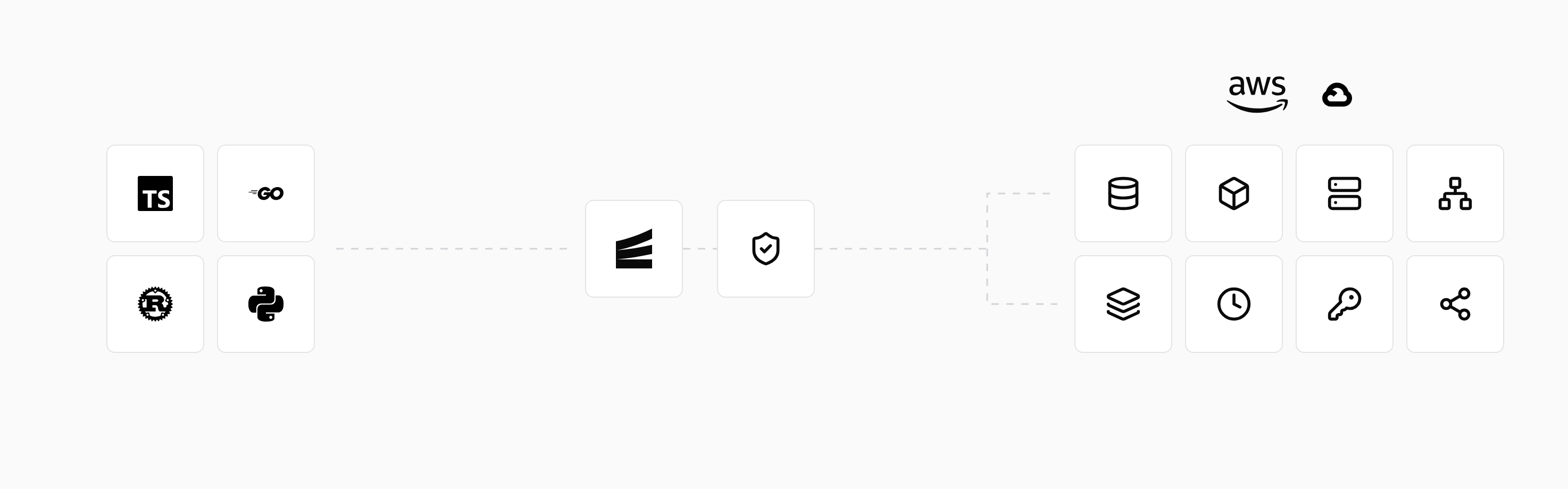
Once the backend uses Encore's APIs and resource declarations, developers can run it locally with encore run, including local versions of its declared resources. Preview environments let the team test the adapted application in the cloud before transferring production data and switching traffic.
Connect the AWS account, configure an environment and deployment branch, and push to the connected repository. The deployment workflow builds and deploys the application with its infrastructure changes. After the migration, adding a service or resource uses that same workflow, without a separate provisioning process for each release.
If you already use Terraform, the Coming from Terraform guide shows how databases, queues, and other resources map to Encore declarations.
Run in your terminal to get started locally.
Related guides
Frequently asked questions
Can I migrate an application to AWS without downtime?
Replication can keep the destination close to the source while the application remains live. Cutover may still require a short pause to finish copying changes and switch writes to the destination. The application's architecture and migration tools determine whether a fully online move is possible.
How long does an AWS cloud migration take?
The duration depends on application changes, dependencies, data volume, and transfer speed. A test deployment and a measured data transfer give a more useful estimate than the number of servers alone. Larger migrations often move applications in several waves.
Deploy to your cloud on AWS and Google Cloud
without managing infrastructure
Encore lets developers and agents define application infrastructure directly in code, then automatically provisions it from local development to production in your AWS or GCP account.
