How to Build a Cloud Migration Strategy
Choose a migration approach for each workload and plan the move to production.


A cloud migration strategy is a plan for moving applications and data from their current environment to the cloud. It sets out which applications will move, what needs to change, and the order in which the move will happen.
Some applications can move with little change. Others benefit from replacing a self-managed database or deployment setup with managed services. A company leaving a data center may use both approaches, moving the systems it needs to keep and shutting down those it no longer uses.
We'll also look at how Encore simplifies cloud adoption for backend applications, with a managed deployment workflow and infrastructure provisioned in your own AWS or GCP account.
The seven cloud migration strategies
The seven approaches below are commonly called the 7 Rs. An organization can use several of them within the same migration.
AWS's migration strategy guidance describes these approaches in more detail. Rehosting is often called lift and shift; refactoring is also called rearchitecting.
Start with the reason for moving
A data-center closure gives the migration a deadline. The applications have to leave before the facility closes, so keeping code changes small may take priority over redesigning them. A team whose main problem is slow environment setup has a different goal: it needs a deployment process that makes new environments easier to create.
Cost needs a comparison of the current setup and the proposed cloud deployment. Include the existing hardware, licenses, hosting, and operating work, then estimate cloud compute, storage, networking, and managed-service charges. Cloud hosting does not automatically reduce the bill, especially if the same oversized servers run continuously in the new environment.
Work out what needs to move together
An application's dependencies determine how independently it can move. Two services that share a database may need to migrate together. An application that exchanges files with an on-site system may need a connection back to the existing environment after it moves.
Look beyond the web service. Scheduled tasks, background workers, uploaded files, and external integrations can all be part of the same application. Production traffic and job configuration help reveal connections that are missing from the repository.
For a large portfolio, a discovery tool can help identify servers and network connections. The people maintaining each application can explain what those systems do and whether they are still needed. An unused system can be retired before the move rather than copied into the new environment.
Choose how much to change
Rehosting keeps the migration close to the existing setup. The application still needs compatible operating-system and runtime versions, and someone still has to maintain its servers after the move. It can be a practical first step when there is little time to change the software.
Replatforming changes selected parts of that setup. Moving a database to a managed service can remove server maintenance, while moving an application onto managed compute can change how it is deployed and scaled. The application needs testing against those services before production data moves.
Refactoring involves more application work. Changing a shared database into separate service databases, for example, affects queries, transactions, and how services exchange data. That work needs its own development time within the migration schedule.
The choice can differ even between applications owned by the same team:
If the backend still calls the accounting system, the migration needs to preserve that connection until both have moved. The AWS migration guide covers the deployment and data-transfer steps in more detail.
Prepare the cloud environment
The destination needs cloud accounts, access permissions, networking, and a way to deploy updates. Organizations often establish these shared settings in a landing zone, then create application environments within it.
The amount of setup depends on the organization. A company moving dozens of applications may need separate accounts for business units and centralized access and logging. A small backend team may start with a much simpler account structure.
Application infrastructure can be provisioned through a managed platform. With Encore, developers declare the backend's resources in code, connect their AWS or GCP account, and deploy through the platform. It creates the resources and configures their connections, reducing the infrastructure setup the team has to build before moving the application.
Move applications in stages
A migration usually begins with an application that can move without disrupting the rest of the business. It should use enough of the proposed setup to test it: an application with a database and a worker, for example, exercises more of the migration process than a static site.
Once that application is running, the team can use what it learned for later groups of applications, often called migration waves. Connected services may share a wave so they can move together. Systems with few dependencies can move earlier without waiting for the rest of the portfolio.
A roadmap might look like this:
Plan the data transfer and cutover
Data transfer often determines the migration's downtime. A small database may fit within a maintenance window: stop writes, export the data, restore it in the destination, and start the new application. A larger system may need an initial copy followed by replication while users continue working.
The final switch, or cutover, brings the destination up to date and redirects users to it. Background processing needs to move too, so the old and new workers do not both process the same work unintentionally.
Rollback depends on when the destination starts accepting writes. Before that point, the source may still contain the current data. Afterward, sending users back to it can lose changes made in the new environment. A rehearsal with representative data helps the team establish the final synchronization time and how to recover if the switch fails.
The migration ends when the application is running successfully and the old infrastructure can be removed. Until then, the organization may be paying for both environments.
Adopting AWS or GCP with Encore
Encore reduces the infrastructure work involved in moving a backend to AWS or GCP. Your team gets a managed deployment workflow in its own cloud account, with provisioning, networking, and resource permissions handled by the platform.
Developers declare databases, storage buckets, and Pub/Sub topics alongside the services that use them. The platform creates and connects the corresponding cloud resources when the application is deployed. A new test environment can use those same declarations, giving the team a way to try the application in the cloud before the production move.
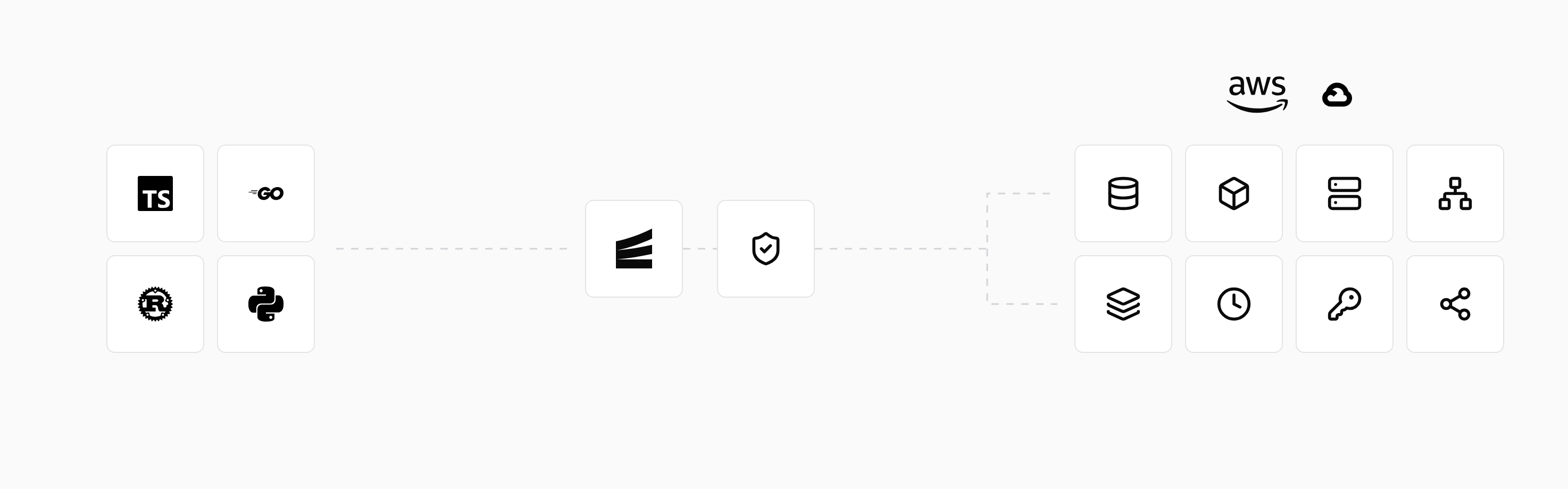
Adopting the workflow includes adapting the backend to Encore's APIs and resource declarations. Developers can run the application and local versions of its resources on their machines while making those changes, then deploy it for cloud testing.
After the move, developers use the same workflow to deploy releases and add services or infrastructure. The application and resources continue running in the team's account. The cloud setup guide explains how to connect AWS or GCP.
Run in your terminal to get started locally.
Related guides
Frequently asked questions
What is the difference between cloud migration and cloud modernization?
Cloud migration changes where an application runs. Modernization changes its code, architecture, or hosting setup, such as replacing a self-managed database with a managed service. A migration can include modernization, or an application can move first and be modernized later.
Deploy to your cloud on AWS and Google Cloud
without managing infrastructure
Encore lets developers and agents define application infrastructure directly in code, then automatically provisions it from local development to production in your AWS or GCP account.
