AI-assisted development
Give coding agents application context and build-time guardrails
A coding agent can make better changes when it understands the system around the file it is editing. Encore gives it that context through the Encore Application Model, which contains the application's services, APIs, schemas, infrastructure resources, and the relationships between them.
The model is derived from declarations made with Encore's open source Infra SDK. APIs and infrastructure resources are type-safe, and Encore validates resource declarations during the build. Invalid or statically unresolved declarations produce build errors.
Deployment-specific infrastructure settings, including capacity, networking, and backups, are configured per environment. They are not part of the resource declarations an agent edits in the application code.
Together, these constraints provide guardrails for AI-assisted development: an agent can declare what the application uses, while the type system, parser, and environment configuration limit what can be expressed or changed from the application source.
How the integrations fit together
Encore provides four complementary ways to help coding agents work with an application:
Skills and rules guide how an agent sets up and writes code. The MCP servers let it inspect and interact with the application, locally and in its deployed environments.
Install Encore skills
Start here. Install Encore's skills in your coding agent:
npx skills add encoredev/skills
The command asks which skills to install and for which agents. To install all of them without prompts, name your agent:
# For the current project
npx skills add encoredev/skills --skill '*' -a claude-code -y

# For all your projects
npx skills add encoredev/skills --skill '*' -a claude-code -g -y
Replace claude-code with your agent, such as cursor, codex, or github-copilot. The skills CLI supports many more agents, and needs Node.js 22.20 or later. To see the skills before installing them, run npx skills add encoredev/skills --list.
In Claude Code, you can install them as a plugin instead:
claude plugin marketplace add encoredev/skills
claude plugin install encore-skills@encore-skills
Most agents load new skills when a session starts, so restart your agent after installing them.
The skills cover:
- Setup: installing the CLI, logging in, creating an app, linking it to Encore Cloud, running it locally, and connecting the MCP servers.
- Building: APIs, services, databases, Pub/Sub, cron jobs, object storage, caching, secrets, auth, webhooks, logging, frontends, and tests, for Encore.ts and Encore.go.
- Shipping: deploying to Encore Cloud and fixing failed deploys.
- Migrating: converting an existing backend to Encore, with a plan the agent tracks in the repository. See Migrate using an AI agent.
Let your agent set up Encore
An agent can set up Encore from scratch, including installing the skills. Tell it:
Read https://encore.dev/agents/getting-started.md and follow it to create a new Encore app.
It installs the skills and the Encore CLI, asks you to log in, creates the app, checks that it runs, connects the MCP servers, and deploys it. To convert an existing backend instead, point it to https://encore.dev/agents/migrate.md.
Add project rules
New projects
Run encore app create and select the AI tool you use. Encore generates the corresponding project rules and, for supported MCP hosts, the MCP configuration.
encore app create
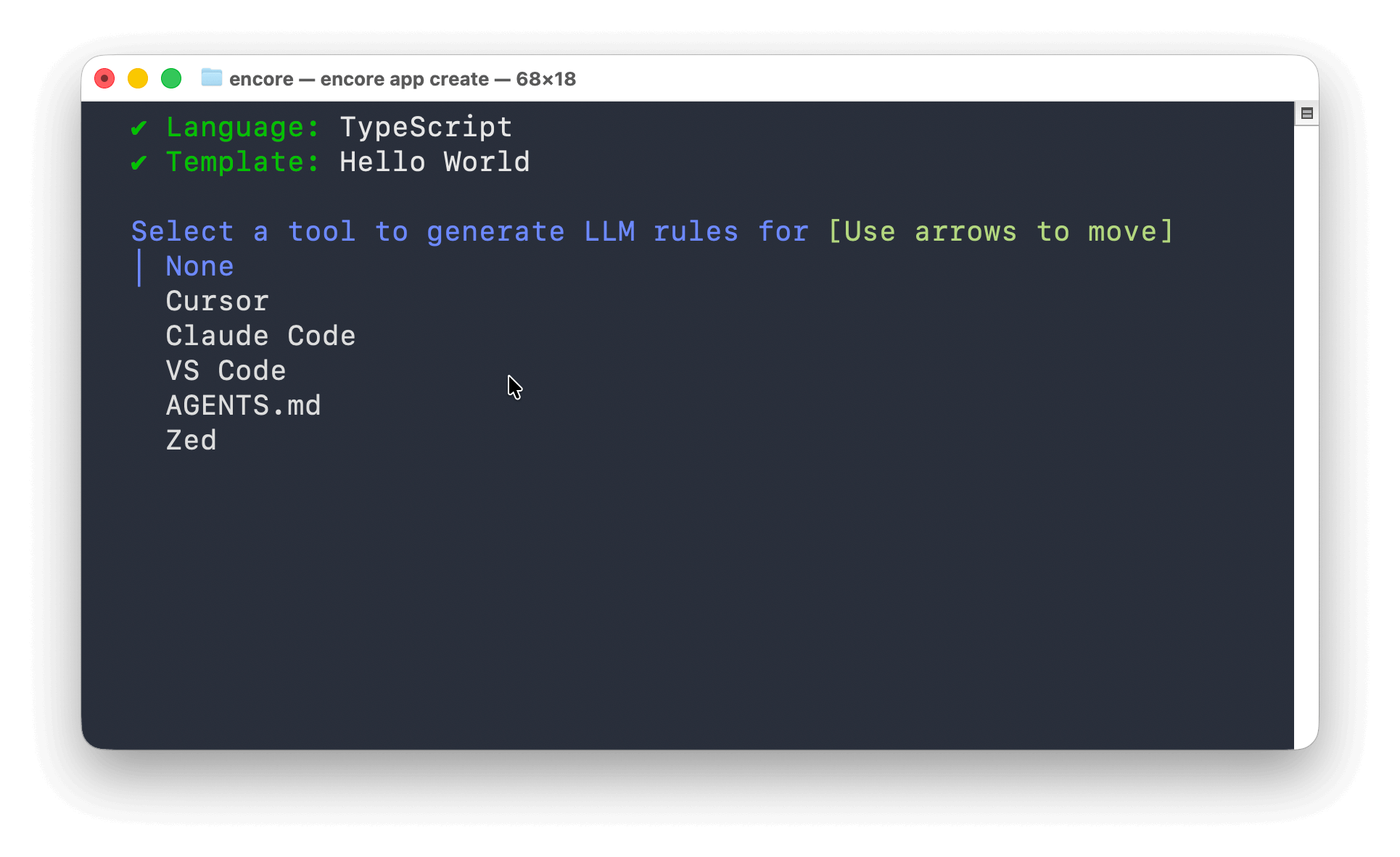
To skip the prompt, pass the tool with --llm-rules, for example encore app create my-app --example=ts/hello-world --llm-rules=claudecode.
Existing projects
From the application directory, run:
encore llm-rules init
Select your AI tool when prompted, or pass it with --llm-rules. The command generates the appropriate rules file, such as CLAUDE.md or Cursor rules, and configures the local MCP server for supported hosts.
The generated formats support tools and conventions including Cursor, Claude Code, VS Code, AGENTS.md, and Zed.
Connect the local MCP server
The Encore CLI includes a local Model Context Protocol server. It exposes tools for inspecting the application model, reading database schemas, querying local databases, calling APIs, and reading traces.
Configuration is generated automatically for supported hosts when you create a project or run encore llm-rules init. Use the following setup when you need to connect a host manually.
Start the server
From the Encore application directory, run:
encore mcp start
The command prints the SSE URL and stdio command for the application, including its app ID. Use that app ID in the configurations below: an app that isn't linked to Encore Cloud has no ID in encore.app. Keep the server running when connecting over SSE. Hosts configured with the stdio command start their own MCP process.
Connect Cursor
Use the button below after replacing your-app-id with the app ID that encore mcp start prints:

To configure it manually, create .cursor/mcp.json:
{
  "mcpServers": {
    "encore-local": {
      "command": "encore",
      "args": ["mcp", "run", "--app=your-app-id"]
    }
  }
}
Connect Claude Code
From the Encore application directory, run:
claude mcp add --transport stdio encore-local -- encore mcp run --app=your-app-id
Verify the connection with claude mcp list.
Connect the Cloud MCP server
The Cloud MCP server at https://api.encore.dev/mcp gives agents your deployed environments on Encore Cloud, including deploys and build logs, production traces, metrics, and infrastructure. In Claude Code:
claude mcp add --transport http encore-cloud https://api.encore.dev/mcp
Then run /mcp, select encore-cloud, and choose Authenticate to sign in through your browser. For other tools, and for API keys in CI, see the Cloud MCP server docs.
What an agent can inspect and test
The available actions depend on the tools supported by the agent and the permissions you grant it. Through Encore's local MCP server, an agent can:
- Inspect services, APIs, middleware, authentication handlers, and infrastructure resources
- Read SQL database schemas and query local application data
- Call API endpoints in the running application
- Search traces and inspect spans across API calls and Pub/Sub handlers
- Inspect Pub/Sub topics, object storage, caches, cron jobs, metrics, and secret metadata
- Search and read Encore documentation
See the Local MCP server reference for the complete tool list.
MCP tools can read local application data, execute database queries, and call endpoints. Review the MCP configuration, the application it targets, and each tool request according to your AI tool's approval settings. Secret values are not exposed by the secret metadata tool.
Example workflow
Start the application with encore run, then ask the agent to make and verify a change:
- Ask it to add an API, database, topic, or another infrastructure primitive (TypeScript, Go).
- Build or run the application. Type errors and invalid resource declarations are reported before deployment.
- Let the agent call the local API and inspect the resulting database state or trace through MCP.
- Review the code and any environment configuration needed for deployment.
For example:
- "Add an endpoint that publishes to a Pub/Sub topic, call it, and verify the publish in the trace."
- "Inspect the users database schema and add an endpoint that returns accounts created in the last week."
- "Create a service with CRUD endpoints backed by PostgreSQL, then run its tests."
Local development uses the implementations provided by encore run, including PostgreSQL in Docker and local implementations of other declared resources. See Development workflow for how the same application declarations are used across local, preview, and production environments.