A PaaS That Runs on Your Own AWS Account
Five ways to get a Heroku-style workflow inside your own AWS account, compared on what you pay besides the AWS bill and what you still have to build.

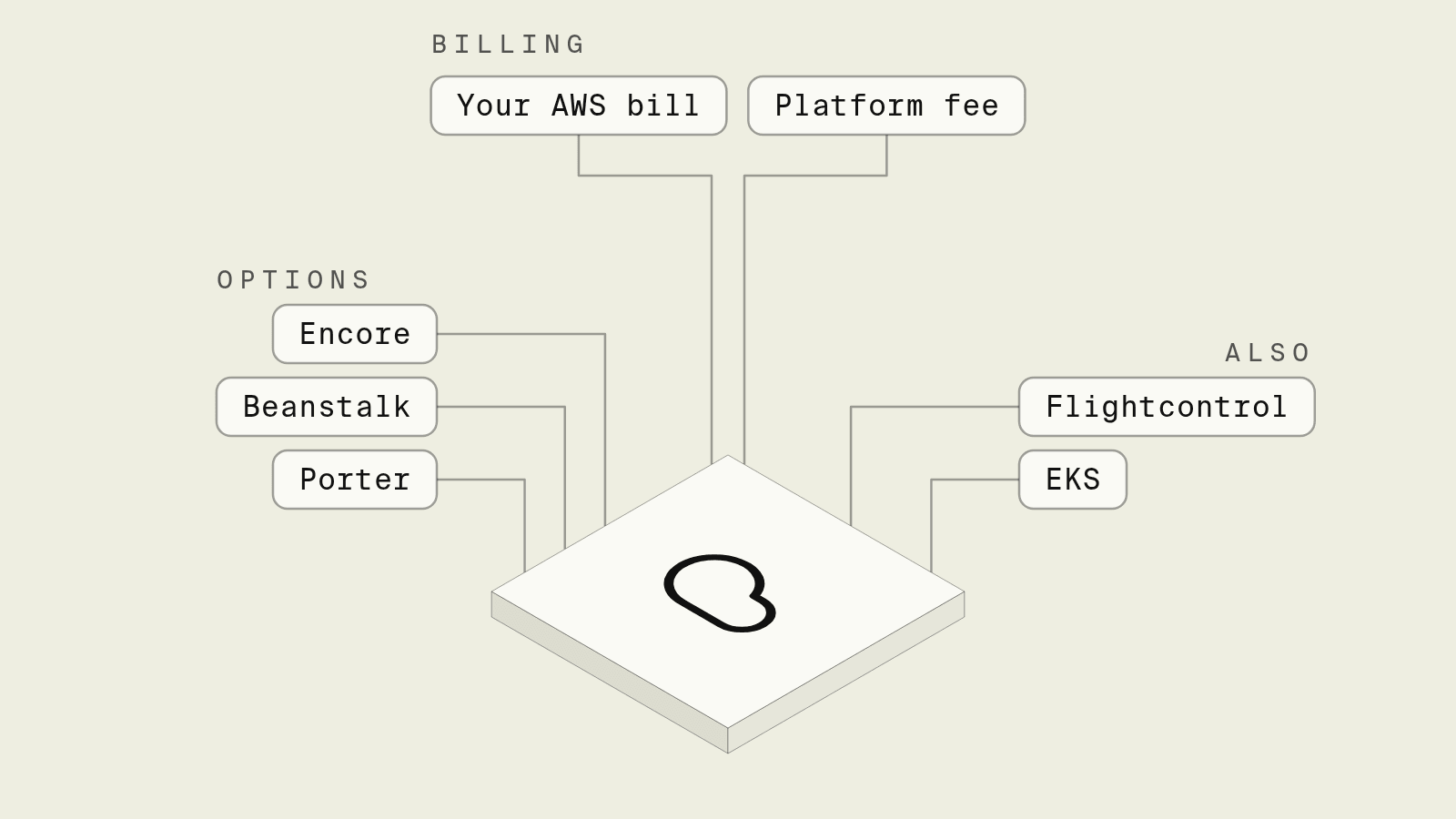
If you want a PaaS that deploys into your own AWS account and bills compute at AWS prices, the best fit for TypeScript and Go backends is Encore. You declare the Postgres databases, Pub/Sub topics, cron jobs and buckets in the code, Encore provisions them in your account on git push, and AWS bills you directly. If you only need to run a container or a web app with no managed resources around it, Elastic Beanstalk has no platform fee at all. Flightcontrol (ECS) and Porter (EKS) are the closest to a classic Heroku dashboard in your own account.
People ask this question at a specific moment: the Heroku, Render or Railway bill has grown past what the same compute costs on AWS, or a customer wants the data in an AWS account you control, or there are AWS credits sitting unused. The answer that looks cheapest on paper, raw AWS with Terraform, swaps the hosted bill for an infrastructure project. A PaaS in your own account sits between the two, and the useful comparison is what each one charges on top of AWS and what it still leaves you to build.
What are the options for a PaaS on your own AWS account?
The ranking is by how much of a backend each option takes off your hands while keeping compute on your AWS bill. All five keep your data and resources in your account. Fees change, so check each pricing page before you decide.
How does billing work when a PaaS runs in your AWS account?
A hosted PaaS rents you compute at its own price, which includes its margin, and your AWS credits, savings plans and enterprise discounts do not apply. A PaaS that runs in your account splits the bill in two:
- AWS bills you for Fargate, RDS, NAT gateways, load balancers and bandwidth, at your AWS price. Credits and discounts apply.
- The platform bills you for the software, with its own pricing model.
The first line is usage in your account, at your AWS price. The second line still exists, with a shape that matters as you grow. A fee per vCPU grows with traffic. A fee per seat or per environment grows with the team and the number of environments. A fee per service grows with how finely you split the backend.
How does Encore work as a PaaS in your own AWS account?

Encore is infrastructure from code for TypeScript and Go. A classic PaaS asks you to describe services in a dashboard or a config file and then bring your own database add-ons. Encore reads the infrastructure from the code instead. Here is an orders service with a Postgres database, a Pub/Sub topic and subscriber, and an hourly job:
package orders

import (
	"context"

	"encore.dev/cron"
	"encore.dev/pubsub"
	"encore.dev/storage/sqldb"
)

// RDS Postgres on AWS, Cloud SQL on GCP, Docker locally.
var db = sqldb.NewDatabase("orders", sqldb.DatabaseConfig{
	Migrations: "./migrations",
})

type OrderPlaced struct {
	OrderID int64
}

// SNS and SQS on AWS, Pub/Sub on GCP, in-memory locally.
var OrderPlacedTopic = pubsub.NewTopic[*OrderPlaced]("order-placed", pubsub.TopicConfig{
	DeliveryGuarantee: pubsub.AtLeastOnce,
})

var _ = pubsub.NewSubscription(OrderPlacedTopic, "send-receipt",
	pubsub.SubscriptionConfig[*OrderPlaced]{Handler: SendReceipt},
)

type PlaceParams struct {
	Cents int
}

type PlaceResponse struct {
	ID int64
}

//encore:api public method=POST path=/orders
func Place(ctx context.Context, p *PlaceParams) (*PlaceResponse, error) {
	var id int64
	err := db.QueryRow(ctx,
		`INSERT INTO orders (cents, status) VALUES ($1, 'unpaid') RETURNING id`,
		p.Cents).Scan(&id)
	if err != nil {
		return nil, err
	}
	if _, err := OrderPlacedTopic.Publish(ctx, &OrderPlaced{OrderID: id}); err != nil {
		return nil, err
	}
	return &PlaceResponse{ID: id}, nil
}

func SendReceipt(ctx context.Context, e *OrderPlaced) error {
	// Look up the order and email the receipt.
	return nil
}

// Called on schedule by the Encore platform in deployed environments.
var _ = cron.NewJob("expire-unpaid", cron.JobConfig{
	Title:    "Expire unpaid orders",
	Every:    1 * cron.Hour,
	Endpoint: ExpireUnpaid,
})

//encore:api private
func ExpireUnpaid(ctx context.Context) error {
	_, err := db.Exec(ctx,
		`UPDATE orders SET status = 'expired'
		 WHERE status = 'unpaid' AND created_at < now() - interval '24 hours'`)
	return err
}
encore run starts that service locally with Postgres in Docker and an in-memory Pub/Sub broker, with no Docker Compose file. To deploy, you connect your AWS account once, create an environment, and push. Encore provisions the VPC, an ECS Fargate (or EKS) service, RDS Postgres, the SNS topic with an SQS subscription and dead-letter queue, and secrets in AWS Secrets Manager, all in your account. Encore provisions an IAM role for the service. The Encore platform runs the cron job on schedule, with no EventBridge rule or scheduler container in your account. Instance sizes, networking and backups are adjustable in infrastructure configuration or in the AWS console.
What makes it a PaaS rather than a provisioning tool is the rest of the workflow: environments for staging and production, a preview environment per pull request, distributed tracing, and a service catalog generated from the code.
What do you pay for?
AWS bills you for the compute, databases, queues, storage and bandwidth in your account, at your AWS price, including any credits or discounts.
The resources live in your own AWS account. Encore does not automatically destroy infrastructure when it is no longer required, and you approve deletions in the dashboard. You can also run your own CI/CD with Encore's open source tooling, for example by building images with encore build docker. See Migrate away from Encore.
Simon Vans-Colina, CTO at Pave Bank, said on the customers page: "My challenge was to find a way to skip building a platform as good as Monzo's. The Encore platform fit that description perfectly."
Where does Encore not fit?
Encore covers backends written in TypeScript or Go on AWS or GCP. If you deploy Rails, Django or PHP apps, or you need Azure, pick one of the container platforms below. If your app is mostly a frontend, a frontend host is a better match.
Run in your terminal to get started locally.
Is Elastic Beanstalk still a good option?
Elastic Beanstalk is AWS's own app platform, and AWS states there is no additional charge for it: you pay only for the EC2 instances, load balancers and other resources it creates. It handles capacity, load balancing, scaling and platform updates for a web app or worker. The gap is everything around the app, as databases, queues, buckets and scheduled jobs are separate AWS resources you create and wire up yourself, usually with Terraform or CDK, and there are no preview environments per pull request. Pick it when the app is one service with few dependencies and the lowest possible fee matters more than developer workflow.
How do Flightcontrol and Porter compare?
Flightcontrol deploys to ECS on Fargate or EC2 in your AWS account and can create RDS databases, ElastiCache and S3 buckets. Its pricing (checked November 2026) has a free single-user plan, then plans by the number of services, where a server, database or cache each counts as a service and the count adds up across environments. AWS is billed to you directly.
Porter provisions an EKS cluster in your AWS, GCP or Azure account and deploys containers onto it. Its pricing (checked November 2026) is $13 per vCPU and $6 per GB of memory per month for the resources your apps request, on top of the AWS cost of the cluster, which Porter's docs estimate at about $201 a month for the default AWS cluster. That model is the closest of the four to a compute markup, because the fee grows with your compute.
Both are a good fit for teams that think in containers and want a dashboard. With either, the application code still connects to its database and queue through environment variables and client libraries you configure.
When should you run Kubernetes yourself instead?
If you already have a platform team and an EKS cluster, adding Argo CD, an ingress controller and External Secrets gets you a self-service deploy path with no platform fee beyond EKS itself ($0.10 per cluster per hour on standard support, per AWS). The cost moves to people: someone owns upgrades, the add-ons, the database story and on-call for the platform. Encore can also deploy to an existing Kubernetes cluster if you want the cluster and Encore's workflow on top.
Which one should you pick?
- Encore when your backend is TypeScript or Go and needs databases, queues, cron and storage, and you want them provisioned from the code in your own AWS account.
- Elastic Beanstalk when you have one app, few dependencies, and want no platform fee.
- Flightcontrol when you want a Heroku-style dashboard on ECS and your service count is small.
- Porter when you want Kubernetes underneath and are comfortable with a fee that follows compute.
- Kubernetes plus your own tooling when you have a platform team that already runs it.
Verdict. Every option here gets you AWS prices for compute, and they differ in how much backend work they leave you. For TypeScript and Go backends, Encore leaves the least, with the database, queue and scheduled job coming from the same code as the API, in your own AWS account.
If you are moving off a hosted PaaS, the Heroku to AWS and Render to AWS guides walk through the move service by service, and you can try Encore locally before you connect an AWS account.
Related reading
Frequently asked questions
Is there a PaaS that runs on my own AWS account with no markup?
Yes. Encore, Elastic Beanstalk, Flightcontrol and Porter all run your app in your own AWS account, so AWS bills you directly for compute, databases and bandwidth at AWS prices. Elastic Beanstalk has no platform fee, Flightcontrol charges by the number of services, and Porter charges per vCPU and GB of memory your apps request. For TypeScript and Go backends, Encore also provisions the databases, queues, buckets and cron jobs your code declares.
What does no markup mean for a bring-your-own-cloud PaaS?
Your cloud resources are billed by AWS, to your AWS account, at AWS list price or whatever discount, savings plan or credits you have. The platform charges you separately for the software. A hosted PaaS instead resells compute to you, so its per-GB or per-vCPU price includes its margin and you cannot apply your AWS credits or discounts.
Can I use AWS credits with a PaaS that runs in my account?
Yes, for the AWS part of the bill. Credits apply to the resources in your account. They do not pay the platform's own fee.
What happens to my app if I stop paying the platform?
The resources stay in your AWS account, so the app keeps running, but you lose the deploy pipeline and management layer and have to operate the infrastructure yourself. Check how each platform documents this before you pick one.
Deploy to your cloud on AWS and Google Cloud
without managing infrastructure
Encore lets developers and agents define application infrastructure directly in code, then automatically provisions it from local development to production in your AWS or GCP account.
