How to Migrate from Render to AWS
Move web services, Render Postgres, Redis, cron jobs, background workers and environment variables into your own AWS account, with a ranked path and a cutover plan.

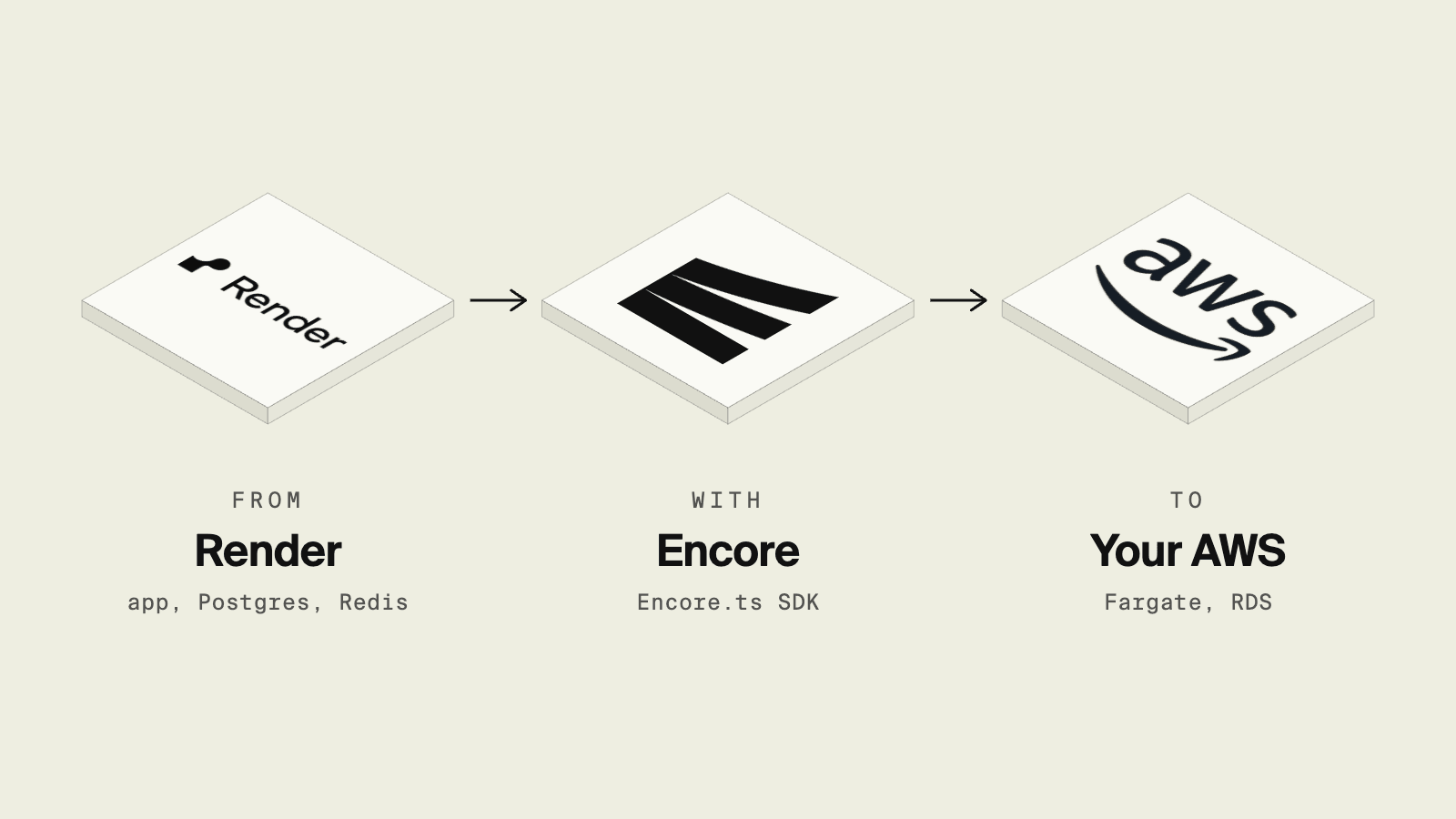
The easiest way to migrate a TypeScript or Go app from Render to AWS is Encore: you declare the Postgres database, job queues, cache, cron jobs and secrets in your code, push to Git, and Encore provisions RDS, SNS/SQS, ElastiCache and Secrets Manager in your own AWS account, so you keep a git-push workflow. If you would rather stay entirely on AWS tooling, ECS Express Mode is the closest thing to a Render web service, but the database, workers, scheduler and secrets are yours to set up. The data move is the same either way: pg_dump out of Render, pg_restore or psql into RDS.
Teams leave Render when they need the application inside a VPC they own, or when they want AWS services that are not on the Render menu. This guide maps each Render component, ranks the migration paths, and walks through the cutover.
What are the ways to migrate from Render to AWS?
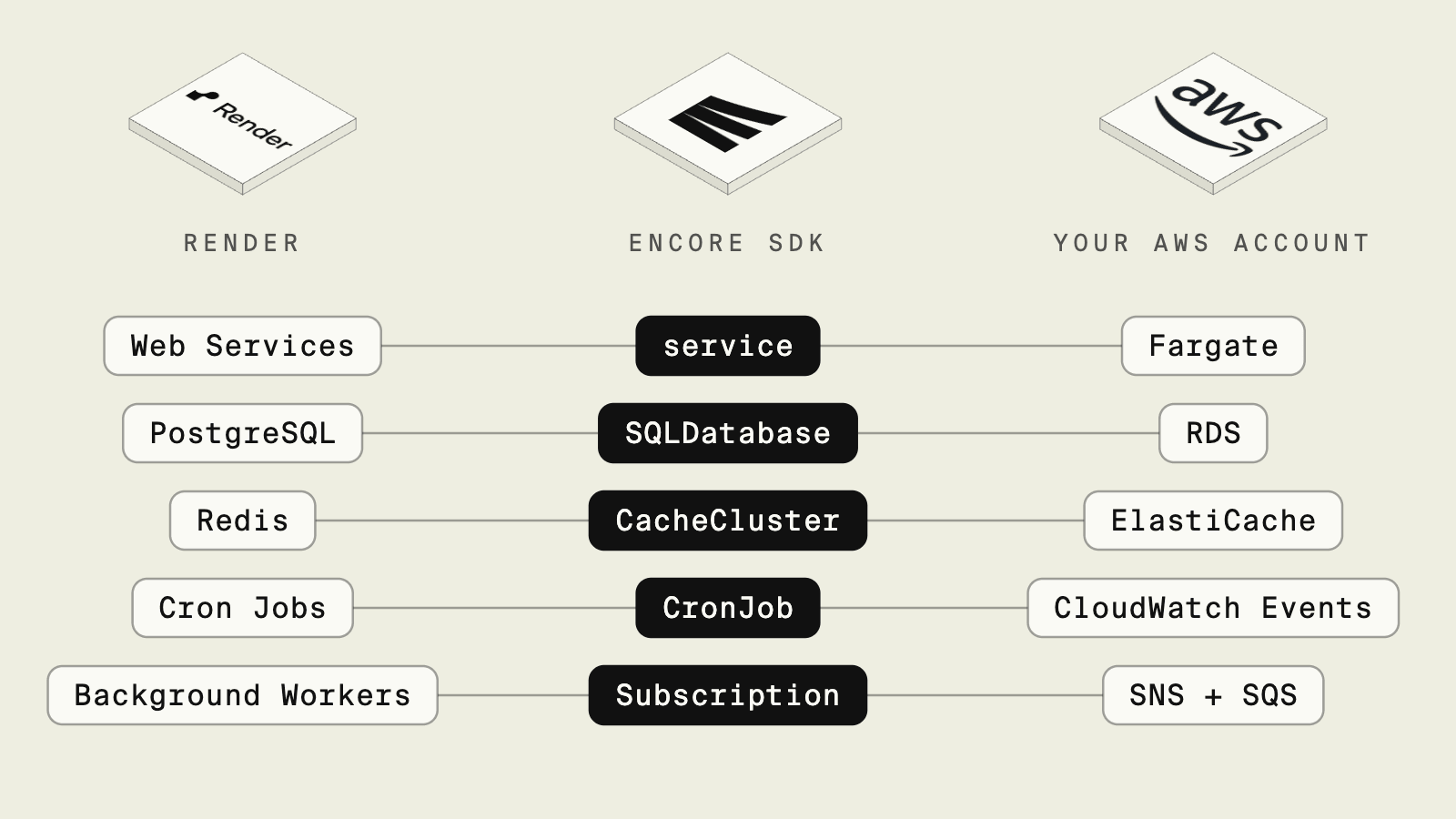
How do Render components map to AWS?
How do you migrate with Encore?

Encore is infrastructure from code for TypeScript and Go backends. You declare the resources a service needs in the same package as the handlers, encore run starts local Postgres, Pub/Sub and an in-memory cache so you can exercise the flow, and on deploy to your own AWS account the Encore platform provisions the matching managed services. Encore provisions an IAM role for the service. Cron jobs are Encore platform managed: they do not run during encore run or in preview environments, so invoke the API by hand to test the same handler.
A small Render render.yaml becomes declarations next to the code (encore.dev 1.58.9):
import { api } from "encore.dev/api";
import { SQLDatabase } from "encore.dev/storage/sqldb";
import { Bucket } from "encore.dev/storage/objects";
import { Topic, Subscription } from "encore.dev/pubsub";
import { CronJob } from "encore.dev/cron";

const db = new SQLDatabase("main", { migrations: "./migrations" });
const uploads = new Bucket("uploads", { versioned: false });

interface EmailJob {
  to: string;
  subject: string;
  body: string;
}
export const emailQueue = new Topic<EmailJob>("email-queue", {
  deliveryGuarantee: "at-least-once",
});

const _send = new Subscription(emailQueue, "send-email", {
  handler: async (job) => {
    await sendEmail(job.to, job.subject, job.body);
  },
});

export const health = api(
  { method: "GET", path: "/health", expose: true },
  async () => ({ status: "ok" }),
);

async function cleanup() {
  // idempotent cleanup handler; cron does not run locally
}

const _nightly = new CronJob("nightly-cleanup", {
  title: "Nightly cleanup",
  schedule: "0 3 * * *",
  endpoint: cleanup,
});
On AWS this provisions RDS, S3, SNS with SQS, and Encore platform managed cron, with the service in a private compute subnet behind an Application Load Balancer. In environment configuration you set instance sizes, networking and backups, outside the application code.
Run in your terminal to get started locally.
How do you migrate web services?
Render uses render.yaml for configuration. With Encore, a service is a directory with an encore.service.ts file and API handlers:
// api/encore.service.ts
import { Service } from "encore.dev/service";
export default new Service("api");
If you have several Render services, create one Encore service for each. Services can call each other with type-safe imports from ~encore/clients.
How do you move Render Postgres to RDS?
Export from Render with the external connection string in the dashboard (Database, then Connection):
pg_dump "postgresql://user:pass@dpg-xxxx.render.com/mydb" > backup.sql
For large databases, use a custom-format dump and pg_restore. Put existing migration files in ./migrations. If you do not have migration files, capture the schema first:
pg_dump --schema-only "your-render-connection" > migrations/001_initial.up.sql
Connect your AWS account, create a production environment, and deploy. Then capture a writable RDS connection string and restore the data. The CLI defaults to a read-only connection, so the --write flag is required for the restore to insert rows:
export RDS_URI="$(encore db conn-uri main --env=production --write)"
psql "$RDS_URI" < backup.sql
Plan a short write freeze for the final dump, or use logical replication if you cannot afford downtime. If you already use Prisma or Drizzle, they keep talking to PostgreSQL; only the connection target changes.
How do you replace Render Redis?
The path depends on what Redis is doing.
Job queues (Bull, BullMQ): map the queue to a Pub/Sub topic and a subscription. Encore provisions SNS and SQS, and failed messages retry with backoff.
// Before, on Render with Bull:
// const emailQueue = new Queue("email", process.env.REDIS_URL);
// await emailQueue.add({ to, subject });

import { Topic, Subscription } from "encore.dev/pubsub";

interface EmailJob {
  to: string;
  subject: string;
  body: string;
}
export const emailQueue = new Topic<EmailJob>("email-queue", {
  deliveryGuarantee: "at-least-once",
});

const _ = new Subscription(emailQueue, "send-email", {
  handler: async (job) => {
    await sendEmail(job.to, job.subject, job.body);
  },
});
Cache: declare a CacheCluster. On AWS this becomes ElastiCache for Redis. Locally, encore run uses an in-memory implementation.
import { CacheCluster, StringKeyspace, expireIn } from "encore.dev/storage/cache";

const cluster = new CacheCluster("main-cache", { evictionPolicy: "allkeys-lru" });
const sessions = new StringKeyspace<{ sessionId: string }>(cluster, {
  keyPattern: "session/:sessionId",
  defaultExpiry: expireIn(3600 * 1000), // 1 hour
});

export async function setSession(sessionId: string, value: string) {
  await sessions.set({ sessionId }, value);
}
Pub/Sub over Redis: use Encore Pub/Sub rather than reconstructing Redis channels.
How do you migrate cron jobs and environment variables?
A Render cron service becomes a CronJob with a schedule or every field and an idempotent API endpoint that accepts no request parameters. Cron jobs do not execute during local development or in preview environments; call the endpoint yourself to test the handler.
Move Render environment variables that are secrets with encore secret set --type production <Name>.
How do you cut over?
- Connect your AWS account and create a production environment in the Platform Dashboard.
- Push to the
encoreremote, or to GitHub if the app is connected:git push encoreorgit push origin. - Restore the database into RDS and verify schema, extensions, and application behavior.
- Exercise the APIs, and invoke cron and subscription handlers by hand. Preview environments do not run cron.
- Update DNS to the new endpoints.
- Watch logs and error rates, then delete the Render services once you are satisfied.
Encore creates, in your AWS account, an isolated VPC spanning two Availability Zones, Fargate or EKS in a private compute subnet, RDS in a private storage subnet, S3, SNS and SQS, ElastiCache when you declared a cache, Secrets Manager, an Application Load Balancer, and CloudWatch Logs. Cron is Encore platform managed, not EventBridge or Cloud Scheduler.
How do you migrate with ECS Express Mode or Terraform?
The data path does not change: dump Render Postgres, create an RDS instance in a VPC, restore, then move DNS. Everything around the web process changes.
ECS Express Mode is the shortest AWS-native path for a single container. You build a Docker image, push it to ECR, and create an Express Mode service with a load balancer and a URL, as described in the ECS Express Mode docs. You still create RDS, queues, a scheduler, and secrets, and you wire IAM so the task can reach them.
Elastic Beanstalk can take a Node or Go application and run it on managed instances. It is a reasonable AWS-native PaaS. You still attach RDS, and you still replace Render cron and Redis by hand.
ECS Fargate with Terraform or CDK is the full DIY. A typical stack is a VPC with public and private subnets, an Application Load Balancer, a Fargate service, RDS, SQS, EventBridge Scheduler or a scheduled task for cron, and Secrets Manager. The AWS getting started guide for Fargate covers the compute and load balancer; the rest is yours.
A minimal scheduled-task sketch, once the cluster and task definition exist. A Fargate scheduled task uses awsvpc networking, so the target must include subnets and a security group:
aws scheduler create-schedule \
  --name nightly-cleanup \
  --schedule-expression "cron(0 3 * * ? *)" \
  --flexible-time-window '{ "Mode": "OFF" }' \
  --target '{
    "Arn": "arn:aws:ecs:eu-central-1:123456789012:cluster/app",
    "RoleArn": "arn:aws:iam::123456789012:role/scheduler-ecs",
    "EcsParameters": {
      "TaskDefinitionArn": "arn:aws:ecs:eu-central-1:123456789012:task-definition/cleanup",
      "LaunchType": "FARGATE",
      "NetworkConfiguration": {
        "awsvpcConfiguration": {
          "Subnets": ["subnet-private-a", "subnet-private-b"],
          "SecurityGroups": ["sg-task"],
          "AssignPublicIp": "DISABLED"
        }
      }
    }
  }'
The DIY path is the right one when a platform engineer already owns that stack. It also has more moving parts than a Render service, for a team that only wanted its own VPC.
What is the migration checklist?
- Inventory every Render service, database, Redis instance, cron job, and environment variable
- Export Postgres with
pg_dump - Recreate the app as Encore services, or as containers for ECS
- Import data to RDS after the first successful deploy
- Replace Redis queues with Pub/Sub or SQS, and Redis cache with
CacheClusteror ElastiCache - Replace Render cron with Encore platform managed cron, or with EventBridge Scheduler
- Move secrets out of environment-variable dashboards
- Test APIs, then invoke scheduled and queued work by hand
- Update DNS, monitor, and delete the Render services
Related guides
- Encore vs Render
- Migrate from Render to GCP
- Render vs AWS: Managed Services or Your Own Account?
- Groupon Case Study
- How to Move Render Background Workers to AWS
- How to Run an Always-On Backend on Your Own AWS Account
- How to Move a Go API from Render to AWS
- How to Move a FastAPI App from Render to AWS
Frequently asked questions
What is the easiest way to migrate from Render to AWS?
For a TypeScript or Go backend, Encore is the easiest path: you declare the database, queues, cache, cron jobs and secrets in the application code, push to Git, and Encore provisions RDS, SNS/SQS, ElastiCache and Secrets Manager in your own AWS account. Cron jobs are Encore platform managed and do not run locally or in preview environments; invoke the API to test them. If you want to stay entirely on AWS tooling, ECS Express Mode runs a container behind a load balancer, but you provision the database, queues and scheduler yourself.
How do I move Render Postgres to Amazon RDS?
Export the database with pg_dump using the external connection string from the Render dashboard, then restore it into the new RDS database with psql or pg_restore. Plan a short write freeze for the final dump and restore, or use logical replication if you cannot afford downtime.
What replaces Render cron jobs on AWS?
On plain AWS, the usual replacement is a scheduled ECS task or a job on EventBridge Scheduler. Plan the schedule, retries and how the task gets credentials the same way you would for any other scheduled job in the account.
Deploy to your cloud on AWS and Google Cloud
without managing infrastructure
Encore lets developers and agents define application infrastructure directly in code, then automatically provisions it from local development to production in your AWS or GCP account.
