How to Run Cron Jobs on AWS Without Terraform or EventBridge Config
Five ways to schedule jobs for a Node.js or Go backend on AWS, ranked, from a schedule declared in code to EventBridge Scheduler and node-cron.

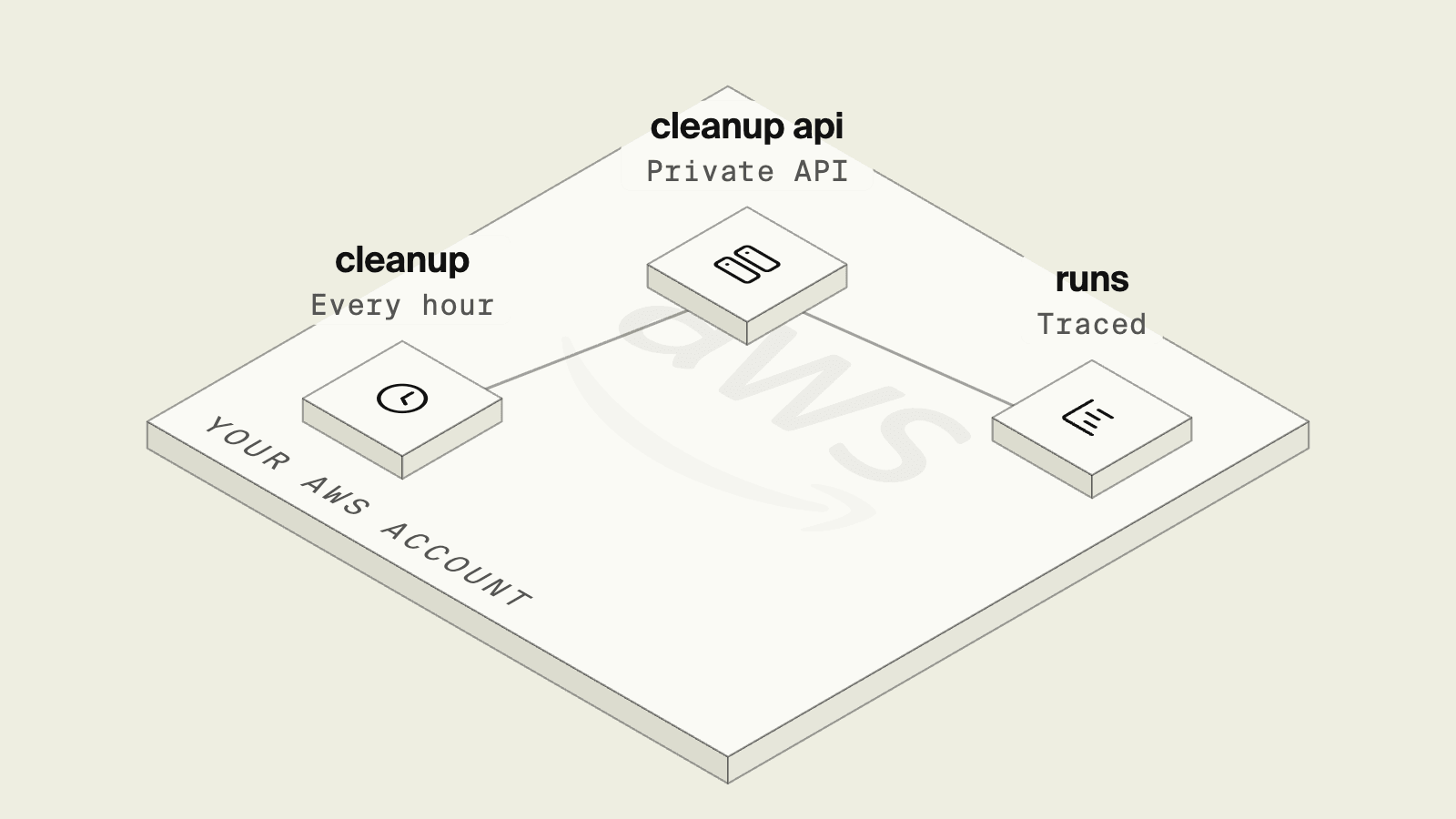
To run cron jobs for a Node.js or Go backend on AWS without EventBridge config, declare them in code with Encore: a CronJob names the schedule and the endpoint it calls, and after you deploy to your own AWS account the Encore platform calls that endpoint on schedule, with no EventBridge rule, Scheduler role or Lambda function for you to configure. If you want to stay on AWS-native tooling, use EventBridge Scheduler (not the legacy scheduled rules), preferably through a tool that writes the configuration for you, such as SST's CronV2. An in-process scheduler like node-cron works for a single instance and needs coordination once you run more than one.
The job itself is usually ten lines: expire trials, send a digest, sync a third-party API, archive old rows. On AWS, getting those ten lines to run every hour has meant a schedule resource, a target, an IAM role that lets the scheduler invoke the target, a packaged function or task, and logs you have to go looking for. This guide ranks the ways to avoid most of that, with code for each, and ends with when each one is the right call.
What are the ways to run cron jobs on AWS without Terraform?
AWS marks EventBridge scheduled rules as legacy and recommends EventBridge Scheduler for new schedules, so older tutorials that build an aws_cloudwatch_event_rule plus a target and a Lambda permission are describing the previous generation.
How do you declare a cron job in code with Encore?

Encore is infrastructure from code for TypeScript and Go: the database, Pub/Sub topics, buckets, secrets and cron jobs your backend uses are declared in the application code, and Encore provisions them in your own AWS or GCP account when you deploy. A cron job is a CronJob that points at an API endpoint:
// billing/jobs.ts (encore.dev 1.58)
import { api } from "encore.dev/api";
import { CronJob } from "encore.dev/cron";
import log from "encore.dev/log";
import { SQLDatabase } from "encore.dev/storage/sqldb";

const db = new SQLDatabase("billing", { migrations: "./migrations" });

// Private endpoint: the scheduler and other services can call it,
// the public internet cannot.
export const expireTrials = api({ expose: false }, async (): Promise<void> => {
  // Safe to run twice: a second run finds no rows left to change.
  const rows = db.query<{ id: string }>`
    UPDATE accounts
    SET plan = 'free'
    WHERE plan = 'trial' AND trial_ends_at < now()
    RETURNING id
  `;
  let expired = 0;
  for await (const row of rows) {
    expired++;
    log.info("trial expired", { account: row.id });
  }
  log.info("expire-trials done", { expired });
});

export const sendDigest = api({ expose: false }, async (): Promise<void> => {
  // Claim each account as in progress, send, then mark it sent.
  // A crash leaves the claim, and a later run reclaims it after 15 minutes.
  const rows = db.query<{ id: string; email: string }>`
    UPDATE accounts
    SET digest_claimed_at = now()
    WHERE plan <> 'trial'
      AND (digest_sent_on IS NULL OR digest_sent_on < current_date)
      AND (digest_claimed_at IS NULL OR digest_claimed_at < now() - interval '15 minutes')
    RETURNING id, email
  `;
  for await (const row of rows) {
    log.info("queue digest", { account: row.id, email: row.email });
    await db.exec`
      UPDATE accounts
      SET digest_sent_on = current_date, digest_claimed_at = NULL
      WHERE id = ${row.id} AND (digest_sent_on IS NULL OR digest_sent_on < current_date)`;
  }
});

// Every hour, on the hour (UTC). The interval must divide 24 hours evenly.
const _expire = new CronJob("expire-trials", {
  title: "Expire ended trials",
  every: "1h",
  endpoint: expireTrials,
});

// 08:00 UTC every Monday.
const _digest = new CronJob("weekly-digest", {
  title: "Send the Monday digest",
  schedule: "0 8 * * 1",
  endpoint: sendDigest,
});
Adding a third job is a third CronJob in the same file. The schedule sits next to the code it runs, so a reviewer sees both in one diff, and removing a job removes its schedule in the same commit. The same primitive exists in Go as cron.NewJob, see the Go cron docs.
If the rest of your backend is an Express app, Encore works alongside it: the Express migration guide mounts your existing router in a raw catch-all endpoint, and you add CronJob declarations next to it without moving every route first.
Run in your terminal to get started locally.
What are the rules for Encore cron jobs?
These come from the cron jobs docs:
- No local or preview runs. Cron jobs do not run locally under
encore runor in preview environments. Call the endpoint yourself to test it. everyintervals count from midnight UTC. Use an interval that divides 24 hours evenly, such as10m,1hor6h.scheduletakes a standard cron expression in UTC, for anythingeverycannot express, such as "the 15th of each month at 04:00".- No request parameters. The endpoint is called with an empty request, so the job reads what it needs from the database.
- Idempotent endpoints. A job can be called more than once under some network conditions, which is why both handlers above claim rows with a conditional
UPDATEbefore acting on them.
How does Encore run the schedule on AWS?
Cron is Encore platform Managed in deployed cloud environments, and it does not run locally or in preview environments. When you deploy to your own cloud, Encore registers each CronJob with the platform, which calls the endpoint on schedule. On AWS, the platform needs no extra infrastructure in your account: no schedule resource, no IAM role for a scheduler, no separate function to package. The endpoint runs inside your service, with the same database connection and secrets as the rest of the code, and every run is visible in the Cron Jobs page of the Encore dashboard.
If you self-host with encore build docker, the image does not trigger cron jobs. The build prints each job's endpoint path and schedule, and you call those endpoints from your own scheduler. Private endpoints cannot be called from outside the app, so for self-hosting the job endpoint has to be public and require authentication.
What does the same job look like with EventBridge Scheduler?

EventBridge Scheduler supports rate, cron and one-time schedules, evaluates them in UTC or an IANA time zone you choose, adjusts for daylight saving time and invokes targets with 60-second precision. It is the AWS-native answer, and it is the configuration this article is about avoiding. Here is the hourly job as Terraform, assuming the Lambda function already exists:
# Terraform 1.13, hashicorp/aws 6.73
variable "cleanup_function_arn" {
  type        = string
  description = "ARN of the Lambda function that expires trials"
}

data "aws_caller_identity" "current" {}

# Role that EventBridge Scheduler assumes to invoke the target.
resource "aws_iam_role" "scheduler" {
  name = "expire-trials-scheduler"
  assume_role_policy = jsonencode({
    Version = "2012-10-17"
    Statement = [{
      Effect    = "Allow"
      Principal = { Service = "scheduler.amazonaws.com" }
      Action    = "sts:AssumeRole"
      Condition = {
        StringEquals = { "aws:SourceAccount" = data.aws_caller_identity.current.account_id }
      }
    }]
  })
}

resource "aws_iam_role_policy" "invoke" {
  role = aws_iam_role.scheduler.id
  policy = jsonencode({
    Version = "2012-10-17"
    Statement = [{
      Effect   = "Allow"
      Action   = "lambda:InvokeFunction"
      Resource = var.cleanup_function_arn
    }, {
      Effect   = "Allow"
      Action   = "sqs:SendMessage"
      Resource = aws_sqs_queue.expire_trials_dlq.arn
    }]
  })
}

resource "aws_sqs_queue" "expire_trials_dlq" {
  name = "expire-trials-dlq"
}

resource "aws_scheduler_schedule" "expire_trials" {
  name                         = "expire-trials"
  schedule_expression          = "cron(0 * * * ? *)"
  schedule_expression_timezone = "UTC"

  flexible_time_window {
    mode = "OFF"
  }

  target {
    arn      = var.cleanup_function_arn
    role_arn = aws_iam_role.scheduler.arn

    retry_policy {
      maximum_retry_attempts       = 3
      maximum_event_age_in_seconds = 3600
    }

    dead_letter_config {
      arn = aws_sqs_queue.expire_trials_dlq.arn
    }
  }
}
That is about 70 lines before the function exists, and the Lambda function, its execution role, its package and its log retention are separate resources, and AWS cron expressions have six fields with a ? rule for day-of-month and day-of-week, so 0 * * * * from the Encore example becomes cron(0 * * * ? *) here. A Lambda function also stops at the 15-minute timeout, so longer jobs go to an ECS task target, which adds a cluster, a task definition and network settings to the schedule.
What you get for the configuration is control: time zones, one-time at() schedules, a flexible window to spread load, and retry and dead-letter settings per target. If you need a job at 09:00 in Europe/Berlin across daylight saving changes, Scheduler handles that and a UTC cron expression does not.
Does SST remove the EventBridge config?

Mostly: SST's CronV2 component creates an EventBridge Scheduler schedule from a few lines in sst.config.ts and invokes a Lambda function or a container task, with options for a time zone, retries and a dead-letter queue. The older Cron component, built on EventBridge rules, is deprecated.
// sst.config.ts (SST 4.17)
new sst.aws.CronV2("ExpireTrials", {
  function: "src/expire-trials.handler",
  schedule: "cron(0 * * * ? *)",
  timezone: "UTC",
});
The schedule still lives in infrastructure code, separate from the handler, and the job runs as its own Lambda function or task rather than inside your API service. For an app that is already deployed with SST, that is a reasonable trade.
Can you run cron inside the Node.js process with node-cron?

Yes, and for one long-running instance it is the least setup of anything here. node-cron 4.6.0 schedules a function with a cron expression inside your process, can skip overlapping runs, and supports time zones:
// index.ts (node-cron 4.6.0, pg 8)
import cron from "node-cron";
import pg from "pg";

const pool = new pg.Pool({ connectionString: process.env.DATABASE_URL });

cron.schedule(
  "0 * * * *",
  async () => {
    const res = await pool.query(
      `UPDATE accounts SET plan = 'free'
       WHERE plan = 'trial' AND trial_ends_at < now()`,
    );
    console.log(`expired ${res.rowCount} trials`);
  },
  {
    name: "expire-trials",
    timezone: "UTC",
    noOverlap: true, // skip a tick if the last run is still going
    distributed: true, // one replica runs each tick (needs a coordinator)
  },
);
Scaling out is harder: with three ECS tasks, every task runs the job unless you coordinate them, which is what the distributed option is for: out of the box it uses an environment variable flag, and for high availability the distributed coordination docs point you at a Redis coordinator. A run that falls inside a deploy or a crash is missed, the scheduler keeps no history, and the job shares CPU and memory with your request handling. The node-cron README itself recommends a queue or a workflow engine when you need retries or exactly-once behavior across crashes.
What about an external HTTP cron service?
A hosted cron service calls a URL on your API on a schedule. Setup is a form in a dashboard, which is fine for a side project. For a production backend it means a public endpoint that has to authenticate the caller, a second vendor that can see your job names and URLs, and job history that lives outside your logs and traces.
How do you make a cron job safe to run twice?
Every option above can run a job more than once: Encore may call an endpoint twice under some network conditions, EventBridge Scheduler retries failed invocations, node-cron replicas overlap without coordination, and HTTP cron services retry timeouts. Write the job so a second run is harmless:
- Claim before acting.
UPDATE ... SET sent_on = current_date WHERE sent_on IS DISTINCT FROM current_date RETURNING idreturns each row once per day, so a retry finds nothing left to send. - Make writes conditional. Expiring a trial with
WHERE plan = 'trial'is a no-op the second time. - Use idempotency keys for external calls. Payment and email APIs accept a key per operation, so derive it from the row and the date.
- Keep each run small. Process a batch, commit, and let the next tick pick up the rest, instead of one long transaction that a timeout can roll back.
Which option should you pick?
- Encore if your backend is TypeScript or Go and you want the schedule declared next to the code, running in your own AWS account.
- EventBridge Scheduler if you need time zones with daylight saving, one-time schedules or AWS-native retry and dead-letter settings, and you are fine owning the IAM role and target.
- SST
CronV2if the app is already deployed with SST. - node-cron if you run one instance and can live with missed runs during deploys.
- An HTTP cron service for a side project with a single public endpoint.
Verdict. EventBridge Scheduler is the most configurable, and every hour of configuration buys control you may not need. Encore ranks first for application backends because the job is a declaration in the code it runs, the platform calls it in your own AWS account, and there are no scheduler resources to keep in sync with it. Start with the quickstart and the cron jobs docs.
Related resources
- Cron Job Monitoring: Catching Jobs That Fail or Never Run
- How to Replace Heroku Scheduler When You Move to AWS
- How to Move Railway Cron Jobs to AWS
- ECS Scheduled Tasks: Running Cron Jobs on Amazon ECS
- Cron Jobs in TypeScript
- Encore vs Terraform
- EventBridge Scheduler with Terraform: Cron, One-Time Schedules, IAM and Retries
- How to Add Cron Jobs to a Go net/http App
Frequently asked questions
How do I run cron jobs on AWS without configuring EventBridge?
Declare the job in your application code with Encore. A CronJob names the schedule and the API endpoint to call, and once you deploy to your AWS account the Encore platform calls that endpoint on schedule. The alternatives are an in-process scheduler such as node-cron, which runs inside your server and needs coordination across replicas, or EventBridge Scheduler configured through a tool such as SST that writes the configuration for you.
Is EventBridge Scheduler better than EventBridge scheduled rules?
Yes, for new work. AWS calls scheduled rules a legacy feature and recommends EventBridge Scheduler, which adds time zones, one-time schedules, flexible time windows and per-target retry and dead-letter settings.
Can I use node-cron in production on AWS?
Yes, with care. node-cron runs the job inside your Node.js process, so every replica would run it unless you coordinate them. Version 4 has a distributed option that elects one instance per tick and supports a Redis coordinator, and jobs stop while the process restarts during a deploy.
What time zone do cron jobs on AWS run in?
EventBridge scheduled rules always use UTC. EventBridge Scheduler evaluates cron and one-time schedules in UTC or in any IANA time zone you set on the schedule, and adjusts for daylight saving time.
Deploy to your cloud on AWS and Google Cloud
without managing infrastructure
Encore lets developers and agents define application infrastructure directly in code, then automatically provisions it from local development to production in your AWS or GCP account.
