How to Set Up Cron Jobs in TypeScript
Schedule recurring tasks in your backend without external services

Cron jobs handle recurring tasks: sending daily reports, cleaning up old data, syncing with external APIs, processing queues. Traditionally, you'd set these up separately from your application code, often with external services or system-level crontabs. Modern TypeScript backends let you define schedules alongside your code.
The Problem with Traditional Cron
Setting up cron jobs typically involves:
- Writing a standalone script
- Configuring a system crontab or external scheduler
- Managing environment variables separately
- Hoping the schedule syntax is correct
- Deploying and maintaining it independently
This creates drift between your application and its scheduled tasks. The tasks don't benefit from your type checking, logging, or error handling. When something breaks, you're debugging across multiple systems.
A Better Approach
With Encore.ts, cron jobs are part of your application code. They're type-checked, automatically deployed, and use the same infrastructure as your API endpoints. No separate configuration or deployment pipelines needed.
import { CronJob } from "encore.dev/cron";
import { api } from "encore.dev/api";

// Define the job
const _ = new CronJob("daily-report", {
  title: "Send daily report",
  schedule: "0 9 * * *", // 9 AM UTC daily
  endpoint: sendDailyReport,
});

// The endpoint it calls
export const sendDailyReport = api({}, async () => {
  // Your logic here
  console.log("Sending daily report...");
});
That's it. When you deploy, the cron job runs on schedule. Locally, it fires on schedule too (or you can trigger it manually from the dashboard).
Getting Started
If you don't have an Encore project yet, create one. The CLI sets up everything you need including the development environment with a local dashboard for testing cron jobs.
# Install CLI
brew install encoredev/tap/encore

# Create project
encore app create my-app --example=ts/hello-world
cd my-app

# Start development
encore run
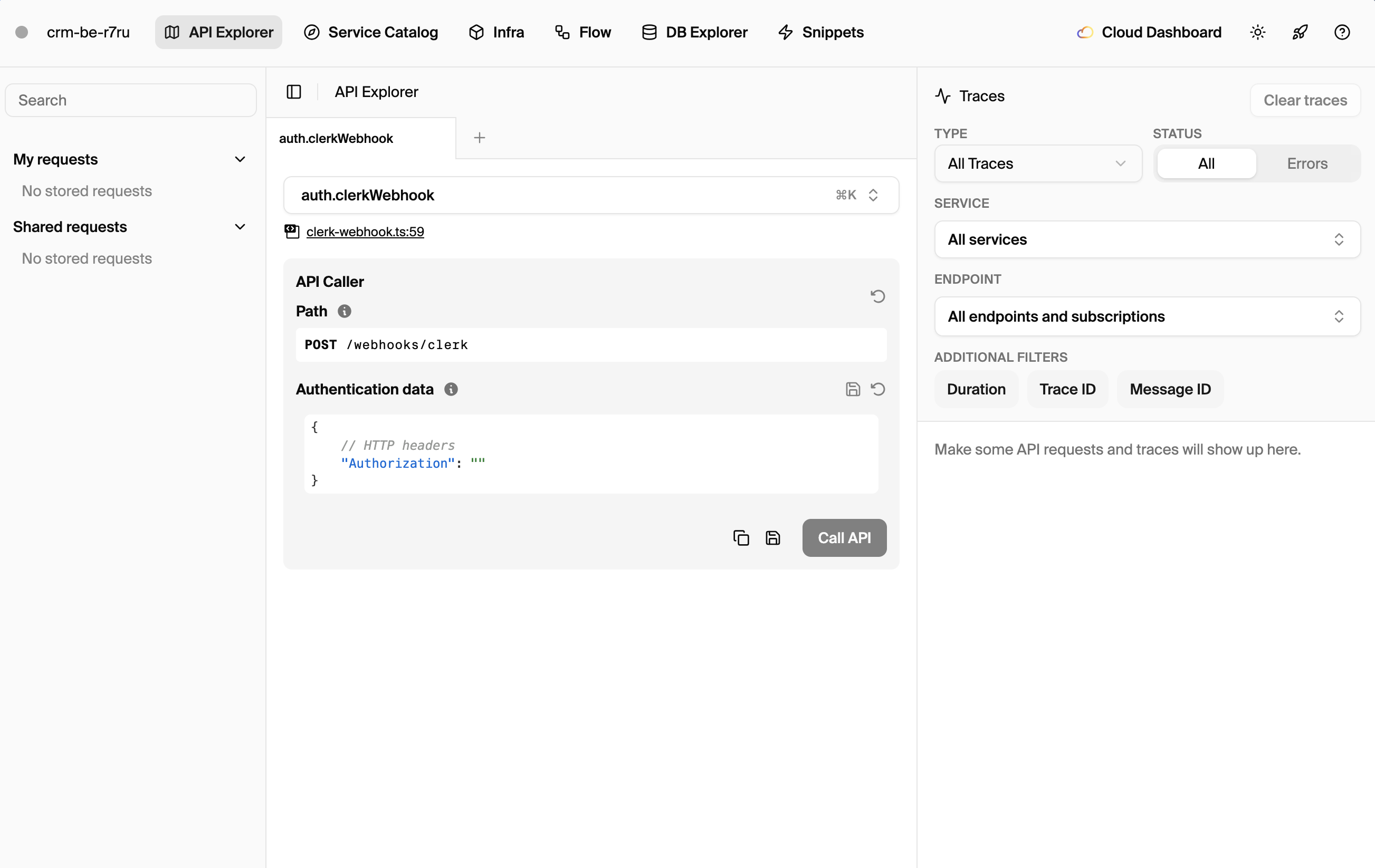
Your local development dashboard at localhost:9400 shows scheduled jobs and lets you trigger them manually for testing.
Simple Interval Scheduling
For jobs that run every N minutes/hours, use the every option. This is simpler than cron expressions and less error-prone. The job starts at midnight UTC and runs at the specified interval.
import { CronJob } from "encore.dev/cron";
import { api } from "encore.dev/api";

// Run every 5 minutes
const healthCheck = new CronJob("health-check", {
  title: "Check external services",
  every: "5m",
  endpoint: checkHealth,
});

export const checkHealth = api({}, async () => {
  const services = ["api.stripe.com", "api.sendgrid.com"];

  for (const service of services) {
    try {
      const response = await fetch(`https://${service}/health`);
      if (!response.ok) {
        console.error(`${service} is down: ${response.status}`);
        // Alert your team
      }
    } catch (error) {
      console.error(`${service} unreachable:`, error);
    }
  }
});
Valid every intervals must divide evenly into 24 hours:
1m,5m,15m,30m(minutes)1h,2h,6h,12h(hours)
So 7h won't work (24 doesn't divide evenly by 7), but 6h will.
Cron Expression Scheduling
For complex schedules like "every Monday at 10 AM" or "first day of each month", use standard cron expressions. These give you precise control over when jobs run.
const _ = new CronJob("weekly-digest", {
  title: "Send weekly digest",
  schedule: "0 10 * * 1", // 10 AM UTC every Monday
  endpoint: sendWeeklyDigest,
});
Cron expression format: minute hour day-of-month month day-of-week
Here are common patterns you'll use:
// Every day at midnight UTC
schedule: "0 0 * * *"

// Every hour at minute 0
schedule: "0 * * * *"

// Every Monday at 9 AM UTC
schedule: "0 9 * * 1"

// First day of every month at 6 AM UTC
schedule: "0 6 1 * *"

// Every weekday at 8:30 AM UTC
schedule: "30 8 * * 1-5"

// Every 15 minutes during business hours (9-17) on weekdays
schedule: "*/15 9-17 * * 1-5"
Practical Examples
Database Cleanup
Remove old records to keep your database performant. This is essential for tables that accumulate data like sessions, logs, or temporary records. Running hourly ensures old data doesn't pile up.
import { CronJob } from "encore.dev/cron";
import { api } from "encore.dev/api";
import { db } from "./db";

const _ = new CronJob("cleanup-old-sessions", {
  title: "Remove expired sessions",
  every: "1h",
  endpoint: cleanupSessions,
});

export const cleanupSessions = api({}, async () => {
  const result = await db.exec`
    DELETE FROM sessions
    WHERE expires_at < NOW() - INTERVAL '24 hours'
  `;

  console.log(`Cleaned up ${result.rowsAffected} expired sessions`);
});
For more on database operations, see the SQLDatabase documentation.
Sync External Data
Pull data from external APIs on a schedule. This pattern keeps your local data fresh without hammering external services with constant requests. Hourly updates work well for data like exchange rates or inventory levels.
import { CronJob } from "encore.dev/cron";
import { api } from "encore.dev/api";
import { db } from "./db";

const _ = new CronJob("sync-exchange-rates", {
  title: "Update currency exchange rates",
  every: "1h",
  endpoint: syncExchangeRates,
});

interface ExchangeRateResponse {
  rates: Record<string, number>;
  timestamp: number;
}

export const syncExchangeRates = api({}, async () => {
  const response = await fetch(
    "https://api.exchangerate.host/latest?base=USD"
  );

  if (!response.ok) {
    throw new Error(`Failed to fetch rates: ${response.status}`);
  }

  const data: ExchangeRateResponse = await response.json();

  // Upsert each rate into the database
  for (const [currency, rate] of Object.entries(data.rates)) {
    await db.exec`
      INSERT INTO exchange_rates (currency, rate, updated_at)
      VALUES (${currency}, ${rate}, NOW())
      ON CONFLICT (currency) DO UPDATE SET
        rate = ${rate},
        updated_at = NOW()
    `;
  }

  console.log(`Updated ${Object.keys(data.rates).length} exchange rates`);
});
Send Scheduled Emails
Daily digest emails are a classic cron job use case. This example queries users who opted in, checks their recent activity, and sends personalized emails. Running at 8 AM catches people at the start of their day.
import { CronJob } from "encore.dev/cron";
import { api } from "encore.dev/api";
import { db } from "./db";

const _ = new CronJob("daily-digest", {
  title: "Send daily digest emails",
  schedule: "0 8 * * *", // 8 AM UTC
  endpoint: sendDailyDigest,
});

export const sendDailyDigest = api({}, async () => {
  // Get users who want daily digests
  const users = db.query<{ id: string; email: string }>`
    SELECT id, email FROM users
    WHERE digest_frequency = 'daily'
    AND email_verified = true
  `;

  let sent = 0;

  for await (const user of users) {
    // Get their activity from the last 24 hours
    const activity = await db.queryRow<{ count: number }>`
      SELECT COUNT(*) as count FROM activity
      WHERE user_id = ${user.id}
      AND created_at > NOW() - INTERVAL '24 hours'
    `;

    // Only send if there's something to report
    if (activity && activity.count > 0) {
      await sendEmail({
        to: user.email,
        subject: "Your daily digest",
        body: `You had ${activity.count} activities yesterday.`,
      });
      sent++;
    }
  }

  console.log(`Sent ${sent} daily digest emails`);
});

async function sendEmail(params: { to: string; subject: string; body: string }) {
  // Integrate with SendGrid, Resend, etc.
}
Process Background Queue
For jobs that process items from a queue, cron provides a simple alternative to full message queue infrastructure. This pattern works well for batch processing where real-time isn't critical.
import { CronJob } from "encore.dev/cron";
import { api } from "encore.dev/api";
import { db } from "./db";

const _ = new CronJob("process-pending-exports", {
  title: "Process pending data exports",
  every: "5m",
  endpoint: processPendingExports,
});

export const processPendingExports = api({}, async () => {
  // Get pending exports, limiting batch size to avoid timeouts
  const pending = db.query<{ id: string; user_id: string; format: string }>`
    SELECT id, user_id, format FROM exports
    WHERE status = 'pending'
    ORDER BY created_at ASC
    LIMIT 10
  `;

  for await (const job of pending) {
    try {
      // Mark as processing to prevent duplicate work
      await db.exec`
        UPDATE exports SET status = 'processing' WHERE id = ${job.id}
      `;

      // Generate the export file
      const fileUrl = await generateExport(job.user_id, job.format);

      // Mark as complete with the file URL
      await db.exec`
        UPDATE exports
        SET status = 'complete', file_url = ${fileUrl}, completed_at = NOW()
        WHERE id = ${job.id}
      `;
    } catch (error) {
      // Mark as failed so we can investigate
      await db.exec`
        UPDATE exports
        SET status = 'failed', error = ${String(error)}
        WHERE id = ${job.id}
      `;
    }
  }
});

async function generateExport(userId: string, format: string): Promise<string> {
  // Your export generation logic here
  return `https://storage.example.com/exports/${userId}.${format}`;
}
For real-time processing needs, consider using Pub/Sub instead.
Error Handling
Cron job endpoints should handle errors gracefully. If your endpoint throws an error, Encore logs it with full stack traces in distributed tracing, and the job will run again on the next scheduled interval.
For critical jobs, add explicit error handling and alerting so you know when things fail:
export const criticalJob = api({}, async () => {
  try {
    await doImportantWork();
  } catch (error) {
    console.error("Critical job failed:", error);

    // Alert your team via Slack, PagerDuty, etc.
    await sendSlackAlert({
      channel: "#alerts",
      message: `Critical job failed: ${error}`,
    });

    // Re-throw to mark the job as failed in logs
    throw error;
  }
});
Testing Cron Jobs
Since cron endpoints are regular API functions, test them directly without any special setup. Your tests run against real infrastructure, so database operations work just like production.
import { describe, expect, test, beforeEach } from "vitest";
import { cleanupSessions } from "./jobs";
import { db } from "./db";

describe("cleanupSessions", () => {
  beforeEach(async () => {
    // Set up test data: one expired, one current
    await db.exec`
      INSERT INTO sessions (id, user_id, expires_at)
      VALUES
        ('old', 'user1', NOW() - INTERVAL '48 hours'),
        ('current', 'user2', NOW() + INTERVAL '1 hour')
    `;
  });

  test("removes expired sessions", async () => {
    await cleanupSessions();

    const remaining = await db.queryRow<{ count: number }>`
      SELECT COUNT(*) as count FROM sessions
    `;

    // Only the current session should remain
    expect(remaining?.count).toBe(1);
  });
});
Run tests with the Encore CLI:
encore test
Local Development
During local development, cron jobs don't run automatically. This is by design to avoid confusion when working on your application locally. To trigger a job manually for testing, use the local development dashboard at localhost:9400 or call the endpoint directly:
curl -X POST http://localhost:4000/your-cron-endpoint
The dashboard shows all scheduled jobs, their next run times, and execution history. You can click to trigger any job immediately.
Deployment
Cron jobs deploy automatically with your application. No separate configuration or deployment steps needed.
git add -A
git commit -m "Add scheduled jobs"
git push encore
In production, Encore runs your cron jobs reliably on AWS or GCP infrastructure. The Encore platform dashboard shows job history, execution times, and any errors.
Best Practices
-
Keep jobs idempotent: Jobs might run twice in edge cases (deploy timing, retries). Design them so running twice doesn't cause problems, like checking if work was already done.
-
Use appropriate intervals: Don't schedule every minute if hourly works. It reduces load and costs. Match the interval to your actual freshness requirements.
-
Add logging:
console.logstatements appear in your traces, making debugging easier. Log what the job did, not just that it ran. -
Handle partial failures: If processing a batch, don't let one item's failure stop the rest. Process what you can and log failures.
-
Set reasonable timeouts: Long-running jobs should checkpoint progress rather than risk timeout. For very long jobs, consider breaking them into smaller chunks.
-
Monitor execution times: If a job takes longer than its interval, you'll have overlapping runs. The dashboard shows execution times to help you tune.
Cron vs Pub/Sub
Both handle async work, but they solve different problems:
Use cron for:
- Time-based schedules (daily reports, hourly syncs)
- Batch processing at specific times
- Maintenance tasks (cleanup, archiving)
Use Pub/Sub for:
- Event-driven processing (user signed up, order placed)
- Fan-out to multiple subscribers
- Decoupling services
- Real-time processing needs
They often work together: a cron job might query for pending work and publish events for async processing.
Deploy an app with cron jobs to try it yourself:
Windows: iwr https://encore.dev/install.ps1 | iex
Linux: curl -L https://encore.dev/install.sh | bash
Related Reading
- How to Build a REST API with TypeScript
- How to Build Microservices with TypeScript
- Cron Jobs on AWS Without Terraform: How scheduled jobs get provisioned on AWS without writing infrastructure config
- Encore Cron Jobs Documentation
- Encore Pub/Sub Documentation
Deploy to your cloud on AWS and Google Cloud
without managing infrastructure
Encore lets developers and agents define application infrastructure directly in code, then automatically provisions it from local development to production in your AWS or GCP account.
