How Cloud Deployment Works
The steps from building an application to running it in the cloud.


Cloud deployment is the process of making an application available on cloud infrastructure. It includes building the code, preparing the resources it needs, and releasing a version that users can access.
For a website, this might mean pushing a frontend build to a hosting platform. A backend can also need a database, file storage, and processes that run in the background. Deployment connects those resources to the application and provides a way to release updates.
We'll also look at how Encore makes cloud deployment easier by provisioning backend infrastructure and deploying the application in your own AWS or GCP account.
Cloud deployment at a glance
The first deployment usually creates the environment. Later releases can reuse its resources, change their configuration, or add new ones as the application develops.
Cloud deployment models
Public, private, hybrid, and multi-cloud describe where cloud infrastructure is operated and how it is used.
An application running in your own AWS account still uses public cloud infrastructure. A private cloud is dedicated to one organization; it is not simply a restricted cloud account.
The application also needs a runtime. Virtual machines run processes on servers the team administers. Managed container services run application images, while functions execute code in response to requests or events. Application platforms provide a deployment workflow over their supported runtimes.
Kubernetes is another way to run containerized applications. It provides workload and cluster APIs, with the cluster operated by the team or through a managed service. A container image can also run on managed compute without a Kubernetes cluster.
How cloud deployment works
A release moves from source code to a running application through a build and deployment process. A pipeline or application platform can automate these steps after a change is merged.
A cloud deployment builds and tests code, prepares infrastructure, releases the application, and checks the running service.
1. Build and test the application
The build installs dependencies and produces the application artifact, such as compiled code or a container image. Tests run against the proposed version before it is released.
A versioned artifact identifies what was deployed. When a release process promotes an artifact from staging to production, it can use the tested build rather than create another one with potentially different dependencies.
2. Prepare the cloud resources
The environment needs the compute that runs the code and any resources the application uses. On AWS, a backend might use ECS Fargate for its services, RDS for PostgreSQL, and S3 for uploaded files.
Network settings and permissions connect those resources. The backend needs access to its database and bucket, with permissions appropriate to the operations it performs. Infrastructure tools or an application platform can create that configuration as part of deployment.
3. Supply environment settings and secrets
Staging and production can run the same application version with different databases, domains, and capacity. Environment configuration supplies those differences without requiring separate copies of the application code.
Secrets, such as external API keys, are supplied through the hosting platform or a secrets service. They stay outside the repository and build artifact.
4. Apply database changes and release the code
A release may include schema migrations as well as application code. During a rolling deployment, old and new versions can run at the same time, so the schema needs to work with both.
For example, a release can add a nullable column before deploying code that writes to it. A later release can remove an obsolete column after the old code has stopped running. Returning to an earlier application image does not restore a column that a migration deleted.
The runtime starts the new application instances and checks their readiness before directing traffic to them. Background workers also need to finish or safely retry work when their processes are replaced.
5. Monitor the running application
Logs and metrics show how the new version behaves with traffic. Request errors, response times, and failed background jobs can reveal problems that did not appear in testing.
A healthy web process can still have trouble connecting to its database or processing queued work. Monitoring those operations gives a fuller view of whether the application is working after release.
How do new versions reach users?
A rolling deployment replaces application instances in stages. Enough instances remain available to handle traffic while the new ones start.
A blue-green deployment prepares a second version alongside the current one, then switches traffic. The previous version can remain available while the team checks the release.
A canary deployment initially sends a small share of traffic to the new version. Traffic increases as the release is accepted.
Old and new application versions may run together during a rollout. Database schemas and message formats need to work with both, including if traffic returns to the older version.
What can be automated?
A CI/CD pipeline can build the application, run tests, invoke infrastructure tools, and release the result. The workflow defines the commands and services used at each step. GitHub Actions and GitLab CI/CD are examples of tools that execute these jobs.
An application platform can also provide the deployment process and manage infrastructure needed by the application. Developers configure the environment and release through the platform. The continuous deployment tools guide compares pipeline tools, Kubernetes GitOps, and managed deployment workflows.
Automation can include approvals. A team may deploy staging automatically while requiring approval for production or for infrastructure changes.
Easier cloud deployment with Encore
With Encore, your team can deploy a backend and its infrastructure without building a separate provisioning pipeline. Developers declare services, databases, buckets, and Pub/Sub resources in application code. The platform provisions their cloud resources, configures the connections and permissions, and deploys the application.
A resource added to the backend follows the same workflow as a code change. The declarations also supply local infrastructure, so developers can work with the application and its resources before deploying them. There is less environment configuration to recreate between local development and the cloud.
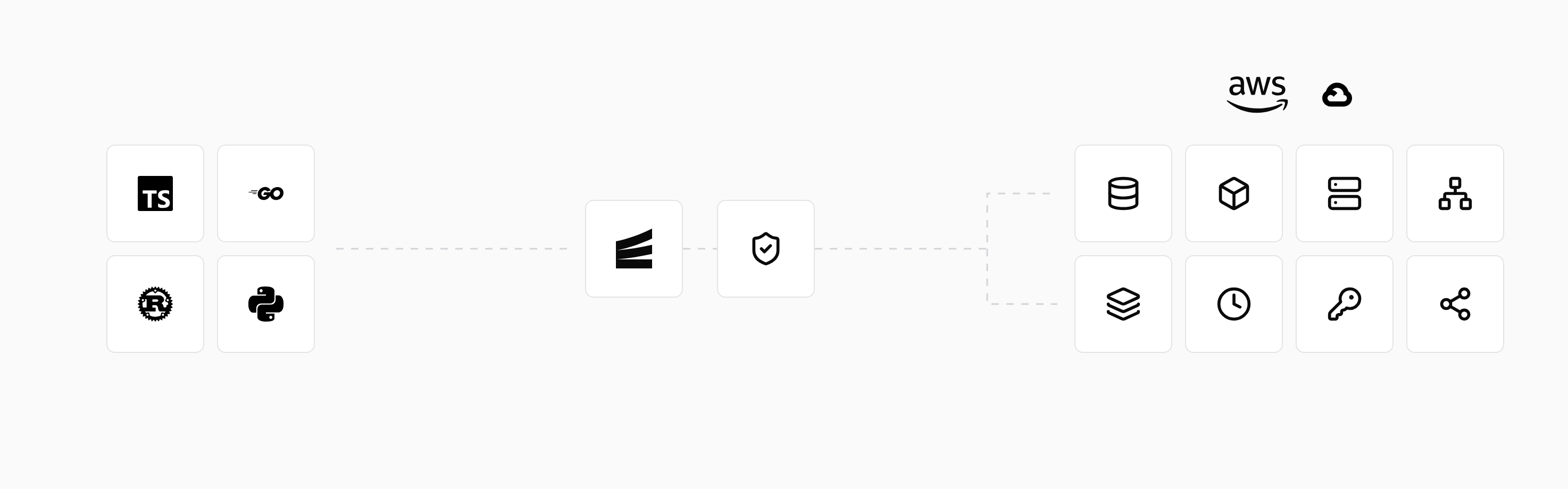
To deploy in your own account, connect AWS or GCP, create an environment, and configure its deployment branch. A push to the connected repository starts the platform's build and deployment workflow. The deployment guide covers the setup.
Preview environments provide a running backend for testing proposed changes. Environment settings control deployment triggers and infrastructure approvals, so the team can automate routine releases and retain review for infrastructure changes.
Run in your terminal to get started locally.
Related guides
Frequently asked questions
How can I deploy an application and its infrastructure together?
Encore uses resource declarations in application code to provision databases, queues, storage, and compute as part of deployment. The target AWS or GCP account and environment settings are configured in the Encore platform.
Deploy to your cloud on AWS and Google Cloud
without managing infrastructure
Encore lets developers and agents define application infrastructure directly in code, then automatically provisions it from local development to production in your AWS or GCP account.
