The Best DevOps Automation Tools in 2026
Tools for testing, infrastructure, configuration, deployment, security, and monitoring.


DevOps automation tools handle repeatable work across development and operations, including tests, infrastructure setup, deployments, and monitoring. A team might use a CI pipeline to check a change, an infrastructure tool to create its resources, and a monitoring system to track the running application.
DevOps automation tools at a glance
A CI pipeline can use several of these tools. For example, it can run Terraform to create a VM and Ansible to configure it before deploying the application.
1. Encore
Encore makes backend development and deployment easier by automating resource setup from the application code. Your team can run the backend locally and deploy it to its own AWS or GCP account without building separate provisioning workflows for every service.
Developers declare resources such as databases, buckets, and Pub/Sub topics alongside the services that use them. The platform provisions their cloud equivalents and configures connections and permissions. Adding a resource can be part of the same reviewed change as the application feature that needs it.
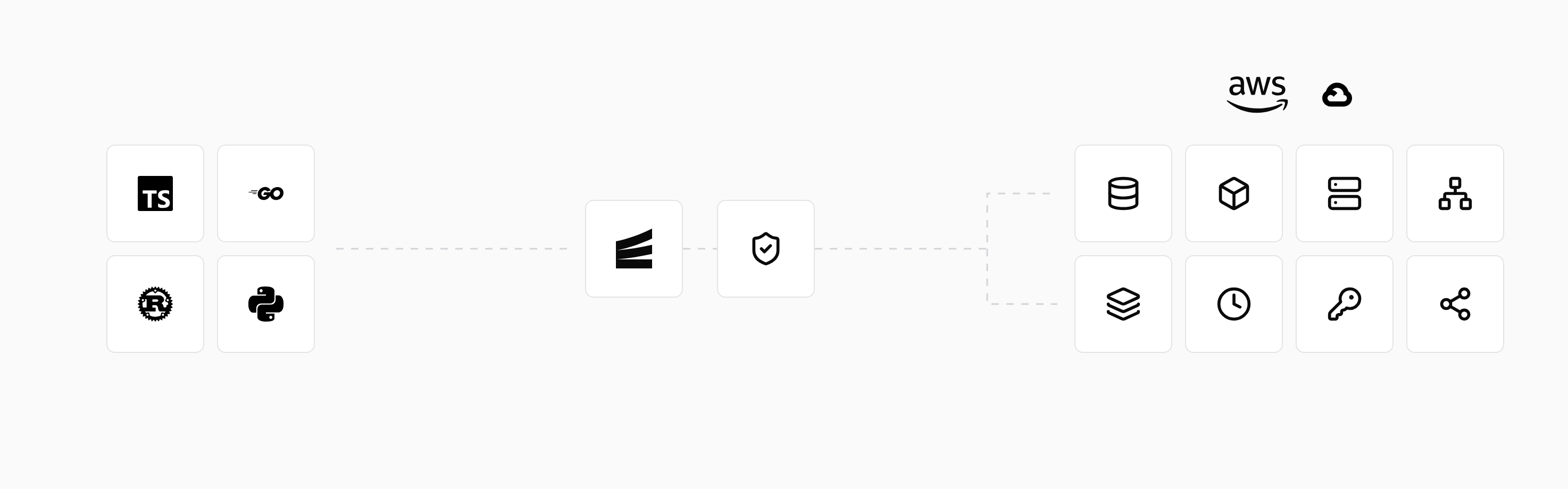
The same declarations supply local infrastructure. Developers use encore run for local development and can test proposed changes in preview environments. This reduces the separate setup needed to create and use development environments.
Connected repositories can trigger application builds, tests, and deployments from configured branches. Environment settings control deployment triggers and infrastructure approvals.
2. GitHub Actions
GitHub Actions runs workflows stored in a repository. Jobs can test changes, build artifacts, scan dependencies, or invoke deployment commands. Workflows start from events such as pushes and pull requests, as well as schedules and manual triggers.
It connects automation to the repository where developers review code. Reusable workflows and actions let projects share common steps, while environment configuration provides release-specific secrets and controls.
Hosted runners supply the job execution environment. Teams can also operate runners with their own tools and network access. The commands and integrations in the workflow determine which infrastructure or deployment services it uses.
3. GitLab CI/CD
GitLab CI/CD executes jobs defined in .gitlab-ci.yml. Builds, tests, artifacts, and deployments connect to merge requests and environments, giving developers a release history within the repository workflow.
A pipeline can build an artifact once and pass it through testing and deployment jobs. Stages and job dependencies determine the order, while environment controls govern releases. Runners execute the commands on hosted or team-operated infrastructure.
A deployment job can call Terraform to prepare infrastructure, then run a script that deploys the application.
4. Jenkins
Jenkins runs automation through pipelines and build agents. A Jenkinsfile stores the workflow with the application, and plugins connect it to repositories, build tools, and deployment systems.
Teams can configure agents with specialized software or access to internal systems. This supports builds that need a particular execution environment, with the pipeline selecting where jobs run.
A Jenkins installation includes a controller, agents, plugins, and credentials. The team operates those components and maintains the pipelines that use them.
5. Terraform
Terraform provisions infrastructure through configuration describing provider-backed resources. It produces a plan of proposed changes before applying them, giving teams a review step for modifications to cloud resources and other supported systems.
Configuration can describe networking, compute, databases, and access policies. Modules package related resources so the same definitions can be reused with different inputs.
Terraform tracks managed resources in state. Teams store and protect that state and coordinate changes made by developers or pipelines. Terraform provisions the resources; application builds and releases use their own workflow or integrations around it.
6. Ansible
Ansible automates configuration across hosts using inventories and playbooks. A playbook can install packages, write configuration files, and manage services on a set of systems.
Its modules perform operations such as ensuring a package is installed or a service is running. Many modules check the existing state, allowing a playbook to be applied repeatedly without repeating every change. Custom commands need their own handling for repeat runs.
Ansible commonly handles the software configuration of VMs or existing servers. A provisioning tool can create those hosts, then Ansible prepares their operating environment and application software.
7. Kubernetes
Kubernetes manages container workloads through declared resources. Its controllers keep workloads running toward the configured state, replacing failed containers and supporting replicated applications and deployment updates.
A Deployment describes the desired application instances, while Services and other APIs expose them and connect workloads. Teams or application platforms supply that configuration to the cluster.
Kubernetes automates runtime management. A surrounding workflow builds images and updates the desired configuration, while infrastructure services provide the cluster and external resources such as managed databases.
8. Argo CD
Argo CD uses configuration in Git to deploy applications to Kubernetes. It compares the repository's desired state with the cluster, reports differences, and can synchronize changes automatically.
CI can build an image and update its reference in Git. Argo CD then applies the new configuration, with an interface showing the application's resources and health. Helm and Kustomize can provide the application definitions.
Automatic synchronization, deletion of removed resources, and correction of changes made directly in the cluster are configured separately.
9. Trivy
Trivy scans supported targets, including container images, repositories, and infrastructure configuration. Depending on the target and enabled scanners, it can report vulnerabilities, exposed secrets, and configuration issues.
A pipeline can run a scan when a change is proposed or an image is built. Results can be reported to developers or used to fail the job according to the configured severity and exception rules.
Developers use the findings to update dependencies, remove exposed secrets, or fix configuration. Previously built images can be scanned again when new vulnerabilities are discovered.
10. Prometheus
Prometheus collects time-series metrics from applications and infrastructure. Applications expose measurements through instrumentation, while exporters provide metrics from systems such as databases or hosts.
Queries and rules can track request errors, latency, or queue backlog. Alert rules identify conditions that need attention, and Alertmanager groups and routes their notifications.
Prometheus provides metrics collection and alert evaluation. Responders can use dashboards, logs, and traces alongside those metrics to investigate the affected operation. Automated recovery is configured separately in the runtime or incident workflow.
Which task should you automate first?
A team with slow local setup can start by defining its development resources. A repository whose checks are run manually can add CI. Releases that depend on hand-run commands can move into a versioned deployment workflow.
The tools needed can expand as the application does. A small backend team may use a CI service and an application platform, with provisioning and release handled by the platform. An existing server estate may also use Terraform and Ansible, while Kubernetes teams can add GitOps deployment.
Getting started with DevOps automation walks through that progression. The continuous deployment tools comparison focuses specifically on releasing applications.
Run in your terminal to get started locally.
Related guides
Frequently asked questions
Are open-source DevOps tools free to operate?
A software license is one part of the cost. Self-hosted tools also use compute, storage, and maintenance time. Hosted services can charge for subscriptions and usage, while the application infrastructure has its own costs.
Deploy to your cloud on AWS and Google Cloud
without managing infrastructure
Encore lets developers and agents define application infrastructure directly in code, then automatically provisions it from local development to production in your AWS or GCP account.
