What to Put in CLAUDE.md or AGENTS.md So Your Agent Deploys to AWS Correctly
A coding agent follows the rules file in the repo when it decides how to deploy. Here is what a hand-written rules file for an AWS project needs to say, and what Encore generates for you with encore llm-rules init.

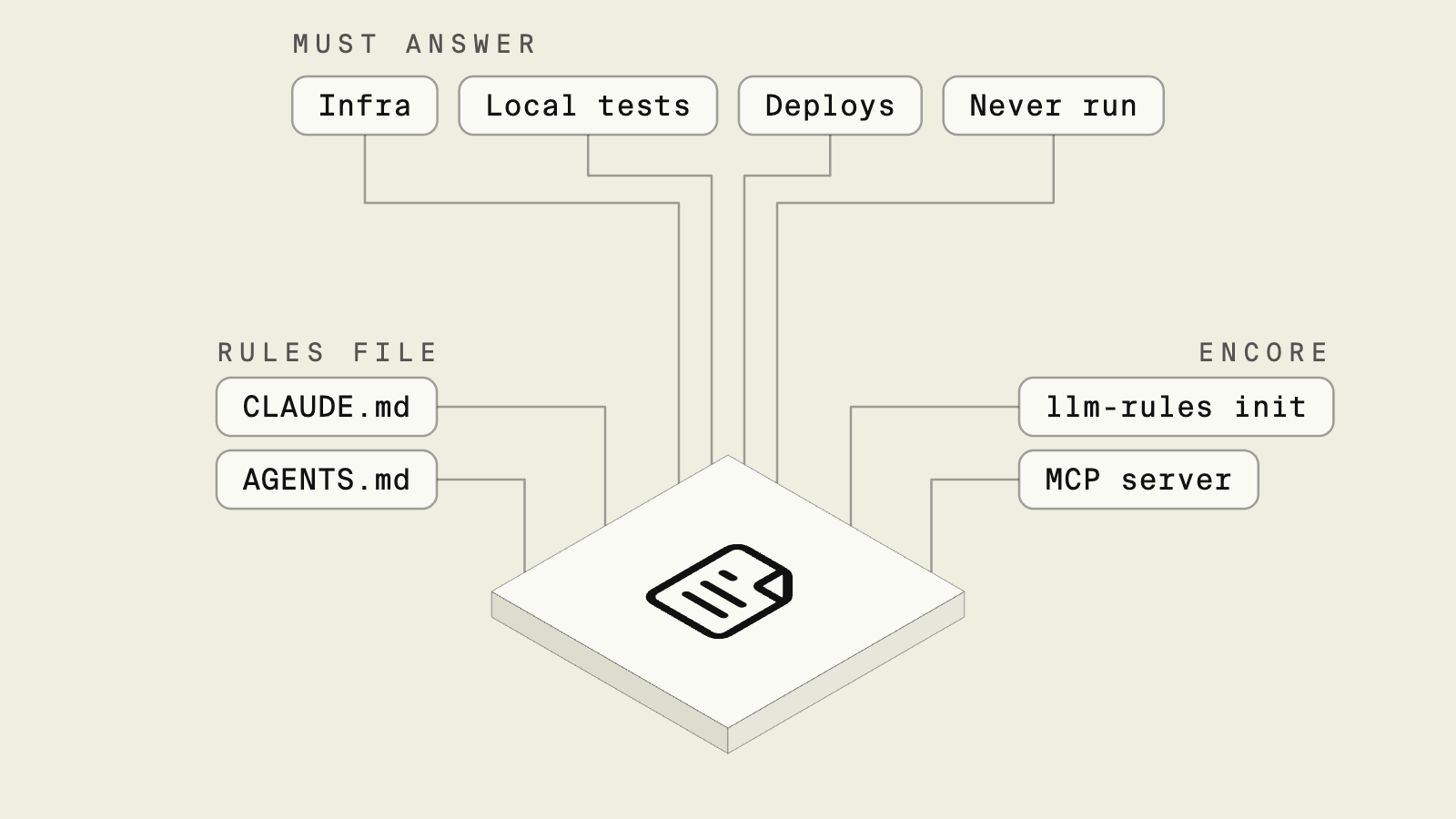
When you ask a coding agent to "deploy this to AWS," the first thing it reads is not your infrastructure code. It reads the instructions file in the repo, such as CLAUDE.md for Claude Code or AGENTS.md for the many agents that support that open format.
Claude Code's memory documentation describes CLAUDE.md as instructions loaded into every session, which makes it the most reliable place to tell an agent how deploys work in this repo. If the file says nothing, the agent guesses, and on AWS a guess usually means reaching for the CLI with whatever credentials are on the machine.
This guide covers what that file should say for a hand-built AWS project, and what changes when the project uses Encore.
What the rules file needs to answer
A rules file for a hand-built AWS repo
In a repo where infrastructure lives in its own folder and CI applies it, the rules file has to draw the boundary in words. A reasonable starting point:
## Deploying

- Application code lives in `services/`. Infrastructure lives in `infra/` and is applied by CI only.
- Never run `apply`, `destroy` or `aws` commands that change resources. Do not ask for AWS credentials.
- To add a database, queue or bucket, write the change in `infra/` in its own commit and say so in the PR description. A platform engineer reviews and applies it.
- Test locally with `docker compose up db` and `npm test`. Do not point tests at staging.
- A deploy happens when a PR merges to `main`. Do not push to `main` directly.
This works as far as the agent follows it. A rules file is guidance and not a permission boundary, so it only holds if the agent's environment also lacks credentials that could change the account, in line with AWS's least-privilege guidance. OWASP lists excessive agency as a top risk for LLM applications for the same reason, and prompt injection means text the agent reads elsewhere can steer it away from the instructions in the file. Cursor's rules documentation describes rules as instructions given to the model, while tool permissions and credentials are what actually limit it. Keeping the file accurate is also manual work: when someone moves the infrastructure folder or adds a second environment, the instructions drift.
Encore: rules generated from the app

Encore, the safe way for AI agents to ship backend changes to your cloud, combines an open source SDK, where the application declares its infrastructure, with a platform that provisions it in your own AWS account and deploys on push. Because the deploy model is the same for every Encore app, the rules can be generated. From the app directory:
encore llm-rules init
The command asks which tool you use and writes the matching file, such as CLAUDE.md or AGENTS.md, and configures the local MCP server for supported hosts. To install Encore's task workflows as well, run npx add-skill encoredev/skills.
The generated CLAUDE.md covers Encore's API and infrastructure conventions, and a deploy section that tells the agent how deploys work. It says that a deploy is a commit and push to the branch an environment deploys from, and it tells the agent to check before pushing if a production environment deploys from that branch. It also says to run encore test first, since failing tests block a deploy, and that every declared secret needs a value in the target environment.
That leaves your own additions short, such as a line saying the agent should open a pull request instead of pushing to main. The boundary the hand-written file has to describe in words is part of the setup here. Instance sizes, networking, backups and scaling are configured per environment, not in the resource declarations an agent edits, and only admins can approve new infrastructure in an account. The agent changes application code, and cloud access sits with Encore's IAM role, not the agent.
With the local MCP server connected, an agent told to "add a database for user profiles" can declare it and query the new table in the running app before it opens the pull request. Each pull request can get a preview environment for a final check.
Good to know
The generated file is long, since it doubles as an Encore reference for the model. Keep project-specific rules in a short section of their own so they are easy to find and are not overwritten when you regenerate. Rules for code outside Encore, such as a frontend, still need to be written by hand.
Run in your terminal to get started locally.
How to choose
- Encore when you want the deploy rules to come from the platform, so the agent learns one deploy path, and AWS changes go through Encore's provisioning rather than credentials the agent holds.
- A hand-written rules file when infrastructure lives in its own repo with its own pipeline, and you are prepared to keep the file in step with it.
Related guides
Frequently asked questions
How do I write a CLAUDE.md that tells the agent how to deploy to AWS?
State where infrastructure lives, which commands the agent may run and which it must leave to a person, how to test locally, and how a deploy is triggered. For an Encore app, run encore llm-rules init in the app directory and pick Claude Code; it writes a CLAUDE.md with Encore's conventions and deploy steps and configures the local MCP server, and you add project-specific notes on top.
Is AGENTS.md the same as CLAUDE.md?
They serve the same purpose. AGENTS.md is an open format read by many coding agents, while CLAUDE.md is the file Claude Code loads. Cursor uses its own rules files. encore llm-rules init can generate any of these formats.
Should the rules file allow the agent to run deploys?
Only through a path you can review. A rules file is guidance, not enforcement, so the safe setup is one where the agent cannot change cloud resources directly. With Encore, a deploy is a git push and cloud access sits with Encore's IAM role, not the agent.
Deploy to your cloud on AWS and Google Cloud
without managing infrastructure
Encore lets developers and agents define application infrastructure directly in code, then automatically provisions it from local development to production in your AWS or GCP account.
