 Ivan Cernja
How to Add a Database to Your TypeScript API in 5 Minutes
From zero to PostgreSQL with automatic provisioning
Adding a database to a TypeScript API typically involves Docker setup, connection string management, migration tooling, and production provisioning. This guide shows a faster approach where the database is provisioned automatically based on your code.
The Traditional Setup
A typical PostgreSQL setup for a TypeScript API looks like this:
# Start PostgreSQL with Docker
docker run -d \
  --name postgres \
  -e POSTGRES_PASSWORD=secret \
  -e POSTGRES_DB=myapp \
  -p 5432:5432 \
  postgres:15

# Set environment variable
export DATABASE_URL=postgres://postgres:secret@localhost:5432/myapp

# Install dependencies
npm install pg @types/pg

# Run migrations (after setting up a migration tool)
npm run migrate
Then in your code:
import { Pool } from 'pg';

const pool = new Pool({
  connectionString: process.env.DATABASE_URL,
});

// Hope the connection string is correct...
const result = await pool.query('SELECT * FROM users WHERE id = $1', [id]);
This works, but involves:
- Docker configuration and management
- Environment variables across environments
- Connection string errors
- Separate migration tooling setup
- Production database provisioning
The 5-Minute Approach
With infrastructure-from-code, you declare the database in TypeScript and it's provisioned automatically.
Step 1: Create the Project
Install the CLI and create a new project:
# Install (macOS)
brew install encoredev/tap/encore

# Or Linux/Windows
curl -L https://encore.dev/install.sh | bash

# Create project
encore app create myapp --example=ts/hello-world
cd myapp
Step 2: Define the Database
Create a service with a database. First, create the service file:
// users/encore.service.ts
import { Service } from "encore.dev/service";

export default new Service("users");
Then declare the database:
// users/db.ts
import { SQLDatabase } from "encore.dev/storage/sqldb";

export const db = new SQLDatabase("users", {
  migrations: "./migrations",
});
Step 3: Add a Migration
Create the migrations directory and your first migration:
mkdir users/migrations
-- users/migrations/001_create_users.up.sql
CREATE TABLE users (
  id UUID PRIMARY KEY DEFAULT gen_random_uuid(),
  email TEXT UNIQUE NOT NULL,
  name TEXT NOT NULL,
  created_at TIMESTAMP WITH TIME ZONE DEFAULT NOW()
);
Step 4: Build the API
Create endpoints that use the database:
// users/api.ts
import { api, APIError } from "encore.dev/api";
import { db } from "./db";

interface User {
  id: string;
  email: string;
  name: string;
  createdAt: Date;
}

interface CreateUserRequest {
  email: string;
  name: string;
}

export const create = api(
  { expose: true, method: "POST", path: "/users" },
  async (req: CreateUserRequest): Promise<User> => {
    const user = await db.queryRow<User>`
      INSERT INTO users (email, name)
      VALUES (${req.email}, ${req.name})
      RETURNING id, email, name, created_at as "createdAt"
    `;
    return user!;
  }
);

export const get = api(
  { expose: true, method: "GET", path: "/users/:id" },
  async ({ id }: { id: string }): Promise<User> => {
    const user = await db.queryRow<User>`
      SELECT id, email, name, created_at as "createdAt"
      FROM users WHERE id = ${id}
    `;
    if (!user) {
      throw APIError.notFound("user not found");
    }
    return user;
  }
);

export const list = api(
  { expose: true, method: "GET", path: "/users" },
  async (): Promise<{ users: User[] }> => {
    const rows = db.query<User>`
      SELECT id, email, name, created_at as "createdAt"
      FROM users ORDER BY created_at DESC
    `;
    const users: User[] = [];
    for await (const row of rows) {
      users.push(row);
    }
    return { users };
  }
);
Step 5: Run It
encore run
That's it. Encore:
- Provisions a local PostgreSQL database
- Runs your migrations automatically
- Starts the API server
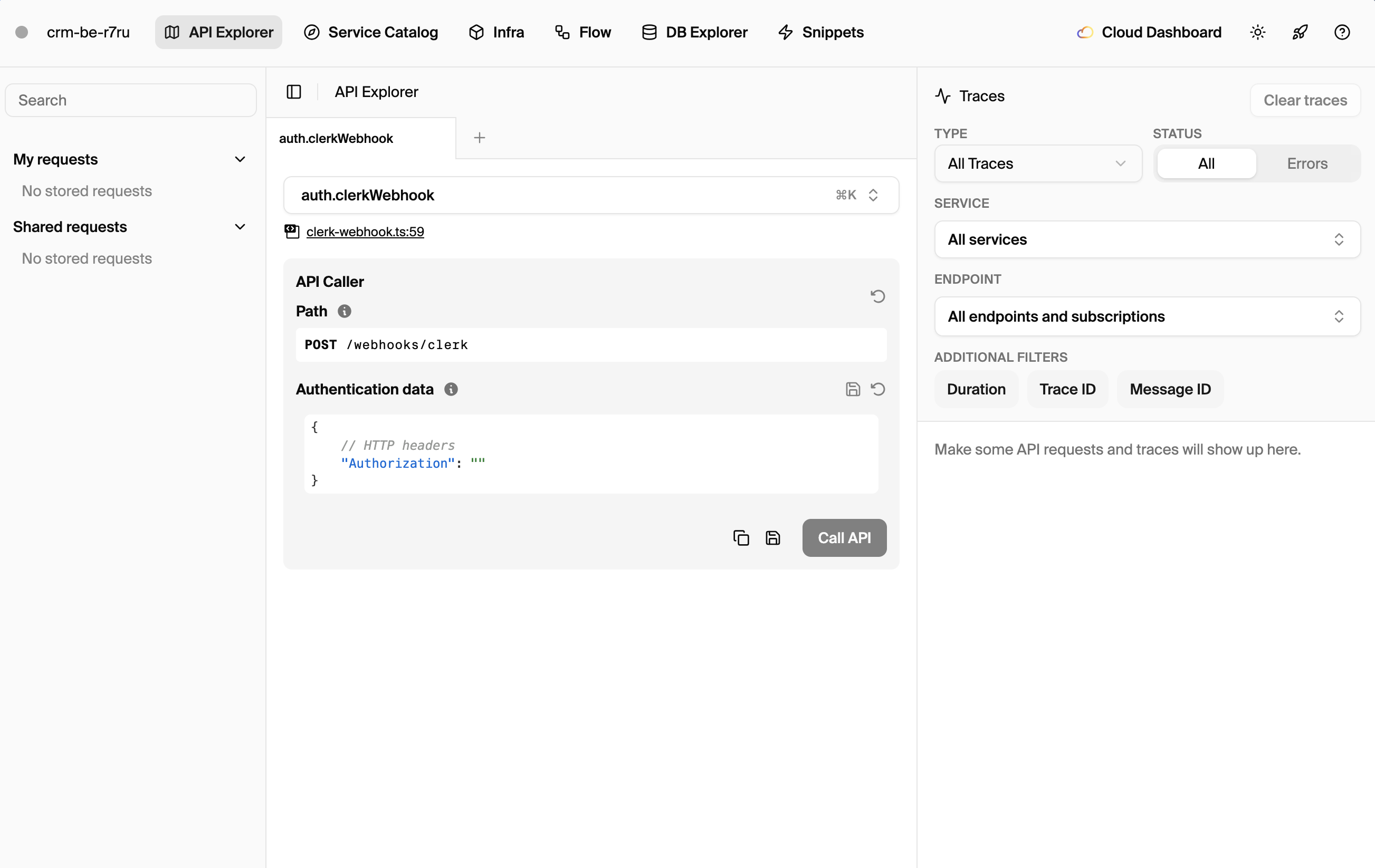
- Opens a local dashboard at
localhost:9400
You skip the usual Docker setup and connection string configuration.
Test it:
# Create a user
curl -X POST http://localhost:4000/users \
  -H "Content-Type: application/json" \
  -d '{"email": "[email protected]", "name": "Alice"}'

# List users
curl http://localhost:4000/users
How It Works
The SQLDatabase declaration tells Encore your service needs PostgreSQL:
const db = new SQLDatabase("users", {
  migrations: "./migrations",
});
During local development, Encore provisions a PostgreSQL instance automatically. The database is isolated per project, so multiple projects don't conflict.
For production, you provide your own PostgreSQL connection string when running the compiled application. Encore handles credential injection and connection pooling.
Type-Safe Queries
Encore's database API uses tagged template literals for SQL injection protection:
// Parameters are safely escaped
const user = await db.queryRow<User>`
  SELECT * FROM users WHERE email = ${email}
`;
You can also type your query results:
interface UserStats {
  totalUsers: number;
  activeToday: number;
}

const stats = await db.queryRow<UserStats>`
  SELECT
    COUNT(*) as "totalUsers",
    COUNT(*) FILTER (WHERE last_active > NOW() - INTERVAL '1 day') as "activeToday"
  FROM users
`;
Adding More Tables
Add migrations as your schema evolves:
-- users/migrations/002_add_profile.up.sql
ALTER TABLE users ADD COLUMN bio TEXT;
ALTER TABLE users ADD COLUMN avatar_url TEXT;
Migrations run automatically on startup, both locally and in production.
Multiple Databases
For larger applications, you might want separate databases per service:
// users/db.ts
export const usersDb = new SQLDatabase("users", {
  migrations: "./migrations",
});

// orders/db.ts
export const ordersDb = new SQLDatabase("orders", {
  migrations: "./migrations",
});
Each database is provisioned independently. Services can only access their own databases by default, enforcing clean boundaries.
Using ORMs
If you prefer an ORM, Encore works with Prisma, Drizzle, and others. See the Drizzle guide for a complete setup walkthrough.
With Drizzle:
import { SQLDatabase } from "encore.dev/storage/sqldb";
import { drizzle } from "drizzle-orm/node-postgres";
import * as schema from "./schema";

const db = new SQLDatabase("users", {
  migrations: { path: "./migrations", source: "drizzle" },
});

const orm = drizzle(db.connectionString, { schema });

// Use Drizzle's query builder
const users = await orm.select().from(schema.users);
You get Encore's automatic provisioning with your preferred query interface.
Inspecting the Database
Access your local database directly:
# Open psql shell
encore db shell users

# Get connection string
encore db conn-uri users
The local dashboard also provides database inspection tools.
Production Deployment
Self-Hosted
Build a Docker image and deploy anywhere:
# Build Docker image
encore build docker myapp:latest

# Run with your PostgreSQL
docker run -e DB_USERS_CONN_STRING="postgres://..." myapp:latest
You can deploy to any container platform: Kubernetes, ECS, Cloud Run, Fly.io, or your own servers. Provide your database connection string as an environment variable.
Managed Deployment (Encore Cloud)
For automatic infrastructure provisioning, Encore Cloud can deploy to your AWS or GCP account:
encore app link
git push encore
Encore Cloud provisions RDS or Cloud SQL automatically with appropriate security groups, backups, and credential management. See the deployment docs for details.
What You Skipped
By using infrastructure-from-code for your database:
- No Docker setup: database runs automatically
- No connection strings: credentials managed for you
- No environment variables: same code works everywhere
- No migration tooling setup: migrations run on startup
- No production provisioning: database created on deploy
The database is part of your application, not a separate infrastructure concern.
Deploy an app with a database to try it yourself:
Want to jump straight to a running app? Clone this starter and deploy it to your own cloud.
Related Reading
- Database Documentation
- Using ORMs with Encore
- How to Build a REST API with TypeScript
- How to Build Microservices with TypeScript
- How to Add a Database to Your Go API - Go version of this tutorial
Have questions? Join our Discord community where developers help each other daily.