Amazon S3 with Terraform: Buckets, Versioning, Encryption, CORS and Lifecycle Rules
Concrete Terraform for a private S3 bucket using the split resources of AWS provider v4 and later, the IAM and naming problems that follow, and how Encore provisions buckets from code instead.

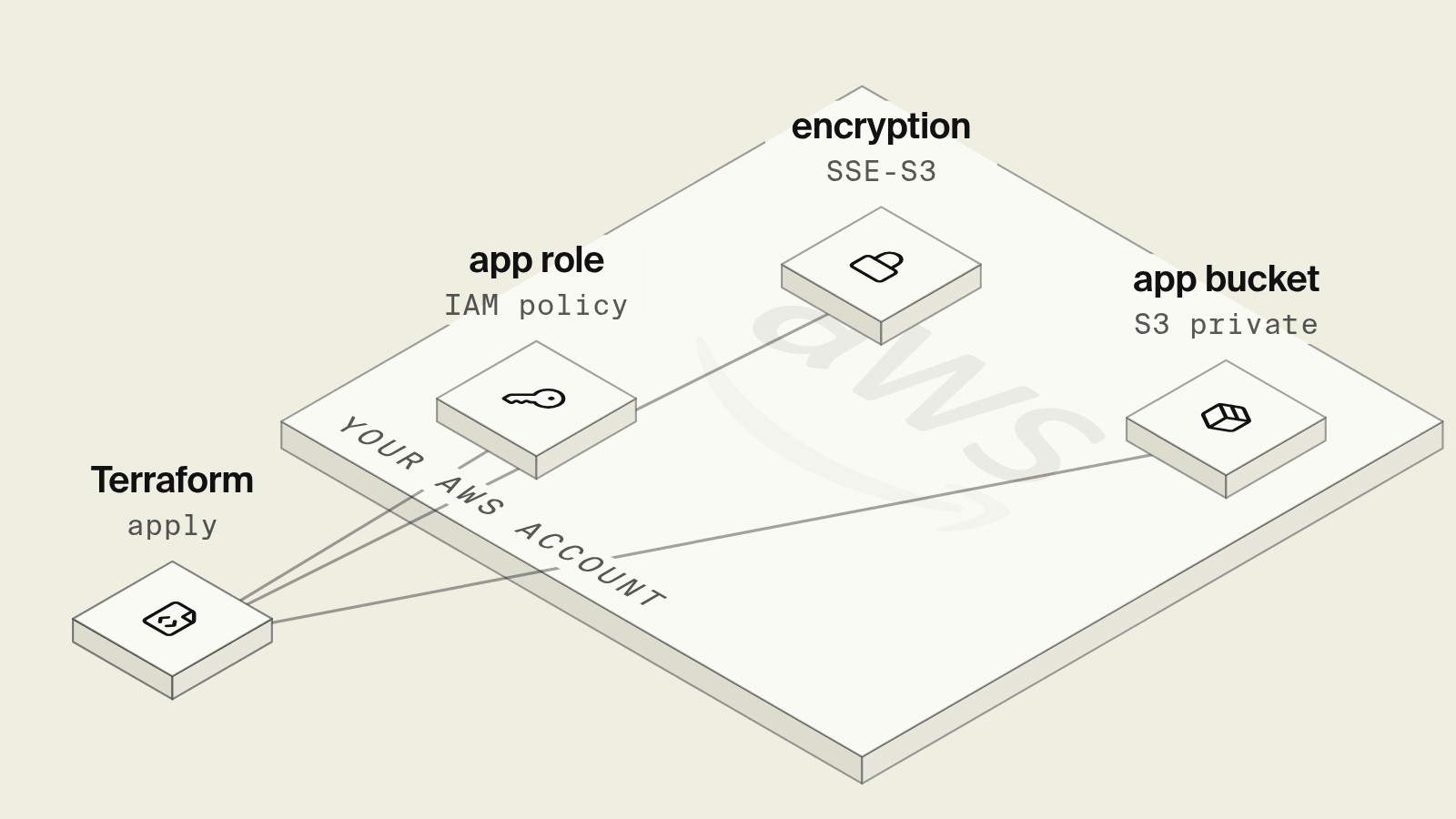
An S3 bucket used to be one Terraform block with versioning, encryption and lifecycle rules nested inside it. In version 4 and later of the AWS provider, each of those is its own resource that references the bucket, so a private, versioned, encrypted bucket with CORS and an expiry rule is six resources before the application has permission to write a single object, and the globally unique name still has to differ per environment.
This guide walks through that configuration for an application bucket, the IAM and naming costs that come with it, and how Encore provisions the same bucket from the code that reads and writes it.
What does an S3 Terraform setup need?
Terraform for a private application bucket
resource "aws_s3_bucket" "invoices" {
  bucket = "acme-invoices-${var.environment}"
}

resource "aws_s3_bucket_public_access_block" "invoices" {
  bucket                  = aws_s3_bucket.invoices.id
  block_public_acls       = true
  block_public_policy     = true
  ignore_public_acls      = true
  restrict_public_buckets = true
}

resource "aws_s3_bucket_versioning" "invoices" {
  bucket = aws_s3_bucket.invoices.id
  versioning_configuration {
    status = "Enabled"
  }
}

resource "aws_s3_bucket_server_side_encryption_configuration" "invoices" {
  bucket = aws_s3_bucket.invoices.id
  rule {
    apply_server_side_encryption_by_default {
      sse_algorithm = "AES256"
    }
  }
}
New buckets already block public access and encrypt objects with SSE-S3 by default, per the S3 default encryption docs, so these resources mostly pin that behaviour and stop someone from loosening it in the console. The bucket name is global across every AWS account, which is why it carries the environment and usually a company prefix, and changing it later replaces the bucket.
CORS and lifecycle rules
Browser uploads through presigned URLs need a CORS rule, and versioned buckets need a rule that removes old versions or storage grows forever:
resource "aws_s3_bucket_cors_configuration" "invoices" {
  bucket = aws_s3_bucket.invoices.id
  cors_rule {
    allowed_methods = ["PUT", "GET"]
    allowed_origins = ["https://app.example.com"]
    allowed_headers = ["content-type"]
    max_age_seconds = 3000
  }
}

resource "aws_s3_bucket_lifecycle_configuration" "invoices" {
  bucket = aws_s3_bucket.invoices.id

  rule {
    id     = "expire-noncurrent"
    status = "Enabled"
    filter {}
    noncurrent_version_expiration {
      noncurrent_days = 30
    }
    abort_incomplete_multipart_upload {
      days_after_initiation = 7
    }
  }
}
New buckets already block public access by default, as the S3 Block Public Access docs explain, and the explicit resource keeps that setting from drifting. The lifecycle configuration depends on versioning being enabled first, so the Terraform docs for the lifecycle resource recommend a depends_on on the versioning resource in some setups. abort_incomplete_multipart_upload is easy to forget, and without it failed uploads keep billing as invisible parts.
IAM for the application
The service that writes invoices needs a policy on its task role along these lines, with the bucket ARN for listing and the /* ARN for objects:
resource "aws_iam_role_policy" "invoices_rw" {
  role = aws_iam_role.billing_task.id
  policy = jsonencode({
    Version = "2012-10-17"
    Statement = [
      {
        Effect   = "Allow"
        Action   = ["s3:ListBucket"]
        Resource = aws_s3_bucket.invoices.arn
      },
      {
        Effect   = "Allow"
        Action   = ["s3:GetObject", "s3:PutObject", "s3:DeleteObject"]
        Resource = "${aws_s3_bucket.invoices.arn}/*"
      }
    ]
  })
}
What still hurts after the first apply?
Every bucket repeats the six resources and a policy, and the bucket name has to reach the app as an environment variable per environment. A second service that needs read-only access means another policy, often in another module. Locally, the code talks to a personal dev bucket or an emulator, and teams discover the missing s3:ListBucket or CORS header when the deployed app first tries it. With SSE-KMS and a customer managed key, the role also needs kms:Decrypt and kms:GenerateDataKey, and the key policy has to allow it.
How does Encore provision S3 instead?

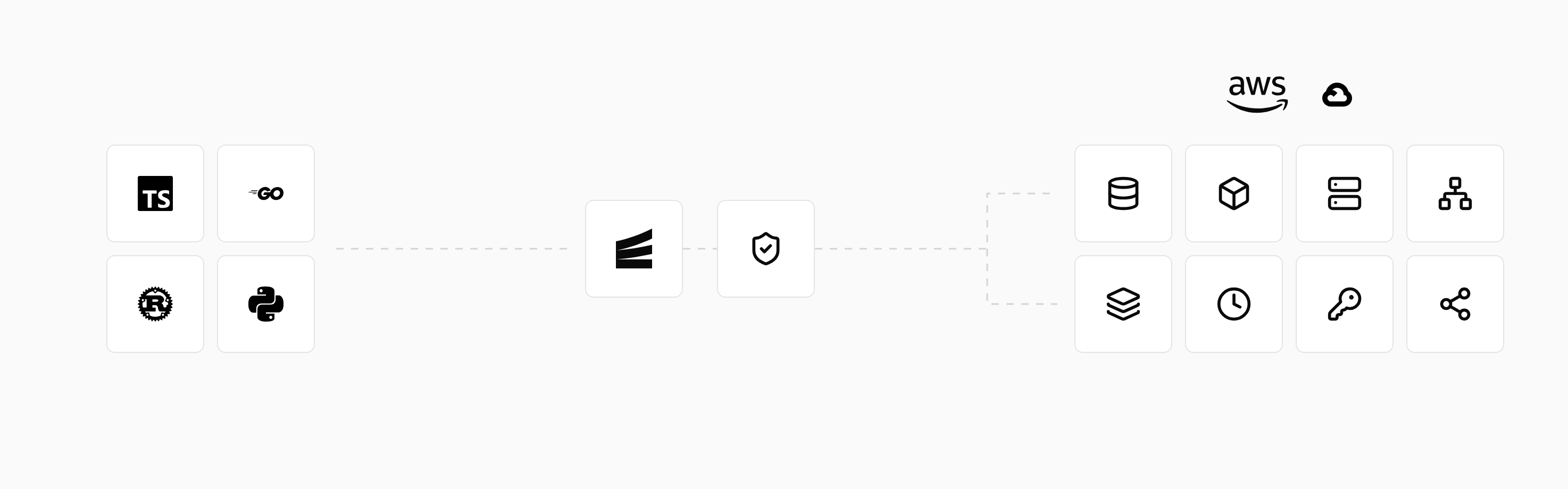
Encore combines an open source infrastructure SDK for TypeScript and Go with a platform that provisions and deploys into your own AWS or GCP account. A bucket is declared in the service that uses it, and on AWS Encore creates the S3 bucket with a unique name, grants the services that use it the storage operations they need, and puts CloudFront in front of buckets marked public, as described in the AWS infrastructure docs.
Set up the app
Run in your terminal to get started locally.
// auth/auth.ts
import { Gateway, APIError } from "encore.dev/api";
import { authHandler, Header } from "encore.dev/auth";
import { secret } from "encore.dev/config";
import { createHmac, timingSafeEqual } from "node:crypto";

const authTokenHMAC = secret("AuthTokenHMAC");

interface AuthParams {
  authorization: Header<"Authorization">;
}

export interface AuthData {
  userID: string;
}

export const handler = authHandler<AuthParams, AuthData>(async (params) => {
  const token = params.authorization?.replace("Bearer ", "") ?? "";
  // Tokens are "<id>.<unix-expiry>.<hex hmac>". In production, verify a JWT
  // against your IdP JWKS (signature, issuer, audience, expiry) and return the subject.
  if (!authTokenHMAC()) throw APIError.unauthenticated("invalid token");
  const parts = token.split(".");
  if (parts.length !== 3) throw APIError.unauthenticated("invalid token");
  const [userID, expStr, sig] = parts;
  const exp = Number(expStr);
  if (!userID || userID.includes("/") || userID.includes(" ") || !Number.isFinite(exp) || exp * 1000 <= Date.now()) {
    throw APIError.unauthenticated("invalid token");
  }
  const expected = createHmac("sha256", authTokenHMAC()).update(`${userID}.${expStr}`).digest("hex");
  const a = Buffer.from(sig);
  const b = Buffer.from(expected);
  if (a.length !== b.length || !timingSafeEqual(a, b)) {
    throw APIError.unauthenticated("invalid token");
  }
  return { userID };
});
export const gateway = new Gateway({ authHandler: handler });
// invoices/invoices.ts
import { api, APIError } from "encore.dev/api";
import { Bucket } from "encore.dev/storage/objects";
import { getAuthData } from "~encore/auth";

// An S3 bucket on AWS, Cloud Storage on GCP, local files under `encore run`.
export const invoices = new Bucket("invoices", { versioned: true });

export const store = api(
  { expose: false, method: "POST", path: "/invoices/:id/pdf" },
  async ({ id, ownerUserID, pdfBase64 }: { id: string; ownerUserID: string; pdfBase64: string }): Promise<{ key: string }> => {
    const key = `${ownerUserID}/${id}.pdf`;
    await invoices.upload(key, Buffer.from(pdfBase64, "base64"), {
      contentType: "application/pdf",
    });
    return { key };
  },
);

export const downloadLink = api(
  { expose: true, auth: true, method: "GET", path: "/invoices/:id/link" },
  async ({ id }: { id: string }): Promise<{ url: string }> => {
    const { userID } = getAuthData()!;
    const key = `${userID}/${id}.pdf`;
    if (!(await invoices.exists(key))) {
      throw APIError.notFound("invoice not found");
    }
    const { url } = await invoices.signedDownloadUrl(key, { ttl: 900 });
    return { url };
  },
);
encore run stores objects on the local filesystem, so uploads and signed links work on a fresh clone without AWS credentials, and the object storage docs cover listing, attributes and signed upload URLs. downloadLink requires a bearer token and only signs the object under that user's prefix, so a guessable invoice id cannot leak another customer's PDF. The internal store endpoint writes to the same prefix, using the owner id passed by the billing service. Another service that needs read access imports the bucket and gets its own scoped permission on deploy, with no policy document to edit. An AI coding agent that adds receipt storage writes the bucket and the endpoint in one change, and the review shows both. An existing bucket can be imported instead of creating a new one.
Buckets are stateful, so a deploy never deletes one unless it is unused and a user confirms it, as the infrastructure management docs explain.
Best fit: TypeScript and Go teams who want application buckets in their own AWS account, named, permissioned and versioned from the code that uses them, with the same code running locally.
Good to know
- Deleting a non-empty bucket fails in Terraform unless
force_destroy = trueis set, which is a setting worth keeping off in production. - Object Ownership defaults to "bucket owner enforced" with ACLs disabled on new buckets, so grants belong in bucket or IAM policies, not ACLs.
- Use
aws_s3_bucket_policywith anaws:SecureTransportcondition if you need to deny plain HTTP requests explicitly.
Related guides
Frequently asked questions
How do I create an S3 bucket with Terraform?
Declare aws_s3_bucket with a globally unique bucket name, then configure it with separate resources: aws_s3_bucket_versioning, aws_s3_bucket_server_side_encryption_configuration, aws_s3_bucket_public_access_block, and optionally aws_s3_bucket_cors_configuration and aws_s3_bucket_lifecycle_configuration. AWS provider v4 moved these settings out of the bucket resource.
Why does versioning no longer go inside aws_s3_bucket?
AWS provider v4 split bucket configuration into standalone resources such as aws_s3_bucket_versioning and aws_s3_bucket_lifecycle_configuration, and the old inline arguments were deprecated. Use the standalone resources, and do not mix them with the inline form on the same bucket or Terraform will keep reverting one with the other.
Do new S3 buckets block public access by default?
Yes. From April 2023, new buckets have S3 Block Public Access enabled and ACLs disabled by default, and from January 2023 objects are encrypted with SSE-S3 by default. Declaring the public access block and encryption resources in Terraform still documents the intent and prevents drift.
How do I get an S3 bucket for my app without Terraform?
With Encore, declare the bucket in code with new Bucket("invoices", { versioned: true }) in TypeScript or objects.NewBucket in Go, and call upload or download from your endpoints. Deploying to AWS creates the S3 bucket with a unique name in your account and grants only the services that use it access.
Deploy to your cloud on AWS and Google Cloud
without managing infrastructure
Encore lets developers and agents define application infrastructure directly in code, then automatically provisions it from local development to production in your AWS or GCP account.
