Amazon SQS with Terraform: Queues, Dead-Letter Queues, Policies and Subscriptions
Concrete Terraform for an SQS queue with a redrive policy, an SNS subscription and the IAM a producer and consumer need, the settings that bite later, and how Encore provisions the same queues from code.

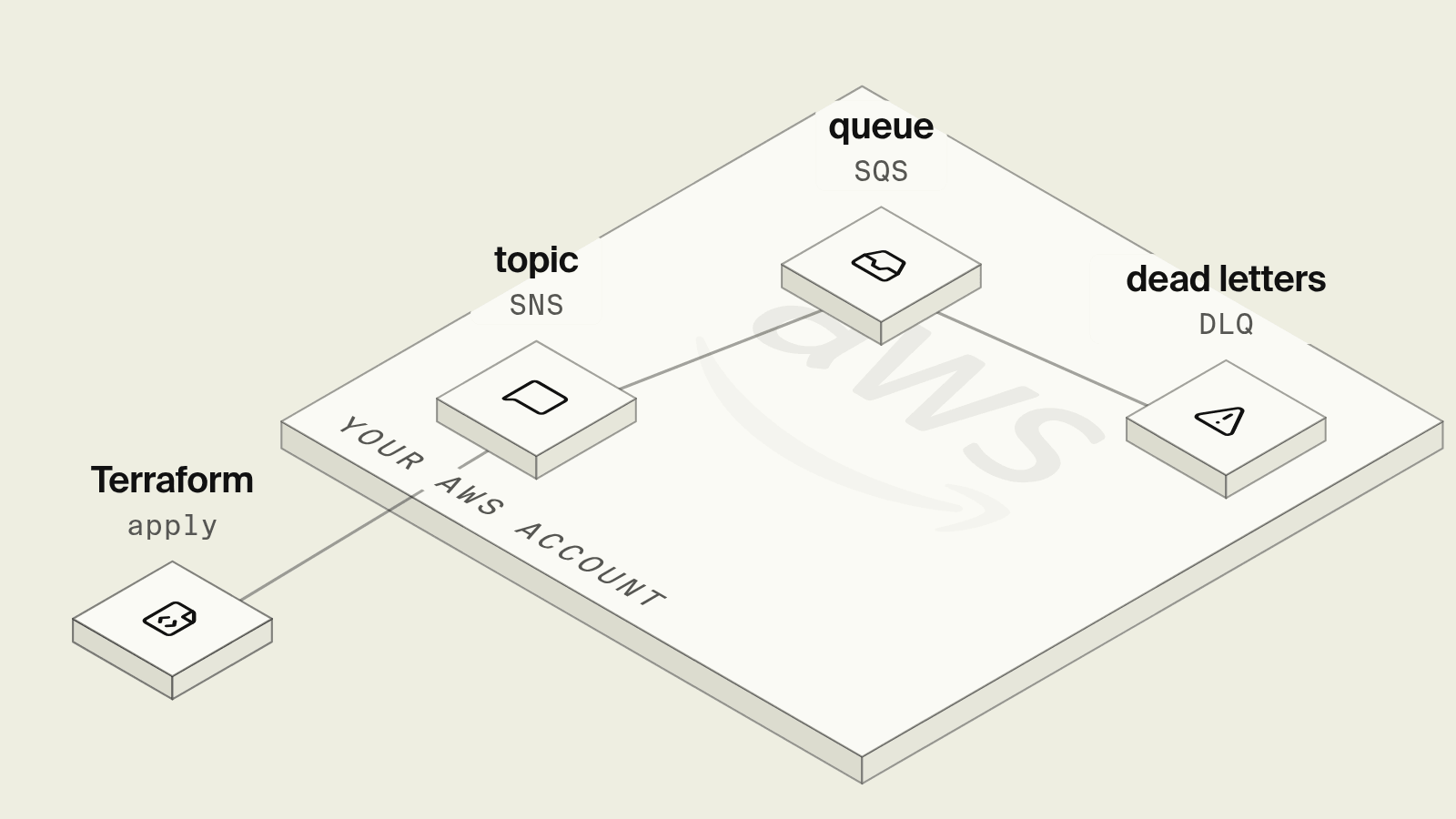
An SQS queue in Terraform is one resource, and a queue you can run in production is closer to six: the queue, a dead-letter queue with a redrive policy, a queue policy if SNS feeds it, a subscription, and IAM statements for whoever sends and whoever receives. Each of those has a setting that looks harmless on day one, such as a visibility timeout shorter than the consumer or a maxReceiveCount of one, and shows up weeks later as duplicate work or messages quietly moving to the dead-letter queue.
This guide walks through a concrete configuration for those pieces, the parts that keep costing time after the first apply, and how Encore provisions the same queues from the code that publishes and consumes them.
What does an SQS Terraform setup need?
Terraform for an SQS queue and its dead-letter queue
resource "aws_sqs_queue" "orders_dlq" {
  name                      = "orders-dlq"
  message_retention_seconds = 1209600 # 14 days, the maximum
  sqs_managed_sse_enabled   = true
}

resource "aws_sqs_queue" "orders" {
  name                       = "orders"
  visibility_timeout_seconds = 120
  message_retention_seconds  = 345600 # 4 days, the default
  receive_wait_time_seconds  = 20     # long polling
  sqs_managed_sse_enabled    = true

  redrive_policy = jsonencode({
    deadLetterTargetArn = aws_sqs_queue.orders_dlq.arn
    maxReceiveCount     = 5
  })
}

resource "aws_sqs_queue_redrive_allow_policy" "orders_dlq" {
  queue_url = aws_sqs_queue.orders_dlq.id
  redrive_allow_policy = jsonencode({
    redrivePermission = "byQueue"
    sourceQueueArns   = [aws_sqs_queue.orders.arn]
  })
}
visibility_timeout_seconds must cover the slowest message your consumer handles, otherwise SQS hands the message to another consumer while the first is still working on it. With a Lambda consumer, AWS's Lambda with SQS guide recommends a visibility timeout of at least six times the function timeout. Keep the dead-letter queue's retention longer than the main queue's, because a message keeps its original enqueue timestamp when it moves, as the dead-letter queue docs explain.
Feeding the queue from SNS
Most services publish to a topic and give each consumer its own queue, so one event can reach a receipts worker and an analytics worker independently:
resource "aws_sns_topic" "order_placed" {
  name = "order-placed"
}

resource "aws_sns_topic_subscription" "orders" {
  topic_arn            = aws_sns_topic.order_placed.arn
  protocol             = "sqs"
  endpoint             = aws_sqs_queue.orders.arn
  raw_message_delivery = true
}

resource "aws_sqs_queue_policy" "orders" {
  queue_url = aws_sqs_queue.orders.id
  policy = jsonencode({
    Version = "2012-10-17"
    Statement = [{
      Effect    = "Allow"
      Principal = { Service = "sns.amazonaws.com" }
      Action    = "sqs:SendMessage"
      Resource  = aws_sqs_queue.orders.arn
      Condition = { ArnEquals = { "aws:SourceArn" = aws_sns_topic.order_placed.arn } }
    }]
  })
}
Without the queue policy the subscription is created and every message silently fails to arrive, which is the most common SNS-to-SQS bug. raw_message_delivery decides whether consumers see your JSON body or the SNS envelope around it, and switching it later breaks every consumer that parses the other format.
IAM for producers and consumers
The producing service's role needs sns:Publish on the topic ARN (or sqs:SendMessage on the queue if it writes directly), and the consumer's role needs sqs:ReceiveMessage, sqs:DeleteMessage, sqs:ChangeMessageVisibility and sqs:GetQueueAttributes on the queue. With SSE using a customer managed KMS key, both also need kms:GenerateDataKey and kms:Decrypt on that key, and the key policy has to allow SNS. The queue URL and topic ARN then reach each service as environment variables per environment.
What still hurts after the first apply?
Every new consumer repeats the set: a queue, a dead-letter queue, a subscription, a policy and IAM lines, usually in a different pull request from the code that reads the queue. Renaming a queue in Terraform replaces it and drops any messages still in it. Locally, the app either talks to a shared dev account or to an emulator, so the consumer loop and the redrive behaviour are first tested for real after deploy, and a message that lands in the dead-letter queue stays there until someone notices the CloudWatch alarm they remembered to add.
How does Encore provision SQS instead?

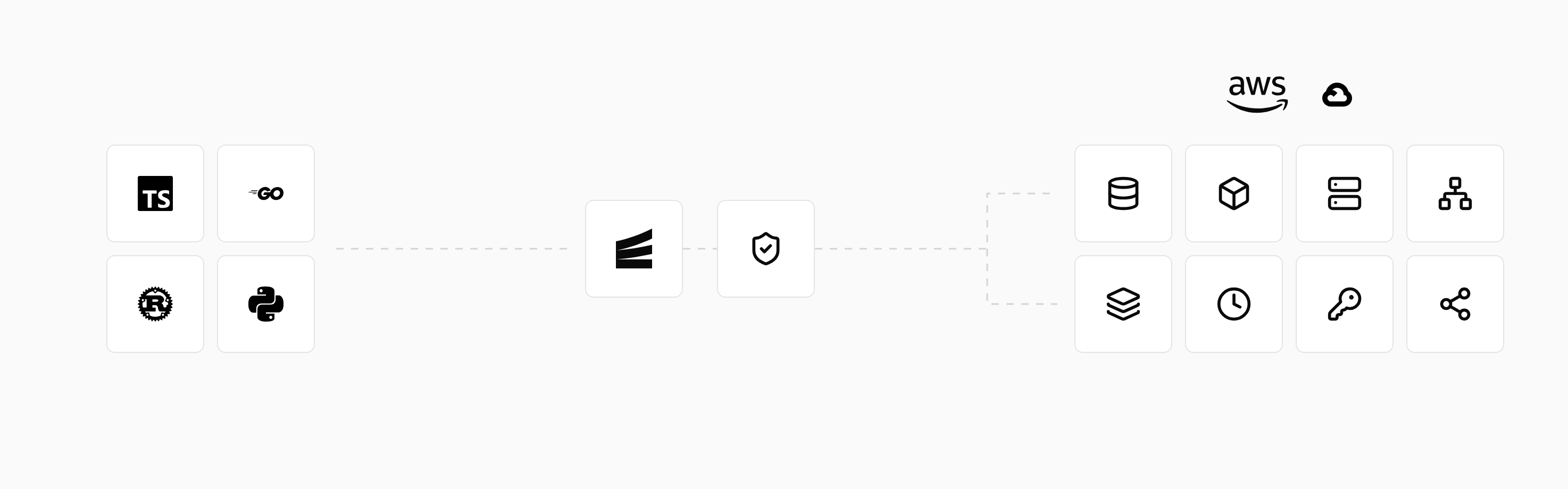
Encore combines an open source infrastructure SDK for TypeScript and Go with a platform that provisions and deploys into your own AWS or GCP account. A topic and its subscriptions are declared in the code that publishes and consumes them, and on AWS Encore creates the SNS topic, an SQS queue and a dead-letter queue for each subscription, and the IAM permissions for each service, as listed in the AWS infrastructure docs.
Set up the app
Run in your terminal to get started locally.
The equivalent of the Terraform above is a topic in the orders service and a subscription in fulfillment, with the visibility timeout and redrive count expressed as ackDeadline and retryPolicy:
// orders/topic.ts
import { Topic } from "encore.dev/pubsub";

export interface OrderPlaced {
  orderId: string;
  sku: string;
  quantity: number;
}

export const orderPlaced = new Topic<OrderPlaced>("order-placed", {
  deliveryGuarantee: "at-least-once",
});
// fulfillment/worker.ts
import { Subscription } from "encore.dev/pubsub";
import { orderPlaced } from "../orders/topic";

const _ = new Subscription(orderPlaced, "reserve-stock", {
  ackDeadline: "120s",
  maxConcurrency: 20,
  retryPolicy: { minBackoff: "10s", maxBackoff: "5m", maxRetries: 5 },
  handler: async (event) => {
    // Idempotent: reserve stock keyed on event.orderId.
    console.log("reserving", event.sku, "for", event.orderId);
  },
});
Publishing is await orderPlaced.publish({ orderId, sku, quantity }) from any endpoint in the orders service, and the Pub/Sub docs cover ordered topics, attributes and dead-letter handling. encore run runs the topic and subscription on the laptop, so a coding agent that adds a second consumer, say an analytics subscription, tests it end to end locally and the queue, dead-letter queue and permissions for it are created on the next deploy. An existing topic that other systems publish to can be imported instead.
The local development dashboard shows each published message and the subscriber that handled it, and every preview environment gets its own topic, so a pull request cannot drain the staging queue.
Best fit: TypeScript and Go teams who want SNS and SQS in their own AWS account with a dead-letter queue and IAM permissions for each consumer, created from the code that uses them, while keeping Terraform for account-level resources if they already have it.
Good to know
- Standard queues deliver at least once and can reorder messages, so consumers must be idempotent. FIFO queues (
fifo_queue = true, name ending in.fifo) add ordering per message group at lower throughput. - SQS has accepted messages up to 1 MiB since August 2025, while SNS publishes are still capped at 256 KB, so a queue fed by a topic keeps the smaller limit. Larger payloads belong in S3 with the object key in the message.
- Changing
visibility_timeout_secondsapplies to new receives only, so roll it out before deploying a slower consumer.
Related guides
Frequently asked questions
How do I create an SQS queue with a dead-letter queue in Terraform?
Create two aws_sqs_queue resources, then set redrive_policy on the main queue to jsonencode({ deadLetterTargetArn = aws_sqs_queue.dlq.arn, maxReceiveCount = 5 }). Add an aws_sqs_queue_redrive_allow_policy on the dead-letter queue if you want to restrict which queues can use it.
What visibility timeout should an SQS queue have?
Longer than the slowest time your consumer needs to process one message, so a message is not redelivered while it is still being handled. For a Lambda consumer AWS recommends at least six times the function timeout.
How do I subscribe an SQS queue to an SNS topic in Terraform?
Create an aws_sns_topic_subscription with protocol sqs and the queue ARN as endpoint, set raw_message_delivery to true if consumers expect the original body, and attach an aws_sqs_queue_policy that allows sqs:SendMessage from the topic ARN through an aws:SourceArn condition.
How do I get SQS queues on AWS without Terraform?
With Encore, declare a topic with new Topic<Event>("name", { deliveryGuarantee: "at-least-once" }) and a subscription with new Subscription(topic, "worker", { handler }). Deploying to your AWS account creates an SNS topic, an SQS queue and a dead-letter queue for the subscription, with publish and consume permissions scoped to each service.
Deploy to your cloud on AWS and Google Cloud
without managing infrastructure
Encore lets developers and agents define application infrastructure directly in code, then automatically provisions it from local development to production in your AWS or GCP account.
