How to Test AI Agent Pull Requests in a Preview Environment
Coding agents open more pull requests than people can check by reading diffs. Here is how to give every agent PR its own environment with a real database, built by hand on AWS or with Encore.

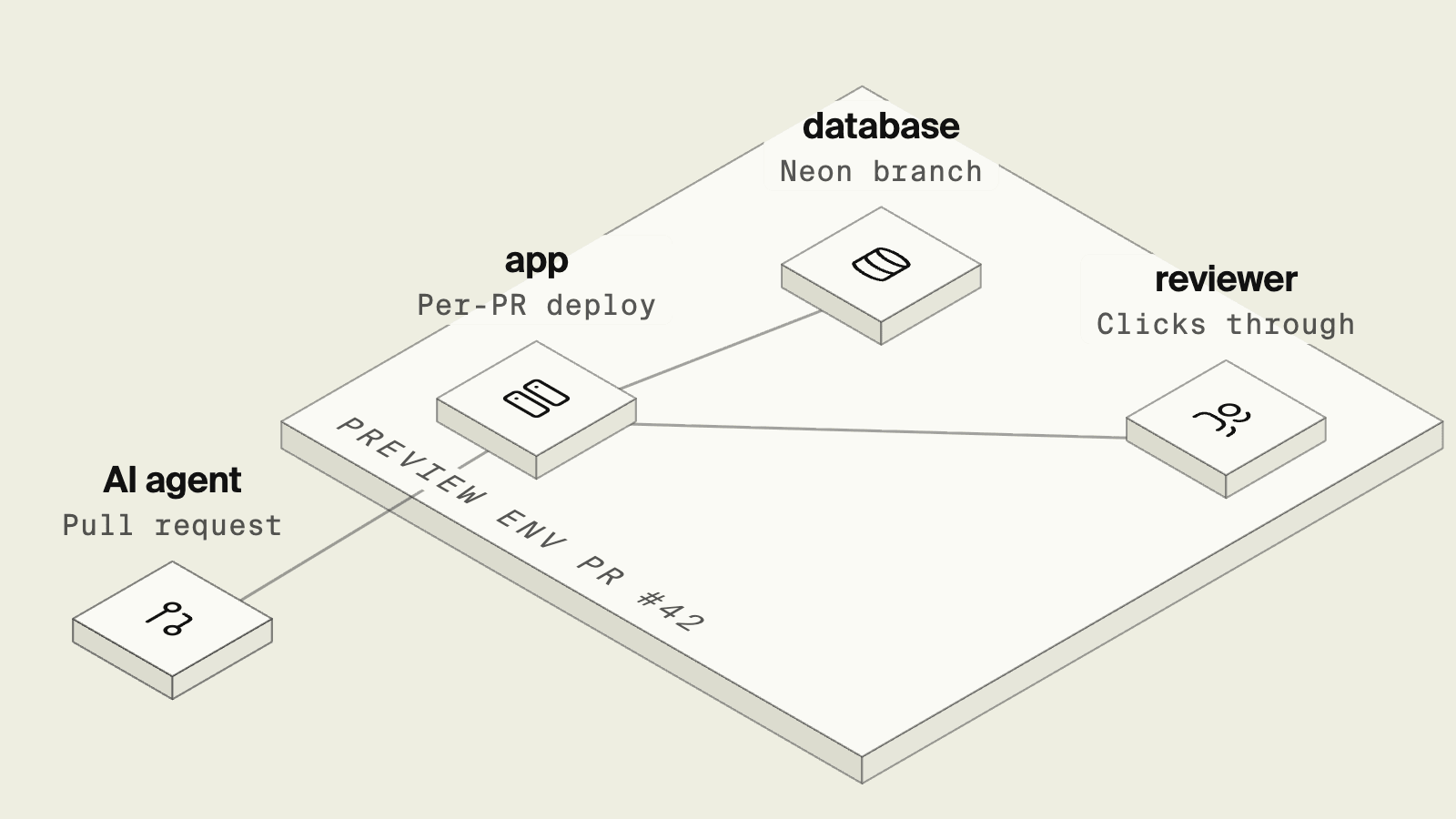
A team that gives coding agents real tasks quickly ends up with more pull requests than reviewers.
Each one compiles and most look plausible, which makes review harder, since in the 2025 Stack Overflow Developer Survey, the most common frustration with AI tools was solutions that are almost right but not quite, named by 66 percent of developers. An almost-right migration or Pub/Sub handler is hard to catch by reading, and easy to catch by running.
The 2025 DORA report describes AI as an amplifier of the delivery practices a team already has. Fast, isolated test environments are one of those practices, and they matter more when the author of a change is an agent.
Per-PR environments at a glance
Building per-PR environments on AWS by hand
The DIY route is a CI workflow that deploys a copy of the stack for each pull request, with every resource name suffixed by the PR number, and a second workflow that destroys it on close. A sketch with GitHub Actions, using OIDC to assume an AWS role instead of stored keys:
name: preview
on:
  pull_request:
    types: [opened, synchronize, reopened, closed]
permissions:
  id-token: write
  contents: read
concurrency:
  group: preview-pr-${{ github.event.number }}
  cancel-in-progress: false
jobs:
  deploy:
    if: github.event.action != 'closed'
    runs-on: ubuntu-latest
    environment: preview
    steps:
      - uses: actions/checkout@v4
      - uses: aws-actions/configure-aws-credentials@v4
        with:
          role-to-assume: arn:aws:iam::123456789012:role/preview-deployer
          aws-region: us-east-1
      - name: Deploy the preview stack
        run: ./scripts/deploy-preview.sh "pr-${{ github.event.number }}"
  destroy:
    if: github.event.action == 'closed'
    runs-on: ubuntu-latest
    steps:
      # Check out the default branch, since the merge ref may no longer exist.
      - uses: actions/checkout@v4
        with:
          ref: ${{ github.event.repository.default_branch }}
      - uses: aws-actions/configure-aws-credentials@v4
        with:
          role-to-assume: arn:aws:iam::123456789012:role/preview-deployer
          aws-region: us-east-1
      - name: Destroy the preview stack
        run: ./scripts/destroy-preview.sh "pr-${{ github.event.number }}"
Pull requests from forks get no secrets or OIDC tokens in this workflow, so their previews need a separate, manually approved path. Same-repository PRs run their own checkout with the role, so scope preview-deployer to preview resources only and use required reviewers on the preview environment if contributors are not fully trusted.
The scripts carry the real work. They create a database per PR or a schema on a shared instance, and migrate it. They also deploy the service with its own URL and queues, and handle the case where a destroy fails halfway. Each preview also costs money while it is up, and an RDS instance per PR is slow to create. Teams that build this usually end up sharing a database server across previews and accepting some coupling between them. It works, although it becomes a project in its own right.
Preview environments from the app's declarations

Encore, the safe way for AI agents to ship backend changes to your cloud, combines an open source SDK, where the application declares its infrastructure, with a platform that creates environments from those declarations. Because every environment is built from the same code, a pull request is enough to create one. Once the app is connected to GitHub, each pull request gets a preview environment named after it, such as pr:72, with its own API URL and infrastructure. Encore needs no workflow for this, because its GitHub integration creates the pr:N environment when the pull request opens and destroys it when the pull request is merged or closed.
The checks the agent runs locally are the same ones the preview build runs. A Go test like this one runs against a real database under encore test, and again when the preview is built:
package catalog

import (
	"context"
	"testing"
)

func TestCreateAndGet(t *testing.T) {
	ctx := context.Background()
	created, err := Create(ctx, &CreateParams{Name: "Mug", PriceCents: 1200})
	if err != nil {
		t.Fatal(err)
	}
	got, err := GetCached(ctx, created.ID)
	if err != nil {
		t.Fatal(err)
	}
	if got.Name != "Mug" || got.PriceCents != 1200 {
		t.Fatalf("got %+v", got)
	}
}
Locally, encore run starts Postgres locally for the same code, and testing gets its own test database. In the preview, the reviewer calls the PR's URL directly, or points a frontend at it.
An agent that opened the PR can also be asked to verify its own change against the preview, which is a stronger signal than its claim that tests pass. If the database should start with data, preview environments can copy the database of a chosen environment through Neon branching. Branch from an environment with scrubbed test data, never from production, since the preview runs the PR's code.
Preview environments come with the Encore Pro plan and are hosted by Encore by default, so they add no cost in your AWS account. On Enterprise they can run in your own cloud when previews need private network access. Staging and production run in your AWS account, and cloud access sits with Encore's IAM role, not the agent.
Good to know
Previews run the code in the pull request with the infrastructure it declares. Integrations with systems outside the app, such as a third-party API, use whatever credentials you set for the preview environment type, so use sandbox keys there. Cron jobs do not run in preview environments, so call a scheduled endpoint directly to test it.
Run in your terminal to get started locally.
How to choose
- Encore when you want every agent pull request to get its own environment with real infrastructure, without owning a preview pipeline. Previews are available on the Encore Pro plan, and on Pro they run in Encore's hosting, not your AWS network.
- A hand-built pipeline when previews must run inside your own AWS network without the Enterprise tier, where Encore previews can run in your own cloud, and you have the platform time to maintain the scripts.
Related guides
Frequently asked questions
How do I get a preview environment for each AI agent pull request?
With Encore, connect the app to GitHub on the Pro plan, and each pull request gets its own preview environment with its own infrastructure, named after the PR, for example pr:72. The agent's tests run as part of the build, and reviewers can call the PR's API URL. On plain AWS, a CI workflow has to create a namespaced copy of the stack for each PR, run migrations and seed data, and tear it down when the PR closes.
Why do agent pull requests need preview environments?
Reading a diff shows what changed, not whether it works with the database and other services. A preview environment lets a reviewer, or another agent, exercise the change end to end before it merges.
Do preview environments run in my AWS account?
Encore preview environments are hosted by Encore by default and are free to run. On the Enterprise tier they can run in your own cloud, which helps when they need access to private resources. Production and other environments run in your AWS account, and cloud access sits with Encore's IAM role, not the agent.
Deploy to your cloud on AWS and Google Cloud
without managing infrastructure
Encore lets developers and agents define application infrastructure directly in code, then automatically provisions it from local development to production in your AWS or GCP account.
