How to Migrate from AWS App Runner to ECS
Move App Runner services to ECS Express Mode or to Encore on your own AWS account, with a config map, the commands, and a DNS cutover you can roll back.

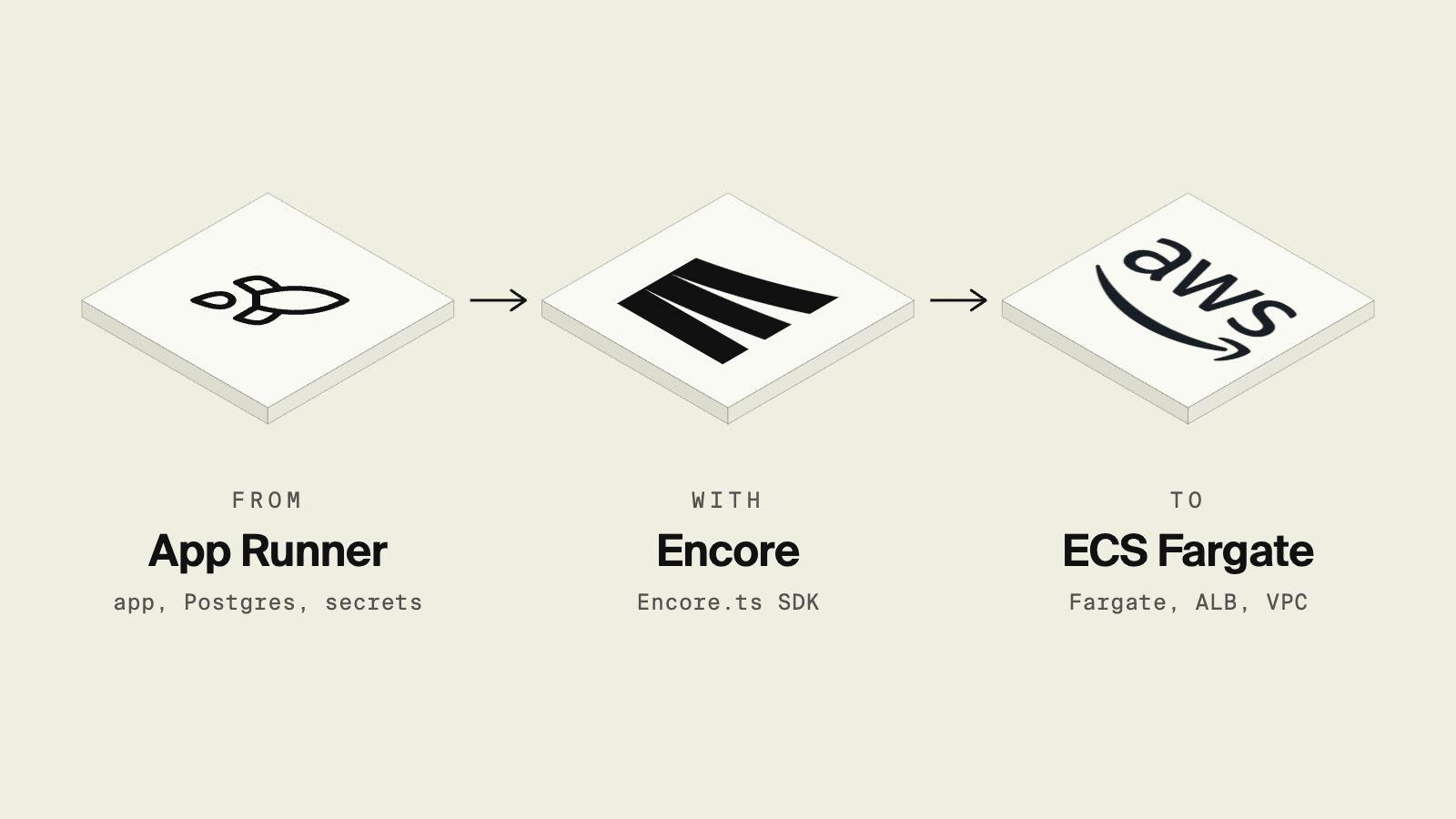
Migrate AWS App Runner services to Amazon ECS Express Mode, the replacement AWS recommends: create an Express Mode service from the same container image, move the custom domain to its load balancer, and shift traffic with Route 53 weighted records. Express Mode keeps the App Runner model (image in, HTTPS URL out) and runs on Fargate in your account. If the service is TypeScript or Go and you would rather not keep a Dockerfile, CI pipeline and separately managed RDS, queues and schedulers, Encore deploys to ECS on Fargate in your own AWS account and provisions those resources from declarations in the code.
AWS closed App Runner to new customers on April 30, 2026. Existing customers can keep running and creating App Runner services, and AWS continues security and availability work, but it does not plan new features. Nothing breaks today; the migration is about not building on a service with no roadmap.
What are the ways to migrate off App Runner?
Verdict. For a like-for-like move of one service, ECS Express Mode is the shortest path and is what AWS documents. Encore ranks first for TypeScript and Go services because App Runner only ever ran the web tier: any database, queue or scheduled job next to it was wired by hand, and Encore provisions those with the service.
How do App Runner settings map to ECS Express Mode?
How do you migrate an App Runner service to ECS Express Mode?
Step 1: Inventory the App Runner service
aws apprunner list-services --region us-east-1
aws apprunner describe-service --service-arn <app-runner-service-arn> \
  --query 'Service.{source: SourceConfiguration, instance: InstanceConfiguration, network: NetworkConfiguration, health: HealthCheckConfiguration, scaling: AutoScalingConfigurationSummary}'
aws apprunner describe-custom-domains --service-arn <app-runner-service-arn>
Write down the image (or repository and build settings), port, environment variables, secrets, instance role, CPU and memory, scaling settings, VPC connector subnets and security groups, health check path, and any custom domain with its ACM certificate.
Step 2: Create the Express Mode service from the same image
Create the two roles Express Mode needs (ecsTaskExecutionRole and ecsInfrastructureRoleForExpressServices, as in the AWS getting started guide), plus a task role trusted by ecs-tasks.amazonaws.com with the application permissions from the App Runner instance role. Grant the execution role secretsmanager:GetSecretValue on each secret, then create the service with the values from step 1:
aws ecs create-express-gateway-service \
  --service-name billing-api \
  --execution-role-arn arn:aws:iam::123456789012:role/ecsTaskExecutionRole \
  --infrastructure-role-arn arn:aws:iam::123456789012:role/ecsInfrastructureRoleForExpressServices \
  --task-role-arn arn:aws:iam::123456789012:role/billing-api-task-role \
  --primary-container '{
    "image": "123456789012.dkr.ecr.us-east-1.amazonaws.com/billing-api:2026-11-12",
    "containerPort": 8080,
    "environment": [{"name": "NODE_ENV", "value": "production"}],
    "secrets": [{"name": "STRIPE_SECRET_KEY", "valueFrom": "arn:aws:secretsmanager:us-east-1:123456789012:secret:billing/stripe-AbCdEf"}]
  }' \
  --health-check-path /healthz \
  --cpu 1024 --memory 2048 \
  --scaling-target '{"minTaskCount": 1, "maxTaskCount": 10, "autoScalingMetric": "REQUEST_COUNT_PER_TARGET", "autoScalingTargetValue": 100}' \
  --network-configuration '{"subnets": ["subnet-aaa", "subnet-bbb"], "securityGroups": ["sg-billing-api"]}'
Provisioning takes a few minutes. Test the service on its default *.ecs.us-east-1.on.aws URL before any traffic moves. If the App Runner service used a VPC connector to reach RDS, add the new task security group to the database security group's inbound rules.
Step 3: Move the custom domain
If App Runner served api.example.com, configure the same name on the Express Mode load balancer before shifting traffic: add api.example.com as a host header condition on the listener rule that forwards to the Express Mode target group, and add the ACM certificate to the HTTPS listener. If the App Runner service only used its default URL, there is no shared hostname to shift gradually; validate the new URL and update clients or DNS in one step.
Step 4: Shift traffic with weighted DNS
In Route 53, change the existing api.example.com record to a weighted record with weight 100 and a record ID such as app-runner. Create a second weighted record with the same name and type, an alias to the Express Mode load balancer, weight 0 and a record ID such as ecs-express. Then move weight in steps, checking errors and latency between each one:
Rolling back at any step is a weight change.
Step 5: Finish and clean up
Keep App Runner running for 24 to 48 hours at weight 0. Then remove the App Runner weighted record, remove the custom domain association from App Runner, and delete the service:
aws apprunner disassociate-custom-domain --service-arn <app-runner-service-arn> --domain-name api.example.com
aws apprunner delete-service --service-arn <app-runner-service-arn>
Remove App Runner-only IAM roles and old ECR images you no longer need.
Source-based App Runner services
Express Mode does not build from source. Add a Dockerfile, an OIDC role GitHub Actions can assume, and a workflow that builds, pushes to ECR and deploys:
# .github/workflows/deploy.yml (deploy step)
- name: Deploy to ECS Express Mode
  uses: aws-actions/amazon-ecs-deploy-express-service@v1
  with:
    service-name: billing-api
    image: ${{ steps.login-ecr.outputs.registry }}/billing-api:${{ github.sha }}
    execution-role-arn: arn:aws:iam::123456789012:role/ecsTaskExecutionRole
    infrastructure-role-arn: arn:aws:iam::123456789012:role/ecsInfrastructureRoleForExpressServices
    container-port: 8080
    health-check-path: /healthz
That replaces App Runner's automatic deployments. The AWS App Runner migration guide has the full workflow, including the OIDC and ECR steps.
How do you migrate from App Runner with Encore?

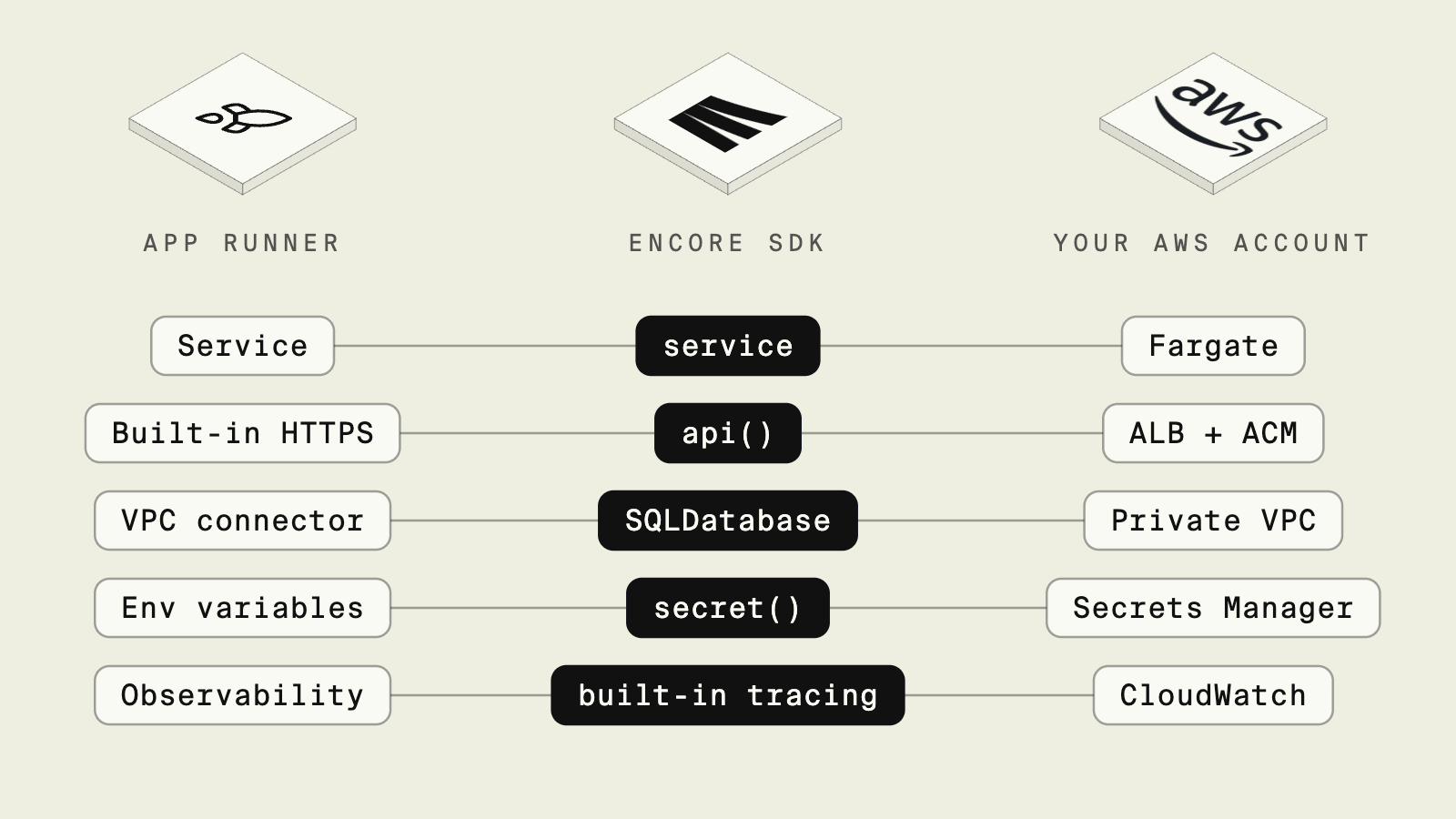
Encore is infrastructure from code. App Runner gave you a web service and left the database, queue, scheduler and secrets to the console or Terraform. With Encore, the service declares them, and each push to the connected AWS account provisions ECS on Fargate behind a load balancer, RDS, SNS/SQS, S3 and Secrets Manager. Encore builds from source, so the Dockerfile, ECR repository and deploy workflow above are not needed.
// billing/billing.ts (encore.dev 1.58)
import { api } from "encore.dev/api";
import { SQLDatabase } from "encore.dev/storage/sqldb";
import { Topic, Subscription } from "encore.dev/pubsub";
import { CronJob } from "encore.dev/cron";
import { secret } from "encore.dev/config";

// The RDS instance App Runner reached through a VPC connector, now declared here.
const db = new SQLDatabase("billing", { migrations: "./migrations" });

// The App Runner runtime secret, stored in AWS Secrets Manager.
const stripeKey = secret("StripeSecretKey");

interface InvoiceDue {
  invoiceId: string;
}
// SNS topic with an SQS queue and a dead-letter queue.
export const invoiceDue = new Topic<InvoiceDue>("invoice-due", {
  deliveryGuarantee: "at-least-once",
});

export const healthz = api({ method: "GET", path: "/healthz", expose: true }, async () => ({ ok: true }));

const _ = new Subscription(invoiceDue, "charge-invoice", {
  handler: async ({ invoiceId }) => {
    const res = await fetch(`https://api.stripe.com/v1/invoices/${invoiceId}/pay`, {
      method: "POST",
      headers: { Authorization: `Bearer ${stripeKey()}`, "Idempotency-Key": `pay-${invoiceId}` },
    });
    if (!res.ok) throw new Error(`Stripe returned ${res.status}`); // retried, then dead-lettered
  },
});

export const queueDueInvoices = api({ method: "POST", path: "/internal/queue-due" }, async () => {
  for await (const row of db.query<{ id: string }>`
      SELECT id FROM invoices WHERE status = 'open' AND due_at < NOW()`) {
    await invoiceDue.publish({ invoiceId: row.id });
  }
});

// Run by the Encore platform; no scheduler resource to create.
const _due = new CronJob("queue-due-invoices", {
  title: "Queue due invoices",
  schedule: "0 6 * * *",
  endpoint: queueDueInvoices,
});
Set the secret with encore secret set --type=production StripeSecretKey. Encore provisions an IAM role for the service. Cron jobs are managed by the Encore platform: they run in deployed environments and do not fire under encore run or in preview environments. Each pull request gets a preview environment to test against before cutover.
The cutover is the same as for Express Mode: move the data (pg_dump from the old RDS instance and pg_restore into the new one, or point the app at the existing instance first), test on the Encore URL, then shift DNS with weighted records and delete the App Runner service. The cost is the port: endpoints move to Encore's api() handlers, which is quick for a service with a handful of routes and a planned project for a large one.
Which path should you take?
- ECS Express Mode for a like-for-like move of any language, when the image, CI and surrounding resources stay as they are.
- Encore for a TypeScript or Go service that also uses a database, queues, scheduled jobs or secrets, when you want them provisioned in your AWS account with the service and no Docker pipeline.
- ECS with Terraform or CDK when the team wants the whole resource graph in reviewed code.
For more on Express Mode itself, see ECS Express Mode: Deploy a Container to AWS With One Command. To try Encore, start with the quickstart.
Windows: iwr https://encore.dev/install.ps1 | iex
Linux: curl -L https://encore.dev/install.sh | bash
Related resources
Frequently asked questions
What should I migrate AWS App Runner to?
AWS recommends Amazon ECS Express Mode. It keeps the App Runner model of image in, HTTPS URL out, and creates a Fargate service, an Application Load Balancer, autoscaling and logs in your account. If the app is TypeScript or Go and you also want the database, queues, scheduled jobs and secrets provisioned for you, Encore deploys to ECS on Fargate in your own AWS account from declarations in the code.
Do I have to leave App Runner now?
No. AWS closed App Runner to new customers on April 30, 2026, but existing customers can keep using it, including creating new services. AWS says it will keep investing in security and availability but does not plan new features, so plan the move rather than rushing it.
How do I migrate an App Runner custom domain without downtime?
Create the ECS Express Mode service, add the domain as a host header condition on its load balancer listener rule and attach the ACM certificate, then convert the App Runner DNS record in Route 53 to a weighted record and add a second weighted record that points to the Express Mode load balancer. Shift weight in steps, for example 10, 25, 50, 75 and 100 percent, and keep App Runner running for a day or two so you can roll back by changing the weights.
My App Runner service builds from source. What changes?
ECS Express Mode only runs container images, so add a Dockerfile and a CI job that builds the image, pushes it to ECR and updates the service. AWS publishes a GitHub Action, aws-actions/amazon-ecs-deploy-express-service, for the deploy step.
Deploy to your cloud on AWS and Google Cloud
without managing infrastructure
Encore lets developers and agents define application infrastructure directly in code, then automatically provisions it from local development to production in your AWS or GCP account.
