Managed Cloud Hosting: What It Includes and When to Use It
How managed hosting works, what it includes, and what affects the cost.


Managed cloud hosting combines cloud infrastructure with services that maintain the hosting environment. The provider might maintain a server's operating system, run a managed database, or operate a platform that builds and deploys applications from source code.
It can save a team from maintaining servers and putting together its own deployment setup. The work included depends on the service: a managed VM, a managed database, and an application platform each manage different parts of an application.
We'll also look at how Encore makes backend hosting easier by provisioning infrastructure and deploying the application in your own AWS or GCP account.
Managed vs unmanaged cloud hosting
With unmanaged hosting, the provider supplies the cloud infrastructure and your team administers the software running on it. Managed hosting adds services around that infrastructure.
A managed VM may still need a deployment process for your code. An application platform usually provides that process, but its database and backup features depend on the services you select.
What does managed cloud hosting include?
Server administration
A managed server service maintains the operating system and supporting software on a cloud VM. This can include security updates, monitoring, and help with configuration. The application still runs on a conventional server, which can suit software with specific runtime or system dependencies.
The provider's service description sets out how much application support is included. Some services install and maintain a web server but leave code releases to the customer. Others also administer databases or help operate the application.
Managed databases and storage
A managed database service handles much of the work of running the database engine, including supported maintenance, backups, and recovery features. The application team works with the database without administering its host. Capacity, availability options, and retention are selected through the service's configuration.
Object storage provides a separate home for application files without running a file server. These services can be used with an application hosted on a VM, a container runtime, or an application platform.
Managed application deployment
An application platform takes source code or a container image and runs it as a service. It typically provides builds, routing, HTTPS, logs, and controls for deployment and scaling.
This removes more application-hosting setup than server administration alone. A developer can release through the platform's workflow rather than configure the runtime and deployment process on each server. Databases, workers, and other resources may be separate services within the platform or connected externally.
Why use managed cloud hosting?
A small team can use a managed runtime and database without hiring people specifically to maintain their underlying servers. Developers still operate their application, but routine infrastructure maintenance is handled by the services they use.
Managed deployment also makes releases easier to repeat. Builds, configuration, and rollouts follow an established process, so a new environment does not require someone to recreate a server by hand. Some platforms extend this to database provisioning and service connections.
More instances can be added through the managed runtime's configuration as traffic grows, and a managed database can offer capacity and availability options without the team building those features itself. The available options depend on the product and deployment plan.
What does your team still do?
Your team writes and tests the application, manages access within the product, and decides how data is used. Hosting services can maintain a database server; the application determines which records a user is allowed to read and whether a query performs well.
A deployment platform can run a database migration, but your team needs to check that the schema works with any application versions still running. Removing a column while older instances still use it can break those instances.
Your team also chooses how long to keep backups and which recovery options to enable. A managed service provides those features, but their configuration needs to match the amount of data the application can afford to lose and how quickly it needs to recover.
Is managed hosting more expensive?
Managed hosting usually adds a fee or service premium to the underlying resource cost. An application platform may charge a subscription as well as usage, while managed database pricing includes features beyond a VM running a database process.
The comparison also includes the maintenance the team would otherwise perform. Server updates, release tooling, and database administration take time. A managed service can cost more on the cloud bill while reducing the engineering work needed to keep the application running.
The total depends on the deployment. Compute, databases, storage, and outgoing traffic can all be billed separately. A production application with replicas and a separate staging environment costs more than a single development instance, regardless of whether its hosting is managed.
Is managed cloud hosting more secure?
Managed services can reduce the maintenance your team has to keep up with. A provider applying operating-system patches or maintaining a database engine removes some of the work that might otherwise be delayed or missed.
Application security still depends on the code and configuration. Login, authorization, and handling user data remain part of the application. Cloud account permissions and access to production also need appropriate configuration.
Can managed hosting run in your own cloud account?
Yes. Some managed hosting services and application platforms operate within the customer's AWS, GCP, or Azure account. Others host customer applications in an environment controlled by the provider.
Running in your account lets the organization retain its cloud billing relationship and administrative access to the resources. The hosting platform or service is granted the access it needs to manage the deployment. This model is often called bring your own cloud (BYOC).
Managed backend hosting with Encore
Encore gives your team a simpler way to host a backend in its own AWS or GCP account. It handles application builds, deployment, and provisioning of the resources declared in the code, reducing the setup needed to get the backend running.
Developers declare a database, storage bucket, or Pub/Sub topic alongside the application services. The platform provisions the cloud resources and configures their connections and permissions. You can add a resource through the same application workflow instead of creating a separate provisioning process for it.
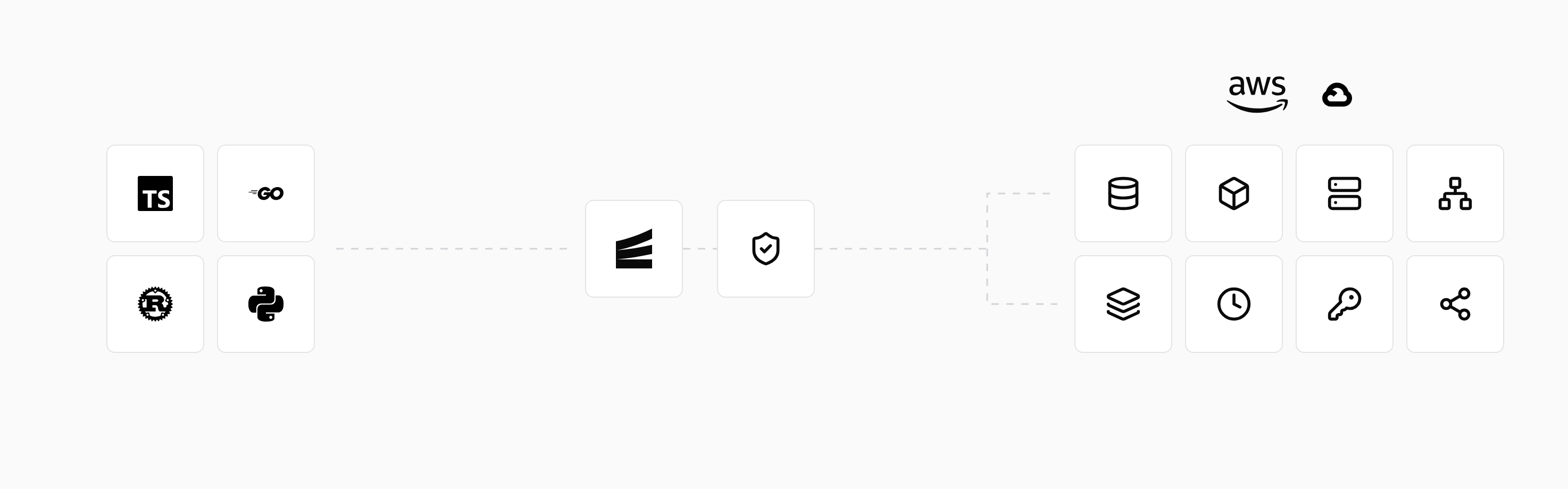
The same declarations supply local resources during development. Developers can run the backend with encore run and test changes in preview environments before release. New environments use the application's resource model, reducing configuration maintained separately from the code.
Production runs in your account, with environment settings configured through the platform. The cloud connection guide explains how to connect AWS or GCP. An existing backend adopts Encore's APIs and resource declarations to use this development and deployment workflow.
Run in your terminal to get started locally.
Related guides
Frequently asked questions
Is managed cloud hosting only for large companies?
No. A small team can use a managed application platform or database without buying a dedicated server-administration service. The available plans and resource requirements determine the cost; the team does not need to operate at enterprise scale.
Deploy to your cloud on AWS and Google Cloud
without managing infrastructure
Encore lets developers and agents define application infrastructure directly in code, then automatically provisions it from local development to production in your AWS or GCP account.
