Application Hosting: Types and How to Choose
How applications run in production, from virtual machines to managed platforms.


Application hosting is the service that keeps an application running and available to its users. It provides the computing resources for the code, a way for users to reach it, and a process for deploying updates. Depending on the application, it can also include databases, file storage, and background processing.
You can host an application on a virtual machine, deploy a container to a managed runtime, or use a platform that builds and runs it from a repository. The choice affects how much setup is needed for the first deployment and how the team releases changes afterward.
We'll also look at how Encore simplifies backend hosting by handling deployment and infrastructure setup in your own AWS or GCP account.
Application hosting options at a glance
These options can be combined. A frontend might run on a web hosting platform while its backend and database run in a separate cloud environment.
What does an application need to run?
The application code needs a runtime, such as Node.js, Python, or Go, and enough CPU and memory to handle its workload. A public-facing web service also needs an address, HTTPS, and routing that sends requests to a running instance.
Data usually lives outside the application process. A database stores records that need to survive releases and restarts. Object storage holds files such as uploads, images, and generated reports. Keeping that data separate allows the application instances to be replaced without losing it.
Some work runs in the background. Sending email, processing a large file, or importing records may take longer than a user should wait for a response. A worker can process that work from a queue, while scheduled jobs run at a particular time or interval.
Hosting therefore involves deploying the processes and connecting them to their resources. For a backend with a database, that includes creating the database, giving the service access, and supplying its connection configuration.
The main types of application hosting
Virtual machines
A virtual machine gives you a server on which to install the application's runtime and dependencies. You control the operating system and how the software starts, runs, and receives updates.
This can accommodate an existing application that expects a conventional server or depends on particular system software. The team also maintains the OS, restarts failed processes, and sets up releases. Managed server hosting can take on some of that administration.
Managed containers
A container image packages an application with its runtime dependencies. A managed container service runs that image and provides configuration for networking, resource allocation, and scaling. AWS ECS Fargate and Google Cloud Run are examples of managed compute for containerized applications.
A backend can have separate services for web requests and background processing. The container runtime runs those processes; databases and storage are configured as separate resources. Building an image does not require operating a Kubernetes cluster.
Serverless functions
Functions run in response to a request or event. They can handle web requests, react to an uploaded file, or process messages from a queue. The hosting service starts the execution environment and scales it according to its configuration and limits.
Function duration, memory, and concurrency limits affect what the application can do in each invocation. Longer tasks may need to be split into smaller jobs or run on a service intended for persistent processes. A function can also use a managed database or storage service.
Platform as a service
A platform as a service, or PaaS, provides an application deployment workflow. Developers connect source code or supply an image, set configuration, and release the application. The platform operates the runtime and typically provides routing, certificates, logs, and scaling controls.
Web services, workers, and scheduled jobs may be separate service types. Databases can be offered as attached services or connected externally. Available languages, regions, and resource types depend on the platform.
How deployment works
A release starts with a build. That might install dependencies and compile the application, or produce a container image. The hosting service then starts the new version, checks that it is ready, and routes traffic to it.
Application configuration is supplied separately from the build. A staging deployment might use a different database and storage bucket from production while running the same code. Secrets, such as external API keys, also need to be available to the service without being committed to the repository.
Database schema changes are part of many releases. If old and new application versions run at the same time during a rollout, both need to work with the schema present at that point. Hosting platforms can automate deployment steps, while the application code and migrations determine that compatibility.
What affects application hosting costs?
Compute is usually charged by allocated capacity or usage. A service that runs continuously has a different cost profile from a function that runs occasionally. Minimum instance counts, replicas, and separate staging environments can add to the baseline bill.
Databases, file storage, and outgoing traffic are additional costs. Managed databases may account for more of a small backend's bill than its web service. A platform subscription can also include build capacity, deployment features, and support.
Self-managed hosting adds maintenance work. Patching a server and maintaining a deployment pipeline take engineering time even when the monthly VM charge is low. Managed cloud hosting covers how providers and platforms take on parts of that work.
Hosting in your own cloud account
Many application platforms run the application within the provider's cloud environment. With a deployment in your own AWS or GCP account, the production resources sit alongside the cloud access controls and billing arrangements your organization already uses.
A managed platform can provision resources and deploy the application into your account, so your team does not have to configure every cloud service itself. The cloud hosting platform comparison includes platforms that deploy into your account and those that host the application in theirs.
Easier backend hosting with Encore
With Encore, you can host a backend in your own AWS or GCP account without building a provisioning and deployment pipeline first. Developers declare the application's services and resources in code, and the platform creates their cloud infrastructure and deploys the application.
A database, bucket, or Pub/Sub topic is declared alongside the code that uses it. The platform configures the resource connections and permissions, reducing the setup involved in getting the whole backend running. Adding a resource later follows the same deployment workflow.
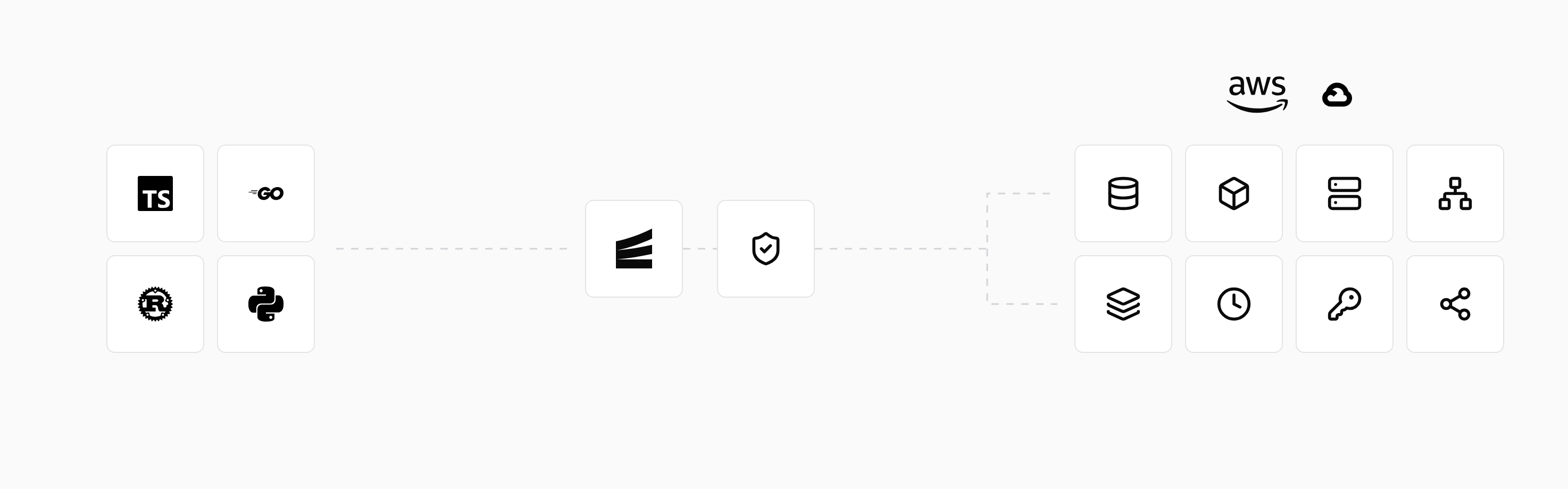
The declarations also provide local resources when developers run the application with encore run. A developer can work with the backend and its database locally, then use a preview environment to test a change in the cloud before release. This reduces the separate environment setup needed during development.
To deploy in your account, connect AWS or GCP and configure an environment and deployment branch. Pushing to the connected repository builds and deploys the application with its infrastructure changes. An existing backend needs to adopt Encore's APIs and resource declarations to use this workflow.
Run in your terminal to get started locally.
Related guides
Frequently asked questions
Do I need Kubernetes to host a containerized application?
No. Managed container services can run an application image without requiring your team to operate a Kubernetes cluster. Kubernetes is one way to deploy containers, and it is not a requirement of the container format.
Deploy to your cloud on AWS and Google Cloud
without managing infrastructure
Encore lets developers and agents define application infrastructure directly in code, then automatically provisions it from local development to production in your AWS or GCP account.
