How to Add Cron Jobs to a Gin App
Schedule recurring work for a Gin API in Go, from robfig/cron inside the process to Encore cron jobs that keep running when the app scales to several instances.

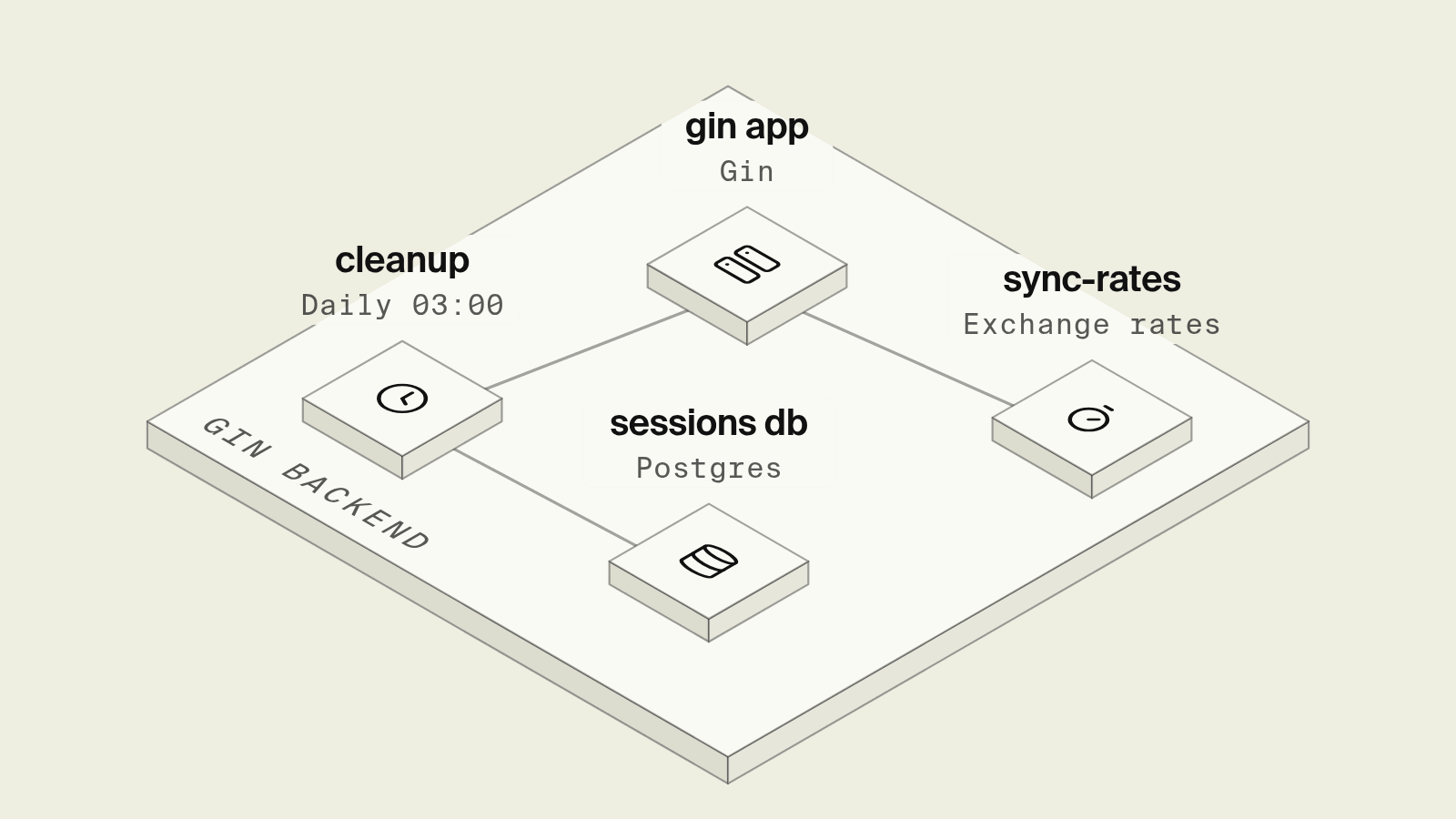
Gin has no scheduler, so the first nightly cleanup or hourly sync in a Gin API usually means starting robfig/cron in main next to router.Run. That works until the service scales to a second replica and every job runs twice, or until a deploy lands at 03:00 and the job that was mid-run simply stops.
This guide covers the three common ways to schedule work for a Gin app, starting with Encore, which declares the schedule in Go and calls the job once per run in your own AWS or GCP account, and then the in-process scheduler and an external crontab.
Cron options for a Gin app at a glance
How do you add cron jobs to Gin with Encore?

Encore works alongside Gin and provisions the infrastructure the code declares in your own AWS or GCP account. The router stays as it is behind a raw fallback route, and each scheduled job is a small private Encore endpoint that a cron.NewJob declaration points at.
Set up the app
Run in your terminal to get started locally.
The service keeps its Gin routes and adds two jobs, one on a cron expression and one on a fixed interval:
// billing/billing.go
package billing

import (
	"context"
	"net/http"
	"time"

	"encore.dev/cron"
	"encore.dev/rlog"
	"github.com/gin-gonic/gin"
)

//encore:service
type Service struct {
	router *gin.Engine
}

func initService() (*Service, error) {
	r := gin.New()
	r.Use(gin.Recovery())
	r.GET("/invoices/:id", getInvoice)
	return &Service{router: r}, nil
}

// Fallback sends every request that no Encore endpoint matches to Gin.
//
//encore:api public raw path=/!fallback
func (s *Service) Fallback(w http.ResponseWriter, req *http.Request) {
	s.router.ServeHTTP(w, req)
}

func getInvoice(c *gin.Context) {
	c.JSON(http.StatusOK, gin.H{"id": c.Param("id")})
}

// Runs at 03:00 UTC every day in deployed environments.
var _ = cron.NewJob("nightly-cleanup", cron.JobConfig{
	Title:    "Delete expired sessions",
	Schedule: "0 3 * * *",
	Endpoint: Cleanup,
})

// Runs every 15 minutes.
var _ = cron.NewJob("sync-exchange-rates", cron.JobConfig{
	Title:    "Refresh exchange rates",
	Every:    15 * cron.Minute,
	Endpoint: SyncRates,
})

// Cleanup is idempotent: deleting rows that are already gone is a no-op.
//
//encore:api private
func Cleanup(ctx context.Context) error {
	cutoff := time.Now().Add(-30 * 24 * time.Hour)
	rlog.Info("deleting sessions", "older_than", cutoff)
	return nil
}

//encore:api private
func SyncRates(ctx context.Context) error {
	rlog.Info("refreshing exchange rates")
	return nil
}
The job endpoints take no request parameters, which is the signature the cron jobs docs require, and they are private, so nothing outside the app can call them. Encore can call an endpoint more than once under some network conditions, so each job should be safe to repeat, which for a cleanup means a DELETE ... WHERE rather than a counter that increments. Cron jobs do not run under encore run or in preview environments, so the local loop is calling Cleanup from the development dashboard and reading its trace.
In deployed environments the schedule is managed by the Encore platform and needs no extra cloud infrastructure, as the infrastructure docs note. Each call is a signed request to the endpoint, which stays the same whether the service runs one container or ten, and the dashboard lists every job with its schedule and recent runs. An AI coding agent asked for a weekly digest adds one cron.NewJob line and an endpoint in the same change, and the schedule shows up in review next to the code it runs.
When a job needs a database, a bucket for the export or a secret for the API it calls, those are declared in the same service and provisioned with it, for example a secret for the exchange-rate provider's key.
Best fit: Gin services that run on more than one instance and need nightly and interval jobs that run once per schedule in your own AWS or GCP account, next to the routes they serve.
robfig/cron inside the Gin process
robfig/cron is the standard Go scheduler, and starting it in main takes a few lines:
func main() {
	c := cron.New(cron.WithLocation(time.UTC))
	c.AddFunc("0 3 * * *", cleanupSessions)
	c.AddFunc("@every 15m", syncRates)
	c.Start()
	defer c.Stop()

	r := gin.Default()
	r.GET("/invoices/:id", getInvoice)
	log.Fatal(r.Run(":8080"))
}
This is fine on a single VM, but with two replicas behind a load balancer both schedulers fire at 03:00, so the usual fix is a Postgres advisory lock (SELECT pg_try_advisory_lock(42)) or a Redis SET key value NX PX at the top of each job so only one replica proceeds. A rolling deploy can also stop the process in the middle of a run, and c.Stop() only waits for running jobs if you wait on the context it returns before exiting. None of this shows up until the second replica or the first deploy at the wrong minute.
Best fit: A Gin app that runs as one process on one server, with jobs that are cheap to rerun.
A crontab or a cloud scheduler calling the app
The other route moves the schedule outside the app: a crontab entry on a server that runs curl -X POST https://api.example.com/internal/cleanup, a Kubernetes CronJob, or a cloud scheduler resource that sends an HTTP request on a schedule. The job runs once per schedule regardless of replica count, which fixes the duplicate-run problem. The cost is a second place to manage, an internal route on the Gin app that has to check a shared secret or token so the public internet cannot trigger it, and per-environment setup for staging and production. The Kubernetes CronJob docs also note that a job can occasionally be created twice or not at all, so idempotent jobs are still required.
Best fit: Teams that already run Kubernetes or a server with a crontab and are happy to manage schedules there.
How to choose
Pick Encore when the Gin app runs on several instances and the jobs should be declared next to the code, run once per schedule in your own AWS or GCP account and show up in the same dashboard as the API. Pick robfig/cron for a single-instance app where a duplicate or skipped run does no harm. Pick an external scheduler when schedules are already managed in Kubernetes or a server crontab.
Related guides
Frequently asked questions
How do I run a cron job in a Gin app?
The quick option is robfig/cron started in main next to router.Run, which works while the app runs as a single instance. Once the app has more than one replica, every replica runs the job, so the schedule has to live outside the process or behind a lock.
How do I add cron jobs to a Gin app with Encore?
Keep the Gin router in a raw fallback endpoint, write the job as a private Encore API with the signature func(ctx context.Context) error, and register it with cron.NewJob("nightly-cleanup", cron.JobConfig{Schedule: "0 3 * * *", Endpoint: Cleanup}). Encore calls the endpoint once per schedule in deployed environments, however many instances are running.
Why does my cron job run twice when I scale my Gin app?
A scheduler such as robfig/cron runs inside each process, so two replicas means two runs at the same minute. Either move the schedule to something that calls the app once, or take a Postgres advisory lock or Redis lock at the start of the job so only one replica does the work.
Deploy to your cloud on AWS and Google Cloud
without managing infrastructure
Encore lets developers and agents define application infrastructure directly in code, then automatically provisions it from local development to production in your AWS or GCP account.
