You probably don't need a vector database
What vectors, similarity search, and RAG actually do under the hood, and why PostgreSQL handles most of it.
Most backend teams adding AI features end up with a dedicated vector database running alongside their existing Postgres. A separate service for storing embeddings, a sync pipeline to keep documents and vectors consistent, another set of credentials and another deployment to monitor. For a documentation search over 30,000 entries or a support ticket classifier with 50,000 embeddings, that's a lot of infrastructure for what amounts to a nearest-neighbor query.
pgvector is a PostgreSQL extension that adds vector storage and similarity search directly to Postgres. Same distance metrics, same index types, same queries. Documents and their embeddings live in the same table, in the same transaction. For the workloads most teams actually have, it's enough.
This post walks through how vector search works under the hood, from embeddings to similarity search to RAG pipelines, and then shows what it looks like to build it on pgvector instead of adding a separate service.
What a vector actually is
When you send text to an embedding model like OpenAI's text-embedding-3-small or Cohere's embed-v3, you get back a list of numbers. For OpenAI's model, it's 1,536 numbers. For their larger model, 3,072. Each number means nothing on its own. Together, they encode the semantic meaning of the input in a way that allows mathematical comparison.
The key property: texts with similar meanings produce vectors that are close together in this high-dimensional space. "Golden retriever puppy" and "young labrador dog" end up near each other. "Golden retriever puppy" and "quarterly earnings report" end up far apart. The model learned these relationships from training on large amounts of text, and the distances between vectors reflect how semantically related two pieces of text are.
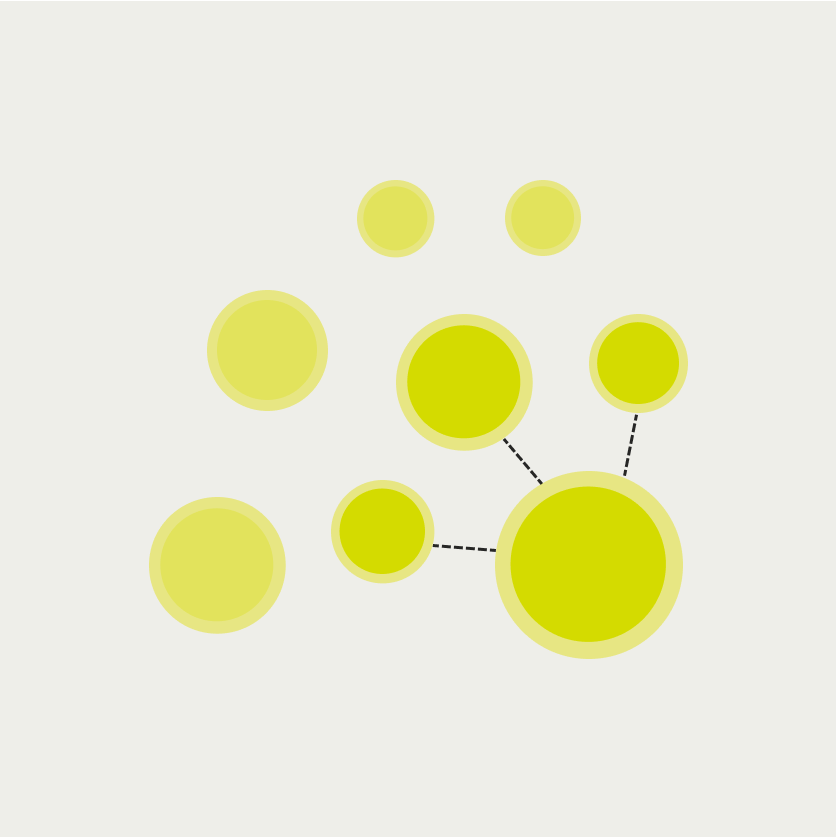
The actual vectors live in 1,536-dimensional space, which is impossible to visualize directly. The plot above projects them down to two dimensions using UMAP, a technique that preserves the relative distances between points. Clusters form naturally: animal-related phrases end up together, programming concepts group together, and food descriptions cluster separately. The model was never told these categories exist. The structure emerges from the meaning of the text.
This is why vector search works for things keyword search can't handle. A user searching for "how to handle errors in my API" should find a document titled "Exception handling and error responses in REST endpoints" even though the words barely overlap. Keyword search sees different strings. Vector search sees similar meanings.
How similarity search works
Searching a vector database means finding the stored vectors closest to a query vector. "Closest" is defined by a distance metric. The three common ones:
Cosine similarity measures the angle between two vectors, ignoring their magnitude. Two vectors pointing in roughly the same direction are similar regardless of their length. This is the default for most text embedding use cases.
L2 (Euclidean) distance measures the straight-line distance between two points. Useful when the magnitude of the vector carries meaning, which it usually doesn't for text embeddings.
Inner product is computationally cheaper and equivalent to cosine similarity when vectors are normalized, which most embedding models produce by default.
The naive approach to finding the nearest vectors is to compute the distance from the query to every stored vector and return the closest ones. This brute-force scan works fine for thousands of vectors, and it's exact. You'll always get the true nearest neighbors.
At hundreds of thousands or millions of vectors, brute force gets slow. Index structures trade a small amount of accuracy for dramatically faster search. The two that pgvector supports are IVF (Inverted File Index) and HNSW (Hierarchical Navigable Small World):
IVF partitions the vector space into clusters. At search time, only the clusters nearest to the query get scanned. If your vectors are split into 100 clusters and the query falls near 3 of them, you scan 3% of the data instead of 100%.
HNSW builds a multi-layer graph where each vector is connected to its neighbors. Search starts at a random entry point and hops through edges toward the query, narrowing in through progressively denser layers. It typically checks a few hundred nodes to find nearest neighbors among millions.
Both index types return approximate results, meaning they might miss an edge-case nearest neighbor that falls just outside the scanned region. In practice, recall rates above 95% are typical with default settings, and for most applications the difference between the exact top-5 and the approximate top-5 is negligible.
What a RAG pipeline actually does
Retrieval-Augmented Generation, usually shortened to RAG, is the pattern behind most AI features that answer questions about your own data. Instead of fine-tuning a model on your documents, you retrieve relevant context at query time and include it in the prompt.
The pipeline has five steps, and the vector search is just one of them. But the search step is the one that feels like magic: a query finds documents by meaning, not by matching words.
-
Embed the question. The user's question gets sent to the same embedding model used to encode the documents. This produces a query vector in the same dimensional space.
-
Search for similar vectors. The query vector gets compared against stored document vectors using one of the distance metrics above. The top-k most similar documents come back, typically 3 to 10 depending on context window size.
-
Retrieve the documents. The vector IDs map back to actual document content, titles, metadata, or whatever was stored alongside the embedding.
-
Assemble the prompt. The retrieved documents get injected into the LLM prompt as context, along with the original question and any system instructions.
-
Generate the answer. The LLM produces a response grounded in the retrieved documents rather than relying solely on its training data.
The vector search step (step 2) typically takes 5-50ms depending on the index type and dataset size. The embedding API call (step 1) takes 100-300ms. The LLM generation (step 5) takes 500ms-3s. If you're optimizing for latency, the vector search is rarely the bottleneck.
This is worth keeping in mind when evaluating whether you need a dedicated vector database that searches in 2ms versus pgvector at 10ms. The difference is invisible to the user when the LLM generation takes a hundred times longer.
pgvector does this inside Postgres
pgvector is a PostgreSQL extension that adds a vector column type and operators for similarity search. It supports cosine distance (<=>), L2 distance (<->), and inner product (<#>), with both HNSW and IVF indexing.
The SQL is straightforward:
-- Enable the extension
CREATE EXTENSION IF NOT EXISTS vector;

-- Create a table with a vector column
CREATE TABLE documents (
  id BIGSERIAL PRIMARY KEY,
  title TEXT NOT NULL,
  content TEXT NOT NULL,
  embedding vector(1536)
);

-- Create an HNSW index for cosine similarity search
CREATE INDEX ON documents USING hnsw (embedding vector_cosine_ops);

-- Find the 5 most similar documents to a query vector
SELECT id, title, 1 - (embedding <=> $1) AS similarity
FROM documents
ORDER BY embedding <=> $1
LIMIT 5;
The documents and their embeddings live in the same table. You can join vectors with application data in a single query. You can filter by metadata columns before running the similarity search. You can insert a document and its embedding in the same transaction, which means your search index is always consistent with your application state.
With a dedicated vector database, you store documents in Postgres and embeddings in a separate service. When you add a document, you write to both. When you delete one, you delete from both. If one write fails, you have either a document with no embedding or an orphaned vector. Keeping them in sync requires careful error handling or a background reconciliation job. With pgvector, it's a single INSERT statement.
pgvector handles millions of vectors with HNSW indexing. Benchmarks show query times under 20ms at 1M vectors with recall rates above 95%. That covers documentation search, support ticket classification, product recommendations, internal knowledge bases, and most other use cases teams actually build. For a detailed comparison of pgvector against the most popular managed alternative, see pgvector vs Pinecone.
Where dedicated vector databases still win: billions of vectors, real-time index updates at massive write throughput, advanced multi-tenant filtered search with per-tenant isolation at scale, and managed auto-scaling with zero tuning. If you're building the next Perplexity or a search engine over the entire internet, pgvector isn't the answer. For everything else, it probably is.
One less service to manage
The infrastructure difference matters more than the performance difference. Adding a dedicated vector database means adding a service: another deployment, another set of credentials, another monitoring dashboard, another thing that can go down independently from the rest of your application.
With a separate vector database, a semantic search feature touches three services: your application database for documents, the vector database for embeddings, and the embedding API for generating vectors. Each pair needs its own connection handling, retry logic, and failure mode. The sync between your application database and the vector database is a distributed systems problem that you solve over and over, one bug report at a time.
With pgvector, the same feature touches two services: your database and the embedding API. The documents and vectors are in the same table. The consistency is transactional. The search is a SQL query. There's no sync because there's nothing to sync.
For teams that already run Postgres, and most backend teams do, pgvector adds vector search without adding operational complexity. That's a meaningful difference when you're a team of five shipping AI features alongside everything else.
Building this with Encore and pgvector
If you're building a TypeScript backend, the simplest path to pgvector is a framework that already provisions Postgres for you. That way you write a migration, declare a database in code, and the toolchain handles the rest: spinning up a real Postgres instance locally, running migrations, and deploying to managed databases in production.
Encore is an open-source TypeScript framework that works this way. Databases, caches, pub/sub topics, and cron jobs are declared as objects in your application code, and the framework provisions the infrastructure from that. It runs on a Rust runtime, and you can self-host or deploy to your own AWS or GCP account through the Encore platform.
The migration enables the extension and creates the table:
-- migrations/1_create_documents.up.sql
CREATE EXTENSION IF NOT EXISTS vector;

CREATE TABLE documents (
  id BIGSERIAL PRIMARY KEY,
  title TEXT NOT NULL,
  content TEXT NOT NULL,
  embedding vector(1536),
  created_at TIMESTAMP WITH TIME ZONE DEFAULT NOW()
);

CREATE INDEX ON documents USING hnsw (embedding vector_cosine_ops);
The service declares the database and exposes the search endpoint:
import { api } from "encore.dev/api";
import { SQLDatabase } from "encore.dev/storage/sqldb";

const db = new SQLDatabase("search", { migrations: "./migrations" });

interface SearchRequest {
  query: string;
  limit?: number;
}

interface SearchResult {
  id: number;
  title: string;
  content: string;
  similarity: number;
}

export const search = api(
  { expose: true, method: "POST", path: "/search" },
  async (req: SearchRequest): Promise<{ results: SearchResult[] }> => {
    const embedding = await generateEmbedding(req.query);
    const limit = req.limit ?? 5;

    const rows = await db.query<SearchResult>`
      SELECT id, title, content,
             1 - (embedding <=> ${embedding}::vector) AS similarity
      FROM documents
      ORDER BY embedding <=> ${embedding}::vector
      LIMIT ${limit}
    `;

    const results: SearchResult[] = [];
    for await (const row of rows) {
      results.push(row);
    }

    return { results };
  }
);
The generateEmbedding function calls OpenAI or whichever embedding provider you use. The vector comparison happens in SQL. The database is provisioned automatically when you run encore run locally (real Postgres, not a mock) and when you deploy to AWS or GCP through the Encore platform.
You don't configure Docker images, write infrastructure code to enable extensions, or manage database connection strings. The migration runs automatically, the extension is available, and the vector operations work the same locally and in production.
For a step-by-step guide building a complete RAG pipeline with pgvector and Encore, see How to Build a RAG Pipeline with TypeScript. If you need a dedicated vector DB, we have a semantic search guide using Qdrant and a comparison of pgvector vs Qdrant to help you decide.
If you want to skip the boilerplate, deploy the working starter to your own AWS or GCP account — it includes the migration, the search endpoint, OpenAI embeddings, and a small UI to add documents and run queries:
Deploy a pgvector starter with semantic search and OpenAI embeddings.
Encore is an open-source backend framework where infrastructure is declared in TypeScript or Go and provisioned from the code. pgvector is pre-installed. GitHub.
Recent articles

Introducing Encore × SurrealDB
Combine vector search and graph relationships with a backend agents can build and verify end-to-end.
 Ivan Cernja
Introducing Encore × Bird
Build messaging workflows and test backend changes end-to-end locally.
Ivan Cernja
Encore for Rust
An early look at Encore for Rust, entering beta soon.
Ivan Cernja