
Encore gives you built-in distributed tracing and structured logging out of the box, but when something goes wrong in production you want more than traces - you want alerts, stack traces grouped by root cause, and a timeline of what happened leading up to the error. That's where Sentry comes in.
In this tutorial, we'll integrate Sentry into an Encore.ts backend so that unhandled errors are automatically captured with full context, while letting Encore continue to handle tracing and request routing.
Want to jump straight to a running app? Clone this starter and deploy it to your own cloud.
Prefer to skip the setup? Use encore app create --example=ts/sentry to start with a complete working example. This tutorial walks through building it from scratch.
What we're building
A simple API service with Sentry error tracking that demonstrates:
- Sentry initialization as a shared library, configured to stay out of Encore's way
- A
withSentrywrapper that captures errors with endpoint context - Breadcrumbs and scoped context for richer error reports
- A test endpoint you can hit to verify errors show up in Sentry
No database, no auth - just clean error tracking you can drop into any Encore project.
Getting started
First, install Encore if you haven't already:
# macOS
brew install encoredev/tap/encore

# Linux
curl -L https://encore.dev/install.sh | bash

# Windows
iwr https://encore.dev/install.ps1 | iex
Create a new Encore application:
encore app create sentry-app --example=ts/hello-world
cd sentry-app
Setting up Sentry
Creating your Sentry project
- Go to sentry.io and sign up for a free account
- Create a new project - select Node.js as the platform
- Copy the DSN from the project settings (looks like
https://abc123@o456.ingest.sentry.io/789)
Installing the SDK
npm install @sentry/node
Storing the DSN as a secret
Encore has built-in secrets management so you never have to commit sensitive values. Set your Sentry DSN:
# Development
encore secret set --dev SentryDSN

# Production
encore secret set --prod SentryDSN
Initializing Sentry
Create a shared library that initializes the SDK and exports a reusable error-handling wrapper. The key decisions here:
- Disable tracing (
tracesSampleRate: 0.0) - Encore already provides distributed tracing, so running Sentry's tracing on top would add overhead for no benefit. - Filter out HTTP integrations - Encore's Rust-based gateway handles inbound HTTP, so Sentry's Http, Express, and Fastify integrations have nothing to hook into and should be removed.
// lib/sentry.ts
import * as Sentry from "@sentry/node";

let initialized = false;

// DSN is passed in from the service that calls initSentry(),
// because Encore secrets must be loaded from within services.
export function initSentry(dsn: string) {
  if (initialized) return;
  initialized = true;

  Sentry.init({
    dsn,
    environment: process.env.ENCORE_ENVIRONMENT ?? "development",
    sampleRate: 1.0,
    // Encore has its own distributed tracing, so disable Sentry's.
    tracesSampleRate: 0.0,
    // Encore's Rust gateway handles inbound HTTP, so the default
    // HTTP/Express integrations won't see incoming requests.
    integrations: (defaults) =>
      defaults.filter(
        (i) => !["Http", "Express", "Fastify", "Connect"].includes(i.name)
      ),
  });
}

export { Sentry };
The initSentry() function is called from the service definition, which passes in the DSN from Encore's secret manager. The guard flag prevents double-initialization if multiple services import it.
The withSentry wrapper
Rather than wrapping every endpoint in try/catch boilerplate, create a generic wrapper that captures errors with useful context:
// lib/sentry.ts (continued)
export function withSentry<Req, Resp>(
  name: string,
  handler: (req: Req) => Promise<Resp>
): (req: Req) => Promise<Resp> {
  return async (req) => {
    return Sentry.withScope(async (scope) => {
      scope.setTag("endpoint", name);
      try {
        return await handler(req);
      } catch (err) {
        scope.setExtra("request", req);
        Sentry.captureException(err);
        throw err; // Re-throw so Encore returns the proper error response
      }
    });
  };
}
This gives you:
- Isolated scope per request - tags and extras don't leak between concurrent requests
- Endpoint name as a tag - filter errors by endpoint in the Sentry dashboard
- Request payload as extra data - see exactly what input caused the error
- Re-thrown errors - Encore still handles the error response as normal
Building the API
Service definition
// api/encore.service.ts
// Each directory with an encore.service.ts file becomes a separate service.
// Encore uses this to handle service discovery, networking, and deployment boundaries.
import { Service } from "encore.dev/service";
import { secret } from "encore.dev/config";
import { initSentry } from "../lib/sentry";

// Secrets must be loaded from within services, so we pass the DSN to initSentry.
const sentryDsn = secret("SentryDSN");
initSentry(sentryDsn());

export default new Service("api");
Endpoints
Create three endpoints: a health check, a processing endpoint wrapped with Sentry, and a test endpoint that deliberately throws an error.
// api/endpoints.ts
import { api, APIError } from "encore.dev/api";
import { Sentry, withSentry } from "../lib/sentry";

// Simple health check - no Sentry wrapper needed.
// api() defines a type-safe endpoint. expose: true makes it publicly
// accessible, method/path define the HTTP route. Encore handles routing,
// validation, and generates API docs automatically.
export const health = api(
  { expose: true, method: "GET", path: "/health" },
  async (): Promise<{ ok: boolean }> => {
    return { ok: true };
  }
);

interface ProcessRequest {
  itemId: string;
  quantity: number;
}

interface ProcessResponse {
  status: string;
  itemId: string;
}

// Wrapped with withSentry - errors are captured and reported
// with the endpoint name and request data as context.
export const processItem = api(
  { expose: true, method: "POST", path: "/process" },
  withSentry("process", async (req: ProcessRequest): Promise<ProcessResponse> => {
    // Add a breadcrumb to see the event timeline in Sentry
    Sentry.addBreadcrumb({
      category: "business-logic",
      message: `Processing ${req.quantity}x ${req.itemId}`,
      level: "info",
    });

    // Simulate processing
    if (req.quantity <= 0) {
      // APIError provides structured error types that map to HTTP status codes
      throw APIError.invalidArgument("quantity must be positive");
    }

    return { status: "processed", itemId: req.itemId };
  })
);

// Intentionally throws an error so you can verify Sentry is capturing it.
export const errorTest = api(
  { expose: true, method: "GET", path: "/error-test" },
  withSentry("errorTest", async (): Promise<never> => {
    throw new Error("This is a test error for Sentry");
  })
);
The process endpoint shows the typical pattern: add a breadcrumb before doing work, and if anything throws, the withSentry wrapper captures it. The errorTest endpoint lets you verify Sentry is working without waiting for a real bug.
Testing locally
Start your backend (make sure Docker is running for the local PostgreSQL instance):
encore run
Encore starts the API on localhost:4000 and opens a local development dashboard at localhost:9400 with API docs, distributed tracing, and a database explorer.
First, verify the health endpoint is responding:
curl http://localhost:4000/health
{
  "ok": true
}
Now process an item. The withSentry wrapper adds a breadcrumb before the business logic runs, so if anything fails you'll see the full timeline in Sentry:
curl -X POST http://localhost:4000/process \
  -H "Content-Type: application/json" \
  -d '{"itemId": "prod_1", "quantity": 2}'
{
  "status": "processed",
  "itemId": "prod_1"
}
To verify Sentry is capturing errors, hit the test endpoint:
curl http://localhost:4000/error-test
This returns an error response, and the error is sent to Sentry. Open your Sentry dashboard and within a few seconds you should see the error with the stack trace, the endpoint: errorTest tag, and the request context.
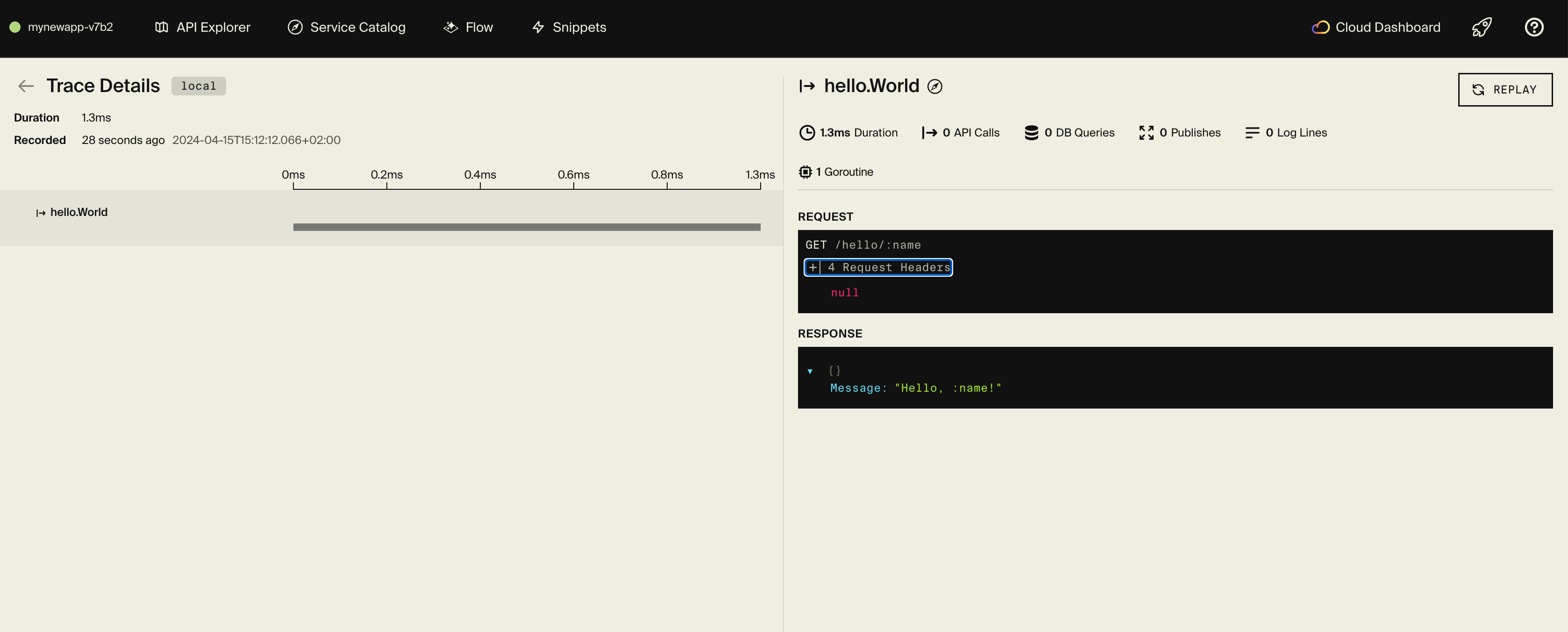
You can also inspect every request in Encore's local dashboard at localhost:9400. The distributed tracing view shows the full request flow, including where the error was thrown and how long each step took.
You can also trigger an error on the process endpoint by sending empty data:
curl -X POST http://localhost:4000/process \
  -H "Content-Type: application/json" \
  -d '{"data": ""}'
Adding Sentry to existing endpoints
To add error tracking to any existing endpoint, wrap the handler function:
// Before
export const myEndpoint = api(
  { expose: true, method: "POST", path: "/my-endpoint" },
  async (req: MyRequest): Promise<MyResponse> => {
    // ... your logic
  }
);

// After
import { withSentry } from "../lib/sentry";

export const myEndpoint = api(
  { expose: true, method: "POST", path: "/my-endpoint" },
  withSentry<MyRequest, MyResponse>("my-endpoint", async (req) => {
    // ... your logic (unchanged)
  })
);
For manual capture anywhere in your code, import Sentry directly:
import { Sentry } from "../lib/sentry";

try {
  await riskyOperation();
} catch (err) {
  Sentry.captureException(err);
  // Handle gracefully
}
Deployment
Self-hosting
See the self-hosting instructions for how to use encore build docker to create a Docker image and configure it.
The Encore platform Platform
Deploy your application to a staging environment:
git add -A .
git commit -m "Add Sentry error tracking"
git push encore
Set your production secret:
encore secret set --prod SentryDSN
Once deployed, trigger the test error against your staging URL to verify Sentry is receiving events from the deployed environment.
Note: the Encore platform is great for prototyping and development with fair use limits (100k requests/day, 1GB database). For production workloads, you can connect your AWS or GCP account and Encore will provision and deploy infrastructure directly in your cloud account.
Next steps
- Set up Sentry Alerts to get notified on Slack, email, or PagerDuty
- Configure Release Tracking to correlate errors with deployments
- Add custom tags for user IDs, tenant IDs, or feature flags
- Explore Sentry's Issue Grouping to tune how similar errors are merged
If you found this tutorial helpful, consider starring Encore on GitHub to help others discover it.
Recent articles

Introducing Encore × SurrealDB
Combine vector search and graph relationships with a backend agents can build and verify end-to-end.
 Ivan Cernja
Introducing Encore × Bird
Build messaging workflows and test backend changes end-to-end locally.
Ivan Cernja
Encore for Rust
An early look at Encore for Rust, entering beta soon.
Ivan Cernja