
Temporal lets you write workflows as regular code while the platform handles retries, timeouts, and crash recovery. If a process dies mid-workflow, Temporal picks up exactly where it left off. This makes it ideal for multi-step operations like order processing, payment flows, and saga patterns where partial failure would otherwise leave your system in an inconsistent state.
In this tutorial, we'll build an order processing backend that uses Temporal for durable workflow execution and Encore for the API layer and infrastructure. The workflow checks inventory, processes payment, ships the order, and sends a confirmation email, with automatic rollback if any step fails. You can find the complete source code on GitHub.
Want to jump straight to a running app? Clone this starter and deploy it to your own cloud.
Getting started
Install Encore if you haven't already:
# macOS
brew install encoredev/tap/encore

# Linux
curl -L https://encore.dev/install.sh | bash

# Windows
iwr https://encore.dev/install.ps1 | iex
Create a new Encore application and install Temporal packages:
encore app create temporal-app --example=ts/hello-world
cd temporal-app
npm install @temporalio/client @temporalio/worker @temporalio/workflow @temporalio/activity
You'll also need the Temporal CLI to run a local development server. Install it and start it in a separate terminal:
# macOS
brew install temporal

# Start the local dev server (runs on port 7233, web UI on 8233)
temporal server start-dev
Activities
Activities are the building blocks of a Temporal workflow. They're regular async functions that perform side effects like API calls, database queries, or HTTP requests. Unlike workflows, activities can do I/O freely.
Before writing activities, we need somewhere to store orders. Create an orders service with a database:
// orders/encore.service.ts
import { Service } from "encore.dev/service";

export default new Service("orders");
// orders/db.ts
import { SQLDatabase } from "encore.dev/storage/sqldb";

// Encore provisions this database automatically.
// Docker locally, RDS or Cloud SQL in production.
export const db = new SQLDatabase("orders", {
  migrations: "./migrations",
});
-- orders/migrations/1_create_orders.up.sql
CREATE TABLE orders (
  id TEXT PRIMARY KEY,
  user_id TEXT NOT NULL,
  total_amount NUMERIC(10,2) NOT NULL,
  status TEXT NOT NULL DEFAULT 'pending',
  payment_id TEXT,
  tracking_id TEXT,
  created_at TIMESTAMP NOT NULL DEFAULT CURRENT_TIMESTAMP,
  updated_at TIMESTAMP NOT NULL DEFAULT CURRENT_TIMESTAMP
);

CREATE TABLE order_items (
  id SERIAL PRIMARY KEY,
  order_id TEXT NOT NULL REFERENCES orders(id),
  product_id TEXT NOT NULL,
  quantity INT NOT NULL
);
Now the activities. These are regular async functions that call the orders service via Encore's type-safe service clients:
// temporal/activities.ts
import log from "encore.dev/log";
import { orders } from "~encore/clients";

export interface OrderInput {
  orderId: string;
  userId: string;
  items: { productId: string; quantity: number }[];
  totalAmount: number;
}

// Activities can call other Encore services, query databases,
// make HTTP requests. Temporal retries them automatically.

export async function createOrder(order: OrderInput): Promise<void> {
  // Calls the orders service to persist the order in the database.
  await orders.create({
    orderId: order.orderId,
    userId: order.userId,
    totalAmount: order.totalAmount,
    items: order.items,
  });
  log.info("order created in database", { orderId: order.orderId });
}

export async function checkInventory(order: OrderInput): Promise<boolean> {
  log.info("checking inventory", { orderId: order.orderId });
  // In production, query an inventory service or database.
  // Returns false for product "out-of-stock" to test the failure path.
  if (order.items.some((i) => i.productId === "out-of-stock")) {
    return false;
  }
  return true;
}

export async function processPayment(order: OrderInput): Promise<string> {
  log.info("processing payment", {
    orderId: order.orderId,
    amount: order.totalAmount,
  });
  // In production, call Stripe or another payment provider.
  const paymentId = `pay_${order.orderId}_${Date.now()}`;
  await orders.updateStatus({ orderId: order.orderId, status: "paid", paymentId });
  return paymentId;
}

export async function shipOrder(order: OrderInput): Promise<string> {
  log.info("shipping order", { orderId: order.orderId });
  // Use product "fail-shipping" to test the saga refund path.
  if (order.items.some((i) => i.productId === "fail-shipping")) {
    throw new Error("Shipping provider unavailable");
  }
  const trackingId = `track_${order.orderId}`;
  await orders.updateStatus({ orderId: order.orderId, status: "shipped", trackingId });
  return trackingId;
}

export async function sendConfirmationEmail(
  order: OrderInput,
  trackingId: string
): Promise<void> {
  log.info("sending confirmation email", { orderId: order.orderId, trackingId });
  await orders.updateStatus({ orderId: order.orderId, status: "completed" });
}

export async function refundPayment(paymentId: string): Promise<void> {
  log.info("refunding payment", { paymentId });
  // Compensation action for saga pattern.
}
Workflow
Temporal workflows run in a deterministic, sandboxed V8 isolate. They cannot do I/O directly. All side effects go through activities via proxyActivities. This sandbox model is what enables Temporal to replay and resume workflows after crashes.
// temporal/workflows.ts
import { proxyActivities } from "@temporalio/workflow";
import type * as activities from "./activities";

// proxyActivities creates stubs that schedule activities on the worker.
// startToCloseTimeout = max time for a single activity attempt.
const {
  createOrder,
  checkInventory,
  processPayment,
  shipOrder,
  sendConfirmationEmail,
  refundPayment,
} = proxyActivities<typeof activities>({
  startToCloseTimeout: "30s",
  retry: {
    maximumAttempts: 3,
    backoffCoefficient: 2,
  },
});

export interface OrderResult {
  orderId: string;
  status: "completed" | "failed";
  paymentId?: string;
  trackingId?: string;
  error?: string;
}

export async function orderProcessingWorkflow(
  order: activities.OrderInput
): Promise<OrderResult> {
  // Step 1: Persist order in the database via the orders service
  await createOrder(order);

  // Step 2: Check inventory
  const inStock = await checkInventory(order);
  if (!inStock) {
    return { orderId: order.orderId, status: "failed", error: "Items out of stock" };
  }

  // Step 3: Process payment
  let paymentId: string;
  try {
    paymentId = await processPayment(order);
  } catch (err) {
    return { orderId: order.orderId, status: "failed", error: "Payment failed" };
  }

  // Step 4: Ship order. If this fails, refund the payment (saga pattern).
  let trackingId: string;
  try {
    trackingId = await shipOrder(order);
  } catch (err) {
    await refundPayment(paymentId);
    return {
      orderId: order.orderId,
      status: "failed",
      paymentId,
      error: "Shipping failed, payment refunded",
    };
  }

  // Step 5: Send confirmation (best-effort)
  try {
    await sendConfirmationEmail(order, trackingId);
  } catch {
    // The order shipped successfully, don't fail over an email
  }

  return { orderId: order.orderId, status: "completed", paymentId, trackingId };
}
The saga pattern in step 3 is where Temporal shines: if shipping fails after payment succeeds, the workflow compensates by refunding. Temporal guarantees each step runs at least once (up to the retry limit), and if the process crashes between steps, it replays from the last completed activity.
Worker and client
The Temporal worker executes workflows and activities. We initialize it when the service loads, with the connection starting in the background so it doesn't block startup:
// temporal/client.ts
import { Client, Connection } from "@temporalio/client";
import { NativeConnection, Worker, bundleWorkflowCode } from "@temporalio/worker";
import * as activities from "./activities";
import path from "path";

let client: Client;
let worker: Worker;
let ready: Promise<void>;

export function initTemporal(): void {
  // Start initialization in the background.
  // Endpoints wait for the ready promise before using the client.
  ready = startTemporal();
}

async function startTemporal(): Promise<void> {
  // The client and worker use different connection types.
  const clientConnection = await Connection.connect({
    address: "localhost:7233",
  });
  client = new Client({ connection: clientConnection });

  const workerConnection = await NativeConnection.connect({
    address: "localhost:7233",
  });

  // Pre-bundle workflow code from the source directory.
  // Temporal needs the raw source to bundle into its V8 isolate,
  // but Encore compiles everything into a combined bundle first.
  const workflowBundle = await bundleWorkflowCode({
    workflowsPath: path.join(process.cwd(), "temporal", "workflows.ts"),
  });

  worker = await Worker.create({
    connection: workerConnection,
    workflowBundle,
    activities,
    taskQueue: "orders",
  });

  // Run the worker in the background.
  worker.run().catch((err) => {
    console.error("Worker stopped with error:", err);
  });
}

// Endpoints call this to wait for initialization before using the client.
export async function getClient(): Promise<Client> {
  await ready;
  return client;
}
Wire it into the service definition. initTemporal() is called at the top level so it runs when the service loads:
// temporal/encore.service.ts
import { Service } from "encore.dev/service";
import { initTemporal } from "./client";

// Initialize Temporal client and worker when the service loads.
initTemporal();

export default new Service("temporal");
API endpoints
Three endpoints: one that starts a workflow and waits for the result, one that fires and forgets, and one that checks status.
// temporal/endpoints.ts

// api() defines a type-safe API endpoint. Encore uses this at compile time
// to generate API docs, clients, and request validation automatically.
import { api } from "encore.dev/api";
import { getClient } from "./client";
import type { OrderInput } from "./activities";
import type { OrderResult } from "./workflows";

interface CreateOrderRequest {
  userId: string;
  items: { productId: string; quantity: number }[];
  totalAmount: number;
}

// Starts the workflow and waits for it to complete.
// expose: true  - makes this endpoint publicly accessible (no auth required)
// method/path   - standard HTTP routing, handled by Encore's runtime
export const createOrder = api(
  { expose: true, method: "POST", path: "/orders" },
  async (req: CreateOrderRequest): Promise<OrderResult> => {
    const orderId = `order_${Date.now()}`;
    const order: OrderInput = { orderId, ...req };
    const client = await getClient();

    const handle = await client.workflow.start("orderProcessingWorkflow", {
      args: [order],
      taskQueue: "orders",
      workflowId: orderId,
    });

    return handle.result();
  }
);

// Fire-and-forget: starts the workflow and returns the workflow ID immediately.
export const startOrder = api(
  { expose: true, method: "POST", path: "/orders/async" },
  async (req: CreateOrderRequest): Promise<{ orderId: string; workflowId: string }> => {
    const orderId = `order_${Date.now()}`;
    const order: OrderInput = { orderId, ...req };
    const client = await getClient();

    const handle = await client.workflow.start("orderProcessingWorkflow", {
      args: [order],
      taskQueue: "orders",
      workflowId: orderId,
    });

    return { orderId, workflowId: handle.workflowId };
  }
);

interface OrderStatusResponse {
  workflowId: string;
  status: string;
  result?: OrderResult;
}

// Query a workflow's current status.
export const getOrderStatus = api(
  { expose: true, method: "GET", path: "/orders/:workflowId" },
  async (p: { workflowId: string }): Promise<OrderStatusResponse> => {
    const client = await getClient();
    const handle = client.workflow.getHandle(p.workflowId);
    const description = await handle.describe();

    let result: OrderResult | undefined;
    if (description.status.name === "COMPLETED") {
      result = await handle.result();
    }

    return { workflowId: p.workflowId, status: description.status.name, result };
  }
);
Testing
You'll need two terminals. Start the Temporal dev server first, then your Encore app:
# Terminal 1 - Temporal dev server (includes web UI at localhost:8233)
temporal server start-dev

# Terminal 2 - Encore app
encore run
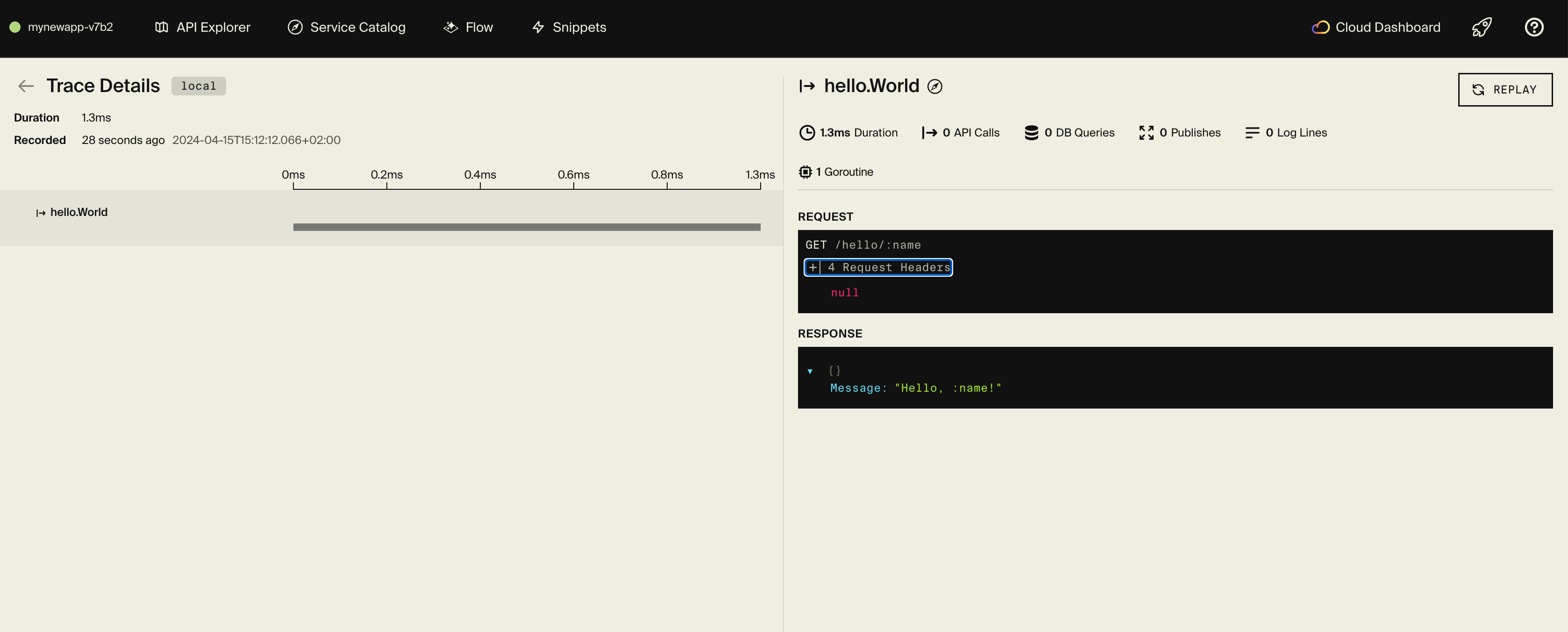
Encore starts the API on localhost:4000 and opens a local development dashboard at localhost:9400 with API docs, distributed tracing, and a service catalog.
Try creating an order. This starts the workflow and waits for all four steps (inventory check, payment, shipping, confirmation email) to complete before returning:
curl -X POST http://localhost:4000/orders \
  -H "Content-Type: application/json" \
  -d '{
    "userId": "user_123",
    "items": [{"productId": "prod_1", "quantity": 2}],
    "totalAmount": 49.99
  }'
For longer-running workflows, you can fire and forget, then check the status separately:
curl -X POST http://localhost:4000/orders/async \
  -H "Content-Type: application/json" \
  -d '{
    "userId": "user_456",
    "items": [{"productId": "prod_2", "quantity": 1}],
    "totalAmount": 29.99
  }'
Use the workflow ID from the response to check its progress:
curl http://localhost:4000/orders/order_1711234567890
The Temporal Web UI at http://localhost:8233 shows the workflow execution history, including each activity's input, output, and retry attempts. Encore's local dashboard at localhost:9400 shows the API request that triggered it, with distributed tracing across the full request lifecycle.
Deployment
Push to deploy:
git add .
git commit -m "Add Temporal order processing"
git push encore
For production, use Temporal Cloud and update the connection config with your namespace and TLS certificates. Store credentials using Encore secrets:
encore secret set --prod TemporalAddress
encore secret set --prod TemporalNamespace
The Encore platform works well for prototyping with fair use limits. For production, connect your AWS or GCP account or self-host with encore build docker.
Recent articles

Introducing Encore × SurrealDB
Combine vector search and graph relationships with a backend agents can build and verify end-to-end.
 Ivan Cernja
Introducing Encore × Bird
Build messaging workflows and test backend changes end-to-end locally.
Ivan Cernja
Encore for Rust
An early look at Encore for Rust, entering beta soon.
Ivan Cernja