Encore now works with Entire
Keep the agent session behind every Encore change, directly in Git.

You can now use Entire in Encore projects with Codex, Claude Code, Gemini, and Cursor.
Encore gives developers and agents databases, buckets, queues, and other infrastructure they can use while they build and test locally, then provisions the production resources when the application is deployed. Entire records what happened while they did it, stores the session in Git, and links it to the commit. Combined, they lay the groundwork for building safely with agents.
Below is an end-to-end example of using Encore and Entire to build a feature with Codex and hand it off for review.
Build and review an agent-written change
We enabled Entire in a new Encore app and gave Codex this prompt:
The image service declares its database and bucket in the application code:
import { Bucket } from "encore.dev/storage/objects";
import { SQLDatabase } from "encore.dev/storage/sqldb";

// Encore maps these declarations to the services selected for each environment,
// such as RDS and S3 in your AWS account. IAM comes from static analysis, while
// capacity, networking, and backups are configured outside the application code.
export const imagesDB = new SQLDatabase("images", {
  migrations: "./migrations",
});

export const imageObjects = new Bucket("image-originals", {
  versioned: false,
});
These declarations were then used by Encore to spin up PostgreSQL and Object Storage locally. With both resources running, Codex added the three endpoints and ran encore check, which caught a typing error in the raw Content-Type header path. After correcting it, Codex ran two integration tests against the database and bucket, followed by a live upload and download of a 68-byte PNG that was compared byte for byte with the original.
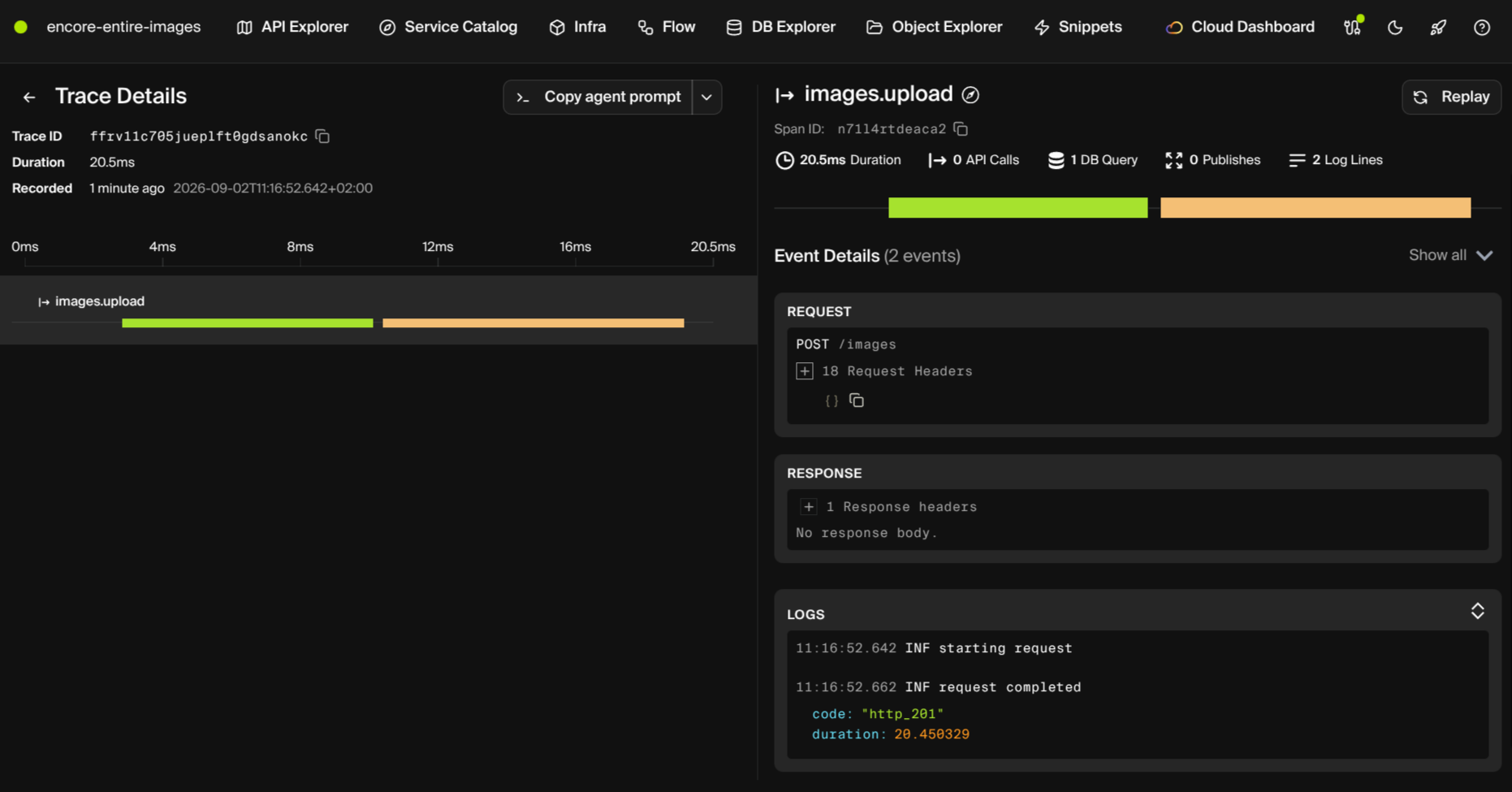
The finished service was committed as 542a560, linked by Entire to checkpoint 01M1GKW2BAJ6BMWQNSH8N88S06. Opening that checkpoint during review shows the session behind the change:
● Checkpoint 01M1GKW2BAJ6BMWQNSH8N88S06
  session  01a06138-ef98-76e2-ab99-3594a228427d
  created  2026-09-02 08:30:51
  author   Codex <codex@openai.com>
  tokens   945.2k
  commits  542a560 Build Encore image library with persistent storage
────────────────────────────────────────────────────────────
── Transcript (excerpt) ─────────────────────────────────────
[User] Build an image library. Store originals in Object Storage and metadata in PostgreSQL; expose upload, list, and download APIs. Add integration tests, verify it with a live upload/download, then commit it.

[Assistant] The first compile pass caught one strict typing issue in the raw Content-Type header path; that is corrected.

[Tool] exec

[Assistant] Both required verification commands now pass, including tests that directly confirm the metadata row exists in PostgreSQL and the original bytes exist in the bucket.

[Tool] exec
[Tool] exec
[Tool] exec

[Assistant] The live API round trip passed: upload returned 201, the new metadata was present in the list, download returned 200 image/png, and all 68 bytes matched the fixture.

[Tool] exec

[Assistant] Implemented and committed the Encore.ts image library.

Verification passed:
- encore check
- encore test — 2 tests passed
- Live upload/list/download — downloaded 68 bytes matched exactly
The review can, for example, follow the Content-Type typing error caught by encore check through to the passing integration tests and live upload and download.
To learn more, read about the Encore Application Model and how Entire records agent sessions.
Try it today
With Entire enabled, you can:
- Review the prompt, tool calls, and checks behind a commit.
- Hand work to another developer or agent with the original session attached.
- Trace a line back to the checkpoint that introduced it during review or an incident.
To get started, install Entire in your Encore project and enable it for Codex:
$ curl -fsSL https://entire.io/install.sh | bash
$ cd your-encore-app
$ entire enable --agent codex
After Codex commits a change, inspect the session linked to it:
$ entire checkpoint list
$ entire checkpoint explain HEAD --full
Checkpoints can contain prompts, tool calls, MCP activity, and file content. Review Entire's storage and redaction settings before pushing them to a shared remote. For sensitive work, you can use a separate private checkpoint remote.
Recent articles

Introducing Encore × SurrealDB
Combine vector search and graph relationships with a backend agents can build and verify end-to-end.
 Ivan Cernja
Introducing Encore × Bird
Build messaging workflows and test backend changes end-to-end locally.
Ivan Cernja
Encore for Rust
An early look at Encore for Rust, entering beta soon.
Ivan Cernja