Introducing Encore × Daytona
Let your coding agents build and verify against real infrastructure, inside a sandbox.

You can now use Daytona and Encore to give coding agents isolated and persistent environments where they can build and verify complete backends (end-to-end).
Real infrastructure in every sandbox
Daytona gives your agent an isolated environment with its own filesystem, processes, network, and development tools (a sandbox). Encore, on the other hand, provides the primitives the agent builds with: databases, queues, buckets, caches, secrets, and cron jobs that run locally in that sandbox exactly as they will in production (in your AWS/GCP account).
When you combine those two, you enable your agents to build against real infrastructure instead of mocks or stubs, with the confidence that the same declarations run unchanged in production.
It starts with the application declaring what it needs alongside the code, using Encore's Infrastructure SDK:
import { Topic } from "encore.dev/pubsub";
import { Bucket } from "encore.dev/storage/objects";
import { SQLDatabase } from "encore.dev/storage/sqldb";

// Encore runs local implementations of these resources inside the sandbox.
// When the application is deployed, Encore maps the same declarations to the
// infrastructure selected for that environment in your cloud. Provider choice,
// capacity, networking, and access policy stay outside the application code.
export const ordersDB = new SQLDatabase("orders", {
  migrations: "./migrations",
});

export const receipts = new Bucket("receipts", {
  versioned: false,
});

export interface OrderCreated {
  orderID: string;
}

export const orderCreated = new Topic<OrderCreated>("order-created", {
  deliveryGuarantee: "at-least-once",
});
When you run encore run inside the Daytona sandbox, it starts up the local
infrastructure required by those declarations, and the agent gets it running alongside the APIs without maintaining a separate Docker Compose setup or receiving credentials for a shared cloud environment.
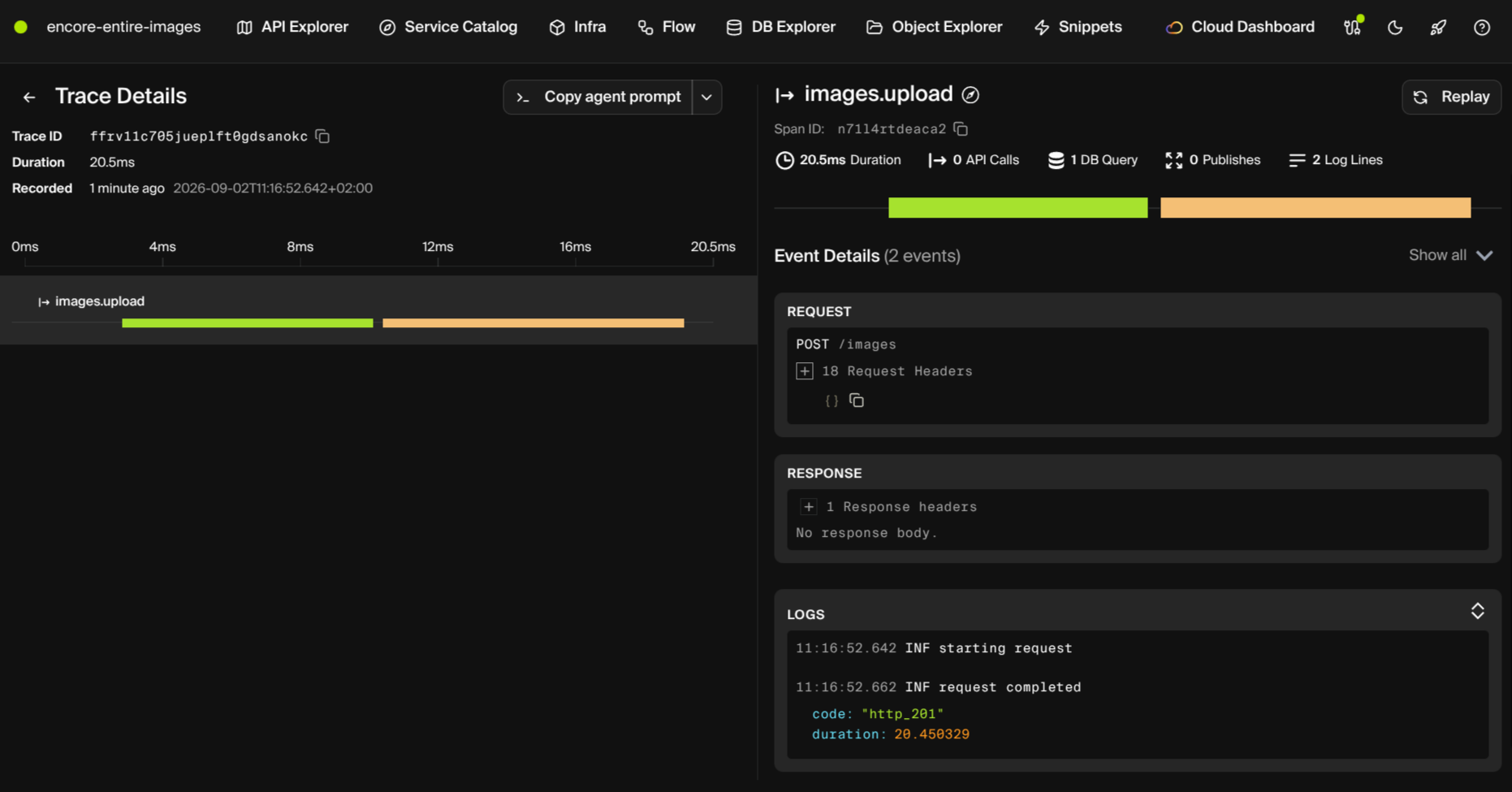
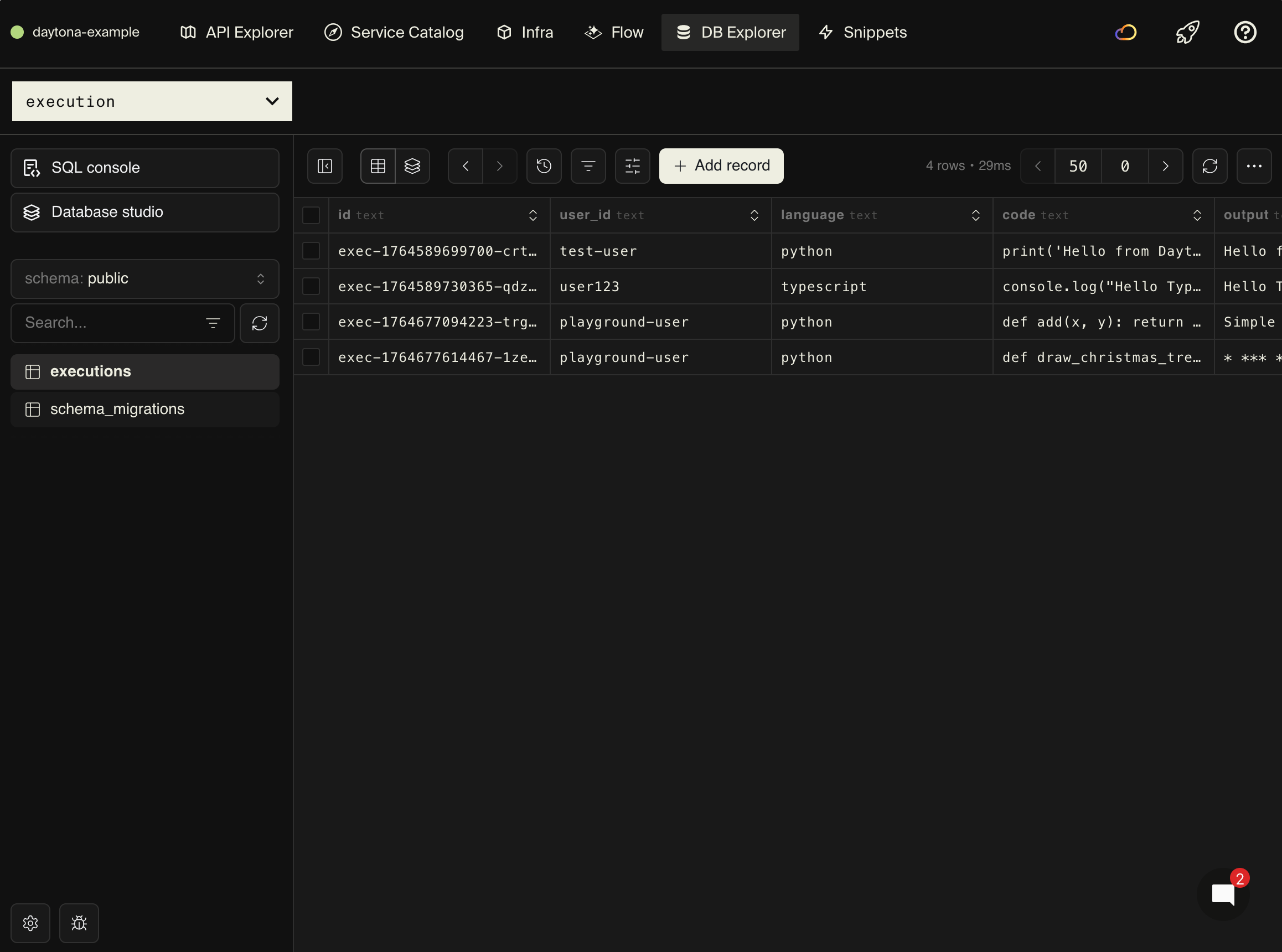
What you end up with is one durable development environment for the entire task, where an agent can change the database schema, restart the app, seed the data, call an endpoint, inspect the resulting trace, and run integration tests: the complete end-to-end flow. Daytona keeps the workspace and its filesystem intact when it stops, so an agent can pause a task and pick it back up later with local state still in place.
Guardrails inside the sandbox
Much like how sandboxes keep agents from going haywire, Encore's infrastructure primitives keep agents from hallucinating infrastructure configuration the way they would with Terraform, YAML, or IAM policies.
For example, the OrderCreated topic declared above only accepts its declared event type:
await orderCreated.publish({
  orderID: 123, // Type error: orderID must be a string.
});
Given the primitives are type-safe, your agent is able to see the error on the line it just wrote, before the application even runs. The same thing happens with invalid resource declarations, which fail during encore check within the same loop it's working in, not after a deploy to a real cloud account.
One workspace for every change
The above then naturally fits into a pull-request workflow:
- A new issue or pull request creates a Daytona sandbox from a prepared snapshot and checks out the branch.
- The agent runs
encore run. Encore reads the application and starts its APIs and local infrastructure inside the sandbox. - The agent implements the change and runs
encore checkto validate its types, API contracts, and infrastructure declarations and then runs the test suite, exercising the running APIs, and inspecting their traces. - The agent posts the patch and the results of those checks to the pull request.
- A developer reviews the behavior and decisions that cannot be derived from the code: whether the change matches the product requirement, handles sensitive data correctly, and should be allowed to reach production.
- The workspace can be stopped between review rounds and removed when the pull request closes.
Starting an Encore workspace with Daytona
You can start with an existing Encore application, or you can create one with encore app create.
If you want an agent to prepare the integration in an existing Encore app, give it this prompt:
If you want to do it manually, that's also simple. Just go ahead and install the Daytona TypeScript SDK in the process that creates agent workspaces:
npm install @daytonaio/sdk
The SDK can create the sandbox, clone an application into it, and run the commands that prepare the backend:
import { Daytona } from "@daytonaio/sdk";

const daytona = new Daytona();
// Encore uses Docker for local databases, so use a Docker-in-Docker snapshot.
const sandbox = await daytona.create({ snapshot: "encore-docker" });

await sandbox.git.clone("https://github.com/your-org/your-app.git", "workspace/app");

await sandbox.process.executeCommand("curl -L https://encore.dev/install.sh | bash");
await sandbox.process.executeCommand("npm install", "workspace/app");
Start encore run as a background process through Daytona's Sessions API so the agent can keep
working while the backend runs. It will then use the same checks a developer would use locally:
$HOME/.encore/bin/encore run --listen=0.0.0.0:4000
encore check
encore test ./...
encore app show
It can also connect to the Encore MCP server to read API and infrastructure metadata, call endpoints, inspect local database state, and retrieve traces which gives the agent runtime feedback from the backend it is changing rather than asking it to judge the change from the diff alone.
Prepare the encore-docker snapshot once with Docker-in-Docker
enabled, the Encore CLI, and the
application dependencies installed. Give it at least 2 vCPU and 4 GiB of memory for
Docker-in-Docker workloads. New sandboxes can start from that common base, while the work and local
infrastructure for each issue remain isolated.
Read about Encore's application model to see how the same infrastructure declarations work across local development and deployment.
Recent articles

Introducing Encore × SurrealDB
Combine vector search and graph relationships with a backend agents can build and verify end-to-end.
 Ivan Cernja
Introducing Encore × Bird
Build messaging workflows and test backend changes end-to-end locally.
Ivan Cernja
Encore for Rust
An early look at Encore for Rust, entering beta soon.
Ivan Cernja