Supabase Alternatives in 2026
The best Supabase alternatives in 2026 for teams that need more backend flexibility and control over their infrastructure.


Supabase combines Postgres and backend services so teams can launch quickly, including through app builders like Lovable. As those applications grow, engineering teams need to understand and extend the backend, often with requirements that make running it in their own AWS or GCP account more attractive. They want more control over infrastructure and costs while keeping the speed of the initial build.
Reasons to consider Supabase alternatives:
- The prototype became production, and the engineering team now has to understand the schema, permissions, and integrations an app builder generated.
- Features need independently scaled services or workers that exceed the hosted Edge Function runtime limits and have to run elsewhere.
- Even with spend controls, planning costs takes more work as compute, storage, and data transfer grow.
- The backend needs to run in your own AWS or GCP account, within the networking, IAM, and data residency requirements your team already manages.
- Moving away means untangling platform-specific client calls, authentication, storage policies, and realtime subscriptions.
- As agents add features, it becomes harder to follow a change through the backend and verify both its behavior and its permissions.
Supabase alternatives at a glance
Compare features across all six alternatives
Encore: backend code with infrastructure under your control

Encore combines the simplicity of a managed backend platform with infrastructure in your own AWS or GCP account, defined through type-safe primitives in application code. Developers and agents can use services, APIs, databases, Pub/Sub, buckets, caches, cron jobs, and secrets, while the platform automatically sets up and manages all the infrastructure in your AWS or GCP account. The SDK is open source and can be used to deploy your app anywhere that can run Docker images.
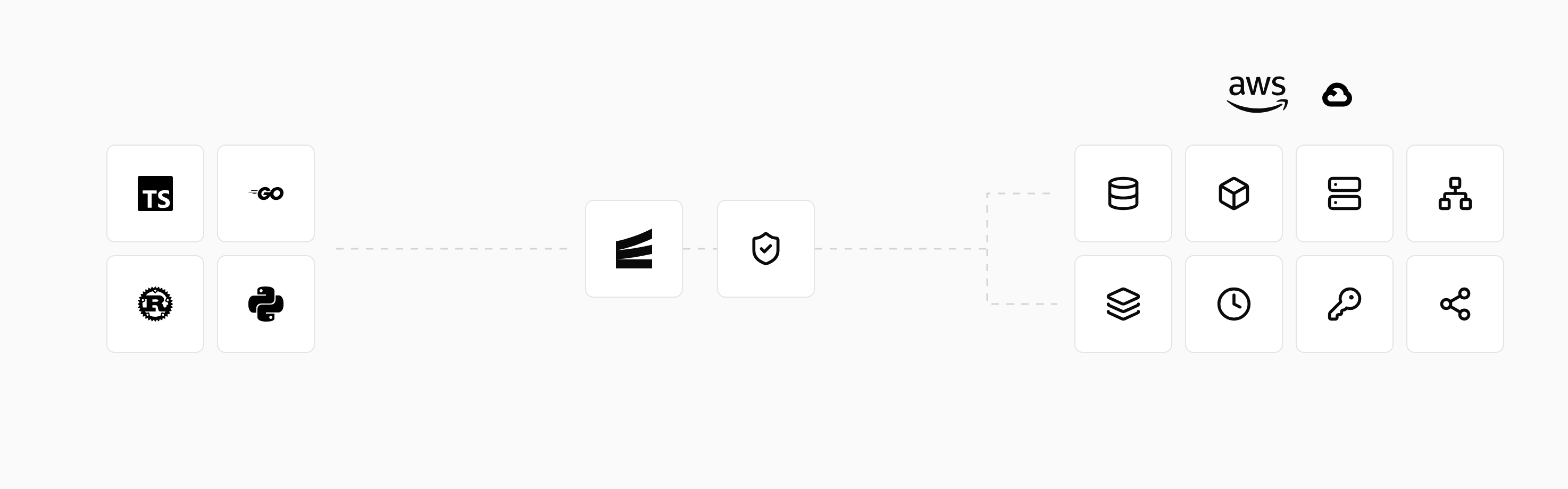
Unlike most other tools in this comparison, Encore can run your whole app locally with local infrastructure, so you and your agent can iterate quickly without needing a deploy to test new features.
As needs become more nuanced, engineers can manage configuration such as sizing, scaling, networking, and regions in Encore's dashboard or in your own cloud console.
Key features
- Type-safe APIs and service-to-service calls, with generated clients for frontend applications.
- PostgreSQL databases, object storage, Pub/Sub, caches, cron jobs, and secrets declared alongside the code that uses them.
- Local infrastructure for development and isolated preview environments for pull requests.
- Automatic deployment to your own cloud on AWS or Google Cloud.
- Built-in metrics, tracing, and logs.

encore run. The same bucket declaration is used in preview environments and production.Good to know
Encore is for engineering teams moving beyond Supabase that want their backend in their own AWS or GCP account, with developers and agents building features while Encore sets up and manages the infrastructure.
Adoption can start with one API or background workload while Supabase keeps providing Postgres, Auth, Storage, and Realtime. An Encore authentication handler can validate Supabase tokens, so the existing sign-in flow stays in place. If you move the database later, its application schema and data transfer with standard Postgres tools, while client calls and access policies are adapted to the new APIs.
See Coming from Supabase for the migration steps.
Run in your terminal to get started locally.
Firebase: managed services for mobile and web apps

Firebase combines authentication, databases, storage, functions, and hosting with mobile tools such as Crashlytics and Remote Config. Its Firestore database supports realtime listeners and offline client access, making it a good fit for apps that need to stay useful without a connection.
// With an initialized Firestore client:
const documents = query(
  collection(db, "documents"),
  where("ownerId", "==", userId),
);
onSnapshot(documents, (snapshot) => {
  renderDocuments(snapshot.docs.map((doc) => doc.data()));
});
Key features
- Firestore and Realtime Database provide client SDKs, realtime updates, and offline behavior for mobile and web applications.
- Firebase Authentication, Cloud Storage, Cloud Functions, Hosting, Crashlytics, and Remote Config cover a broad app-development workflow.
- The Local Emulator Suite supports local testing across several Firebase services.
Client access is controlled through Security Rules, while server access and Google Cloud integrations use IAM. Reviewing a feature therefore means checking both permission paths. Cloud Functions can also call services beyond the Firebase bundle, with their configuration managed separately.
Good to know
Firebase fits teams that want stronger mobile tooling or Firestore's sync model and are comfortable with Google's ecosystem and usage billing. Moving from Supabase to Firestore requires restructuring relational data and queries. Its Postgres-backed SQL service preserves a relational model, with schemas and operations defined through its own connector tooling.
Appwrite: a backend bundle you can self-host

Appwrite provides authentication, databases, file storage, functions, and realtime APIs through client and server SDKs. You can use Appwrite Cloud or run the platform on infrastructure you control.
Key features
- Authentication, permissions, databases, file storage, Functions, Messaging, and Realtime are available through client and server SDKs.
- Appwrite Cloud provides the managed option; the open-source stack can also run on infrastructure you control.
- Current database options include TablesDB and DocumentsDB, plus native PostgreSQL and MySQL on dedicated infrastructure.
Backend function code can run in Docker with Appwrite's local development tools. Execution permissions, event triggers, and timeouts still need to be checked against the deployed project or a self-hosted instance; the local function runner does not enforce them.
Good to know
Appwrite fits teams that want a BaaS bundle they can operate themselves, with self-hosting putting updates, backups, monitoring, and scaling under their control. That control comes with real operational work: self-hosting Appwrite effectively means running a whole platform of services, which takes significant experience managing infrastructure. Moving from Supabase means adapting queries and policies to Appwrite's database APIs. If hosting is the only thing you want to change, self-hosting Supabase keeps more of the existing application intact.
Convex: reactive backend functions in TypeScript

Convex puts backend operations in TypeScript queries, mutations, and actions, with query subscriptions that update connected clients as data changes. Collaborative applications can use those subscriptions without implementing their own sync logic.
// convex/documents.ts; imports omitted.
// Requires an identity provider and by_owner index.
// ownerId stores identity.tokenIdentifier.
export const list = query({
  args: {},
  handler: async (ctx) => {
    const identity = await ctx.auth.getUserIdentity();
    if (!identity) throw new Error("Unauthorized");
    return await ctx.db
      .query("documents")
      .withIndex("by_owner", (q) =>
        q.eq("ownerId", identity.tokenIdentifier))
      .collect();
  },
});
Key features
- TypeScript queries, mutations, actions, validators, and generated types keep backend operations in one programming model.
- Reactive queries update subscribed clients when their underlying data changes.
- Built-in scheduling, file storage, search, and integrations with external identity providers cover common application needs.
npx convex dev syncs backend functions to a development deployment and updates generated types as the schema changes. Convex also supports local deployments in beta for running and inspecting the backend on your own machine.
Good to know
Convex fits applications where realtime behavior is central and the team wants queries and mutations in TypeScript. Its document model and function runtime replace Supabase's SQL queries and Edge Functions, so migration involves adapting both data access and backend behavior. You can use the managed platform or self-host and operate the backend yourself. Self-hosting means running, upgrading, and scaling the Convex backend and its database on servers you operate, which takes significant experience managing infrastructure.
PocketBase: a small backend on one server
 PocketBase
PocketBase packages a SQLite database, authentication, file storage, an admin UI, and realtime subscriptions into a single executable you run on your own server.
Key features
- SQLite-backed collections, authentication, file storage, an admin dashboard, and realtime subscriptions ship in one executable.
- Collection rules provide record-level access control, while migrations keep schema changes in source control.
- Go and JavaScript hooks let an application extend the generated APIs without introducing a separate service for every customization.
The complete backend can run locally, so developers can exercise its APIs and work with collection rules and migrations without a hosted development account.
Good to know
PocketBase fits small apps that can run on one server and teams willing to manage it. Moving from Supabase means adapting the data model to SQLite, and the single-server architecture becomes a constraint if you need independently scaled services. Its documentation advises against production-critical use while compatibility changes can require manual migrations.
Neon: a Postgres backend platform that branches

Neon started as managed Postgres with branching and scale-to-zero, and has grown into a backend platform around it. Alongside the database it now offers managed auth built on Better Auth, S3-compatible Object Storage, serverless Functions, and a Data API authorized by Postgres grants and Row-Level Security. Neon is part of Databricks, and its database runs on the Lakebase architecture.
import { neon } from "@neondatabase/serverless";

const sql = neon(process.env.DATABASE_URL!);
// userId is supplied by backend authentication.
const documents = await sql`
  SELECT id, name FROM documents
  WHERE owner_id = ${userId}
`;
Key features
- Standard Postgres compatibility preserves SQL, drivers, migration tools, and much of an existing Supabase schema, including Row-Level Security policies used by the Data API.
- Branches give every preview or pull request an isolated copy of the backend: the database, the files in Object Storage, and deployed Functions all branch together, copy-on-write.
- Functions run JavaScript or TypeScript next to the database, stay alive for long-running work such as streaming, WebSockets, and agents, and can be triggered on a cron schedule or by an object upload.
Queries, schema changes, and backend code can be checked against an isolated branch paired with an application preview before the migration reaches production.
Good to know
Neon fits teams that want the BaaS model with Postgres at the center and branching across the whole backend. Several pieces are new, so check current limits: Functions run only JavaScript or TypeScript and are available in a subset of AWS regions, and there is no managed realtime service, so Supabase Realtime features need to be rebuilt, for example as a WebSocket or SSE server on Neon Functions. Supabase Auth users, storage objects, and Edge Functions each need their own migration alongside the database.
How to choose
Start at the top and follow the first question you can answer with a yes:
Are you outgrowing Supabase and want to deploy to your own cloud on AWS or Google Cloud without DevOps?
EncoreInfrastructure from code, provisioned in your own AWS or GCP accountEncoreInfrastructure from code, provisioned in your own AWS or GCP accountAre you building several services that share databases, Pub/Sub, or cron jobs?
EncoreType-safe service calls and built-in tracingEncoreType-safe service calls and built-in tracingDo you need mobile tooling, offline sync, and Google's ecosystem?
FirebaseFirestore sync and mobile SDKsFirebaseFirestore sync and mobile SDKsDo you want a BaaS platform like Supabase but with more database options, like MySQL?
AppwriteA backend bundle, managed or self-hostedAppwriteA backend bundle, managed or self-hostedDo you want a BaaS platform with advanced Postgres capabilities and branching across the backend?
NeonBranching Postgres with auth, storage, and functionsNeonBranching Postgres with auth, storage, and functionsAre you building collaborative or realtime apps with reactive TypeScript functions?
ConvexReactive queries that update subscribed clientsConvexReactive queries that update subscribed clientsIs it a small app that fits on one server, with a team willing to run it?
PocketBaseSQLite, auth, and storage in a single executablePocketBaseSQLite, auth, and storage in a single executableIn more detail:
The right choice comes down to what your backend needs next:
- Encore for teams that need their backend in their own AWS or GCP account without managing all the infrastructure wiring themselves.
- Firebase for mobile tooling, offline sync, and Google's ecosystem.
- Appwrite for a BaaS bundle with a self-hosting option.
- Convex for reactive TypeScript functions and collaborative applications.
- PocketBase for a small self-hosted app that fits on one server.
- Neon for a BaaS platform with advanced Postgres capabilities and branching across the backend.
An Encore service can take on the APIs or background workloads that need to run in your cloud account while Supabase continues providing Auth, Storage, or Realtime. The rest of the backend can move as your requirements change.
Start with the quickstart, or see Coming from Supabase for how the two can run together.
Related comparison and migration guides
Frequently asked questions
What is the best alternative to Supabase?
It depends on what you need next: Encore for a backend with services and infrastructure in your own AWS or GCP account, Firebase for mobile apps in Google's ecosystem, Appwrite for a self-hostable BaaS, Convex for reactive TypeScript applications, PocketBase for small self-hosted apps, and Neon for a Postgres-centered backend platform with branching.
Can I move a Supabase backend built with an AI app builder to Encore?
Yes, incrementally. Keep the frontend and Supabase services that still fit, then move selected operations behind Encore APIs. Database access, authorization, authentication, storage, and realtime behavior need to be reviewed separately; moving the backend is more than exporting the frontend code.
Can I keep Supabase Auth while using Encore?
Yes. Encore can validate Supabase access tokens in an authentication handler while your existing sign-in flow stays in place. Encore provides authentication hooks rather than a hosted user directory or sign-in UI.
Does moving off Supabase require a rewrite?
Not necessarily. Supabase uses Postgres, so application schema and data are portable with standard database tools. Client calls, Auth, Storage policies, Realtime subscriptions, and Edge Functions still need to be retained, adapted, or replaced.
Can I self-host Supabase instead of switching platforms?
Yes. Self-hosting can address infrastructure ownership while preserving the Supabase development model. You take responsibility for provisioning, security, backups, monitoring, and scaling, and not every managed-platform feature is available.
Is Neon a full Supabase replacement?
Increasingly. Alongside branching Postgres, Neon now offers managed auth, S3-compatible object storage, serverless functions, and a Data API. It has no managed realtime service, so Supabase Realtime features need to be rebuilt, for example as a WebSocket or SSE server running on Neon Functions.
Deploy to your cloud on AWS and Google Cloud
without managing infrastructure
Encore lets developers and agents define application infrastructure directly in code, then automatically provisions it from local development to production in your AWS or GCP account.