How to Run Postgres, Queues and Cron Locally So They Match Production
Four ways to get a local backend that behaves like production, where each one drifts, and how to handle scheduled jobs locally.

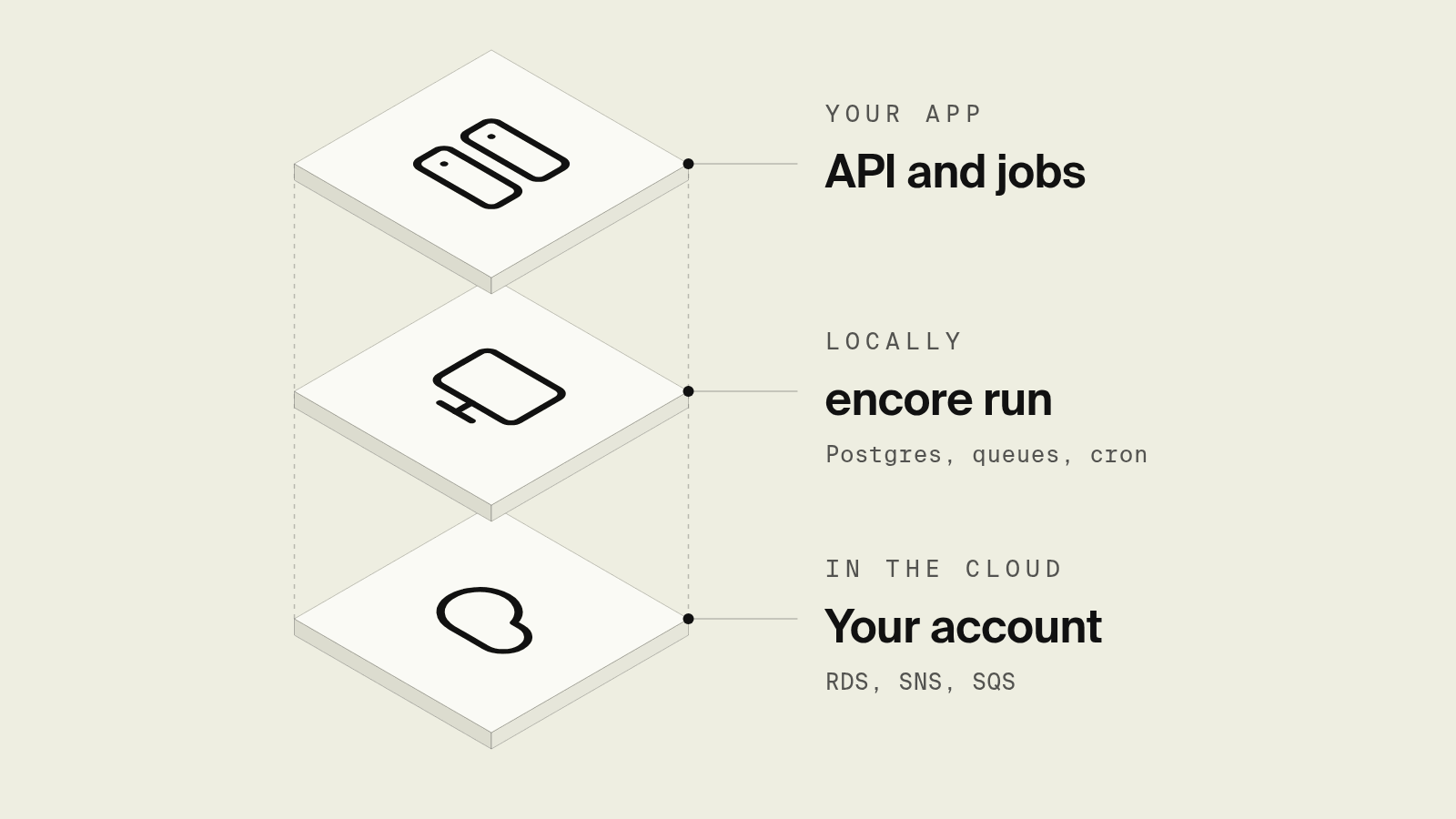
To make local Postgres, queues and cron match production, generate both from one definition instead of maintaining two. With Encore, a TypeScript or Go service declares its database, Pub/Sub topic, cache and cron job in code: encore run starts Postgres in Docker plus local Pub/Sub, caching and object storage from those declarations, and the same declarations become RDS, SNS and SQS, ElastiCache and S3 in your own AWS account. Cron jobs are intentionally not scheduled locally or in preview environments, and you trigger them from the development dashboard. Without Encore, the standard setup is a Docker Compose file that mirrors production, kept in sync by hand, with LocalStack for AWS APIs and Testcontainers for tests.
The usual failure is that local was set up once and production evolved, so now the queue has a dead-letter policy locally nobody configured, the database is two major versions behind, and the cron schedule only exists in an EventBridge rule. Each option below is judged on how much of that drift it removes.
What are the ways to run a production-like backend locally?
Why does local drift from production in the first place?
Production infrastructure is usually defined in Terraform, CDK or the cloud console. Local infrastructure is defined in docker-compose.yml. The application code is a third place that assumes both agree: it reads DATABASE_URL, QUEUE_URL and a list of secrets from the environment. Every new resource means editing all three, and nothing checks that they still match. Queues are the worst case, because the semantics live in configuration: visibility timeouts, retry counts and dead-letter queues are set in the cloud and rarely reproduced locally.
How does Encore keep local and production in sync?

Encore is infrastructure from code for TypeScript and Go. The resources are declared in the service that uses them, and every environment, including your laptop, is built from those declarations. Here is a billing service with a database, a cache, a Pub/Sub topic with a subscriber, and a daily job:
package billing

import (
	"context"

	"encore.dev/cron"
	"encore.dev/pubsub"
	"encore.dev/storage/cache"
	"encore.dev/storage/sqldb"
)

// Local: Postgres in Docker. AWS: RDS. GCP: Cloud SQL.
var db = sqldb.NewDatabase("billing", sqldb.DatabaseConfig{
	Migrations: "./migrations",
})

// Local: in-memory Redis. AWS: ElastiCache. GCP: Memorystore.
var billingCache = cache.NewCluster("billing", cache.ClusterConfig{
	EvictionPolicy: cache.AllKeysLRU,
})

// The cache holds derived billing data that is safe to evict. Reminder
// delivery is recorded in invoice_reminders, not in this cluster.

type InvoiceOverdue struct {
	InvoiceID int64
}

// Local: in-memory broker. AWS: SNS and SQS. GCP: Pub/Sub.
var InvoiceOverdueTopic = pubsub.NewTopic[*InvoiceOverdue]("invoice-overdue", pubsub.TopicConfig{
	DeliveryGuarantee: pubsub.AtLeastOnce,
})

var _ = pubsub.NewSubscription(InvoiceOverdueTopic, "send-reminder",
	pubsub.SubscriptionConfig[*InvoiceOverdue]{Handler: SendReminder},
)

func SendReminder(ctx context.Context, e *InvoiceOverdue) error {
	// Durable claim: a cache hit can evict or expire, a unique row cannot.
	var claimed int64
	err := db.QueryRow(ctx, `
		INSERT INTO invoice_reminders (invoice_id, status)
		VALUES ($1, 'pending')
		ON CONFLICT (invoice_id) DO UPDATE SET status = 'pending'
		WHERE invoice_reminders.status = 'pending'
		RETURNING invoice_id
	`, e.InvoiceID).Scan(&claimed)
	if err == sqldb.ErrNoRows {
		return nil // already sent
	}
	if err != nil {
		return err
	}
	// Send the email with idempotency key "invoice-reminder-{id}".
	// If the provider call fails, the row stays pending and a redelivery retries.
	_, err = db.Exec(ctx, `
		UPDATE invoice_reminders SET status = 'sent'
		WHERE invoice_id = $1 AND status = 'pending'
	`, e.InvoiceID)
	return err
}

type MarkOverdueResponse struct {
	Marked int
}

// Local: not scheduled; call it from the development dashboard.
// Deployed: called daily by the Encore platform.
var _ = cron.NewJob("mark-overdue", cron.JobConfig{
	Title:    "Mark overdue invoices",
	Schedule: "0 6 * * *",
	Endpoint: MarkOverdue,
})

//encore:api private
func MarkOverdue(ctx context.Context) (*MarkOverdueResponse, error) {
	// Enqueue a durable outbox row in the same transaction as the overdue
	// transition. A later relay publishes unpublished rows, so a crash after
	// a successful Publish cannot lose the marker and cause a silent skip,
	// and a crash before the marker is stored is retried from the outbox.
	tx, err := db.Begin(ctx)
	if err != nil {
		return nil, err
	}
	defer tx.Rollback()

	if _, err := tx.Exec(ctx, `
		UPDATE invoices SET status = 'overdue'
		WHERE due_at < now() AND status IN ('open', 'overdue')
		  AND reminder_published_at IS NULL
		  AND id NOT IN (SELECT invoice_id FROM reminder_outbox)
	`); err != nil {
		return nil, err
	}
	if _, err := tx.Exec(ctx, `
		INSERT INTO reminder_outbox (invoice_id)
		SELECT id FROM invoices
		WHERE status = 'overdue' AND due_at < now() AND reminder_published_at IS NULL
		ON CONFLICT (invoice_id) DO NOTHING
	`); err != nil {
		return nil, err
	}
	if err := tx.Commit(); err != nil {
		return nil, err
	}

	rows, err := db.Query(ctx, `
		SELECT invoice_id FROM reminder_outbox
	`)
	if err != nil {
		return nil, err
	}
	defer rows.Close()

	marked := 0
	for rows.Next() {
		var id int64
		if err := rows.Scan(&id); err != nil {
			return nil, err
		}
		if _, err := InvoiceOverdueTopic.Publish(ctx, &InvoiceOverdue{InvoiceID: id}); err != nil {
			return nil, err
		}
		if _, err := db.Exec(ctx, `
			UPDATE invoices SET reminder_published_at = now()
			WHERE id = $1 AND reminder_published_at IS NULL
		`, id); err != nil {
			return nil, err
		}
		if _, err := db.Exec(ctx, `
			DELETE FROM reminder_outbox WHERE invoice_id = $1
		`, id); err != nil {
			return nil, err
		}
		marked++
	}
	return &MarkOverdueResponse{Marked: marked}, rows.Err()
}
The overdue transition writes a reminder_outbox (invoice_id PRIMARY KEY) row in the same transaction, and the job publishes only from unpublished outbox rows. After a successful Publish it sets invoices.reminder_published_at and deletes the outbox row so the table does not grow with the lifetime of the invoices. If the marker update fails, the next run publishes again and SendReminder stays idempotent through invoice_reminders (invoice_id PRIMARY KEY, status TEXT NOT NULL), so a duplicate topic message cannot send the email twice. A cache is the wrong place for that delivery record, because an LRU eviction or a 24-hour expiry would make the next redelivery look like the first send.
Run it:
Per Encore's infrastructure docs, encore run provisions the database in Docker, runs Pub/Sub and the cache in memory, and stores objects on local disk, then compiles and runs the application natively. There is no Compose file, no DATABASE_URL to export, and no queue URL to copy: the code refers to db and InvoiceOverdueTopic, and Encore wires each one to the local implementation. encore test starts a separate, faster database cluster for tests.
When you deploy to your own AWS account, the same declarations become RDS Postgres, ElastiCache (Redis), and an SNS topic with an SQS subscription and dead-letter queue. Encore provisions an IAM role for the service, or a service account on GCP. On GCP they become Cloud SQL, Memorystore and Pub/Sub. Retries and the dead-letter queue are part of the subscription, not a separate cloud setting you have to mirror.
How do you test cron jobs locally with Encore?
Encore does not trigger cron jobs locally, on purpose: a job that sends reminders should not fire because a dev server was running. Cron jobs also do not run in preview environments. To test the job, call the endpoint from the development dashboard, or with curl against the local API, and check the traces for the query, each publish and each subscriber run. In deployed environments the Encore platform calls MarkOverdue on the schedule, with no EventBridge rule or scheduler to configure.
Where is local still different from production?
Local Postgres is a Docker container, not RDS, and Pub/Sub and the cache run in memory, so performance, instance limits and failover will not match. Encore's caching docs also note that local cache behavior may change over time and should not be relied on. What matches is the shape: the same databases, migrations, topics, subscriptions, caches, buckets and secrets exist in every environment, because they come from the same code.
Run in your terminal to get started locally.
How do you make Docker Compose match production?
If you are not using Encore, Docker Compose is the most common answer, and it works if you treat the Compose file as a second production definition and keep it disciplined:
services:
  postgres:
    image: postgres:17          # pin to the production major version
    environment:
      POSTGRES_DB: billing
      POSTGRES_PASSWORD: local
    ports: ["5432:5432"]
  redis:
    image: redis:7
    ports: ["6379:6379"]
  sqs:
    image: softwaremill/elasticmq-native   # SQS-compatible API
    ports: ["9324:9324"]
    volumes:
      - ./elasticmq.conf:/opt/elasticmq.conf   # queues and dead-letter queues
  cron:
    build: .
    command: ["supercronic", "/app/crontab"]
    depends_on: [postgres, sqs]
Rules that keep it in step:
- Pin versions to production. Same Postgres major version and the extensions production has installed.
- Mirror queue configuration. Create the same queues, visibility timeouts and dead-letter queues in
elasticmq.confas in your Terraform. - Keep cron schedules in one file. Put the schedule in a crontab in the repo and generate the production schedule from it, rather than defining it once in Compose and again in EventBridge.
- Run migrations on startup with the same tool production uses.
The cost is that every new resource is now three edits (code, Compose, IaC), and drift returns the first time someone skips one.
When are LocalStack or Testcontainers the better tool?
LocalStack emulates AWS services, including SQS, SNS, S3 and EventBridge, on your machine. It is the right tool when your code talks to AWS SDKs directly and you want to apply your real Terraform or CDK against something local. It is an emulator, so check the services and features you depend on.
Testcontainers starts real containers from test code (Postgres, Redis, RabbitMQ, LocalStack) and throws them away afterwards. It is the best way to get production-like dependencies into integration tests in CI, and it complements whichever local setup you use for the dev loop.
Which approach should you pick?
- Encore when your backend is TypeScript or Go and you want local, preview and production built from the same declarations.
- Docker Compose when you have an existing Terraform estate and need local copies of the same services, and you can keep the two in sync.
- LocalStack when your code calls AWS APIs directly and you want to test IaC locally.
- Testcontainers for integration tests, alongside any of the above.
Verdict. Local matches production when both come from one definition. Encore gets you there for Postgres, queues, caches and object storage, and for cron it runs the same code on demand locally and on schedule in deployed environments other than previews. Docker Compose gets close if you are disciplined about keeping it in step with your IaC.
To see it on your own machine, install Encore, declare a database and a topic in one service, and run encore run. The local Postgres guide covers the database side in more depth.
Related reading
Frequently asked questions
How do I run Postgres, queues and cron locally so they match production?
Either keep a Docker Compose file that mirrors production (Postgres, Redis, a queue emulator, a cron container) and keep its config in sync by hand, or declare the resources in your application code so local and cloud environments come from the same source. Encore does the second for TypeScript and Go: encore run starts Postgres in Docker plus local Pub/Sub, caching and object storage from the declarations, and the same declarations become RDS, SNS and SQS, ElastiCache and S3 in your AWS account.
Should cron jobs run automatically on my laptop?
Usually not. A job that sends emails or charges cards should not fire because you left a dev server running. Run the job's code on demand locally, by calling its endpoint or command, and let the scheduler run it in deployed environments.
Is LocalStack enough to match production on AWS?
LocalStack emulates AWS APIs such as SQS, SNS and S3 locally, which is useful if your code talks to AWS SDKs directly. It is an emulation, so behavior and limits can differ from AWS, and you still need a real Postgres container and your IaC applied against it.
What usually drifts between local and production?
Database versions and extensions, queue semantics such as retries and dead-letter queues, environment variable names, secrets, and anything configured only in the cloud such as schedules and IAM. Drift is smallest when local and production are generated from the same definition.
Deploy to your cloud on AWS and Google Cloud
without managing infrastructure
Encore lets developers and agents define application infrastructure directly in code, then automatically provisions it from local development to production in your AWS or GCP account.
