Kubernetes Deployment Strategies: Rolling, Recreate, Blue-Green and Canary
How each Kubernetes deployment strategy works, the YAML behind it, what it needs beyond a Deployment, and how Encore rolls out services on EKS or Fargate in your own AWS account without the manifests.

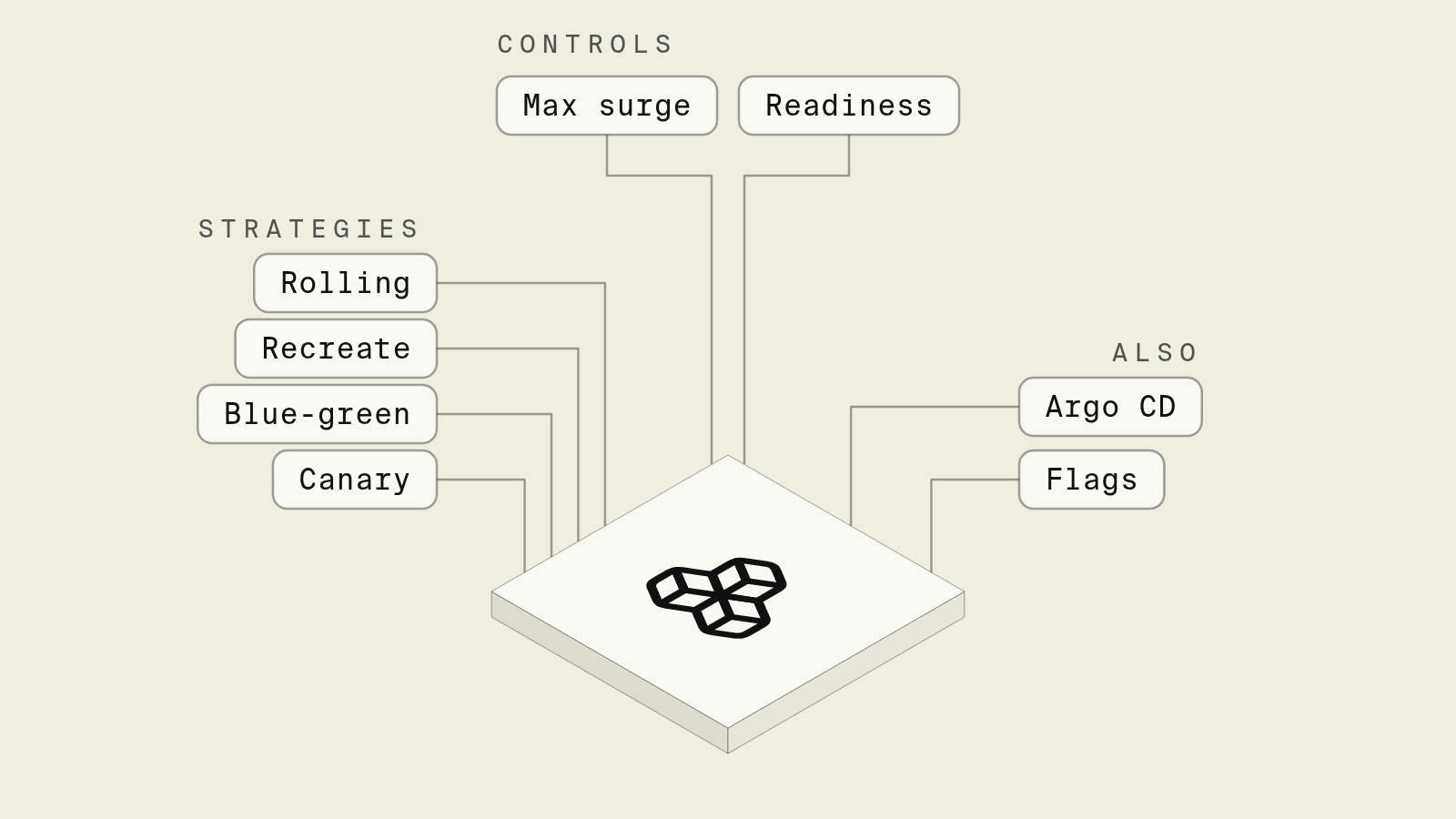
A Kubernetes Deployment ships with one rollout behaviour you get for free, replacing pods a few at a time, and plenty of services run on it for years. The other strategies, blue-green and canary, are not fields on the Deployment at all, and adding them means a second Deployment and a Service switch, a controller such as Argo Rollouts, or traffic weights in an ingress or Gateway API route, each with its own failure modes.
This guide explains each strategy with the YAML behind it, what it needs beyond a Deployment, and how Encore handles rollouts when the goal is shipping backend services to your own AWS account rather than operating the manifests.
Kubernetes deployment strategies at a glance
How does Encore handle rollouts?

Encore combines an open source infrastructure SDK with a platform that provisions and deploys into your own AWS or GCP account. Services are defined in TypeScript or Go, and on AWS Encore deploys each one either to EKS, as its own Kubernetes Deployment with a Service, service account and ALB ingress, or to ECS Fargate with rolling updates that bring new tasks up before old ones are removed, as described in the AWS infrastructure docs.
Set up the app
Run in your terminal to get started locally.
A service is a Go package with an //encore:service annotation or any package with an API, and the code is all a deploy needs:
// cart/cart.go
package cart

import (
	"context"

	"encore.dev/storage/cache"
)

var cluster = cache.NewCluster("cart", cache.ClusterConfig{
	EvictionPolicy: cache.AllKeysLRU,
})

var items = cache.NewListKeyspace[string, string](cluster, cache.KeyspaceConfig{
	KeyPattern: "cart/:key",
})

type AddParams struct {
	SKU string `json:"sku"`
}

type Cart struct {
	SKUs []string `json:"skus"`
}

//encore:api public method=POST path=/cart/:userID
func Add(ctx context.Context, userID string, p *AddParams) (*Cart, error) {
	if _, err := items.PushRight(ctx, userID, p.SKU); err != nil {
		return nil, err
	}
	skus, err := items.Items(ctx, userID)
	if err != nil {
		return nil, err
	}
	return &Cart{SKUs: skus}, nil
}
A push to the deploy branch builds the service, provisions the cache cluster (ElastiCache on AWS) if it does not exist yet, and rolls the new version out behind the load balancer. The AWS infrastructure docs describe health checks on EKS and Fargate, and a health check grace period on Fargate, so there is no Deployment, Service or Ingress YAML in the repository and no maxSurge to tune. Reverting a release is a revert commit pushed to the same branch, which rolls the previous code out the same way. Teams that already run EKS can point Encore at an existing cluster, and the Kubernetes docs list what Encore creates in it.
The rollout and the infrastructure both come from the code, so an AI coding agent that adds the cache in this example ships it in one pull request, runs it under encore run, which uses an in-memory Redis locally, and never edits a manifest or Helm value.
Staging and production are separate environments with their own resources, and every request is traced across services, as the tracing docs describe, which is where a regression in a new pod version shows up first.
Best fit: Teams that want zero-downtime rolling deploys of backend services to EKS or Fargate in their own AWS account, with the rollout and infrastructure created from the service code.
Rolling update
The default strategy replaces pods in steps. maxSurge is how many extra pods may exist during the rollout and maxUnavailable how many may be missing, both defaulting to 25 percent, per the Kubernetes Deployment docs:
apiVersion: apps/v1
kind: Deployment
metadata:
  name: cart
spec:
  replicas: 4
  strategy:
    type: RollingUpdate
    rollingUpdate:
      maxSurge: 1
      maxUnavailable: 0
  selector:
    matchLabels: { app: cart }
  template:
    metadata:
      labels: { app: cart }
    spec:
      containers:
        - name: cart
          image: registry.example.com/cart:1.8.0
          readinessProbe:
            httpGet: { path: /healthz, port: 8080 }
            periodSeconds: 5
maxUnavailable: 0 with maxSurge: 1 keeps full capacity throughout at the cost of one extra pod. The readiness probe is what makes the rollout safe: without it, a pod counts as ready as soon as its container starts, and traffic arrives before the app can serve it. Old and new versions serve traffic side by side for a short window, so API and database changes have to be backward compatible across one release.
Best fit: Almost every stateless service.
Recreate
strategy.type: Recreate scales the old ReplicaSet to zero before creating the new one, so there is a gap with no pods serving. It exists for workloads that cannot run two versions at once, such as a singleton consumer that must not process the same partition twice or an app that holds a lock on a volume.
Best fit: Singletons and workloads where a short outage is better than two versions overlapping.
Blue-green
Blue-green runs two complete Deployments, cart-blue and cart-green, and a Service whose selector points at one of them. You deploy the new version to the idle color, test it through a separate Service, then change the selector to cut over all traffic at once:
apiVersion: v1
kind: Service
metadata:
  name: cart
spec:
  selector:
    app: cart
    color: green   # was: blue
  ports:
    - port: 80
      targetPort: 8080
Rollback is switching the selector back, which is fast as long as the old Deployment is still scaled up, and that is the cost: double capacity during every release and a manual or scripted switch step. Long-lived connections stay on the old pods until they close.
Best fit: Releases that need instant, all-at-once cutover and rollback, and that can afford double capacity briefly.
Canary
A canary sends a small share of traffic to the new version, checks error rates and latency, then widens the share step by step. Kubernetes has no native traffic splitting by percentage in a Deployment, so canaries come from a controller such as Argo Rollouts, which replaces the Deployment with a Rollout resource:
apiVersion: argoproj.io/v1alpha1
kind: Rollout
metadata:
  name: cart
spec:
  replicas: 10
  strategy:
    canary:
      steps:
        - setWeight: 10
        - pause: { duration: 10m }
        - setWeight: 50
        - pause: { duration: 10m }
  # selector and template as in a Deployment
Without a traffic router, the weight is approximated by pod counts (1 of 10 pods is about 10 percent), and precise percentages need an ingress controller, service mesh or Gateway API HTTPRoute with weighted backendRefs. Automated promotion needs an analysis step that queries Prometheus or another metrics source, and someone has to own those queries.
Best fit: High-traffic services where a bad release must reach a small share of users first, and teams with the metrics to judge a canary automatically.
How to choose
Pick Encore when the aim is shipping backend services to EKS or Fargate in your own AWS account with zero-downtime rolling deploys and the infrastructure created from the code. Within Kubernetes, use a rolling update with good readiness probes by default, Recreate for singletons, blue-green when you need instant cutover, and a canary controller when traffic is high enough for gradual exposure to tell you something.
Related guides
Frequently asked questions
What are the Kubernetes deployment strategies?
A Deployment supports two built-in strategies: RollingUpdate, the default, which replaces pods gradually within maxSurge and maxUnavailable limits, and Recreate, which stops all old pods before starting new ones. Blue-green and canary are built on top, with two Deployments behind a switchable Service, or with a controller such as Argo Rollouts or Flagger.
What are the default maxSurge and maxUnavailable values?
Both default to 25 percent of the desired replica count. With 4 replicas, Kubernetes can run one extra pod and keep one unavailable during the rollout, and readiness probes decide when a new pod counts as available.
How do I roll back a Kubernetes deployment?
Run kubectl rollout undo deployment/api to return to the previous ReplicaSet, or add --to-revision to pick an older one from kubectl rollout history. A rollback does not revert database migrations or config changes made outside the Deployment.
How does Encore deploy services without Kubernetes manifests?
Encore builds each service from the code, then deploys it to EKS as a Kubernetes Deployment or to ECS Fargate in your own AWS account, with rolling updates behind the load balancer and health checks configured for you. Deploys are triggered by a git push or from the dashboard, and the database, queues and other resources the code declares are provisioned in the same deploy.
Deploy to your cloud on AWS and Google Cloud
without managing infrastructure
Encore lets developers and agents define application infrastructure directly in code, then automatically provisions it from local development to production in your AWS or GCP account.
