How to Add Postgres to an Echo App
Connect an Echo API in Go to PostgreSQL with migrations and a local database, using Encore or pgx with Amazon RDS.

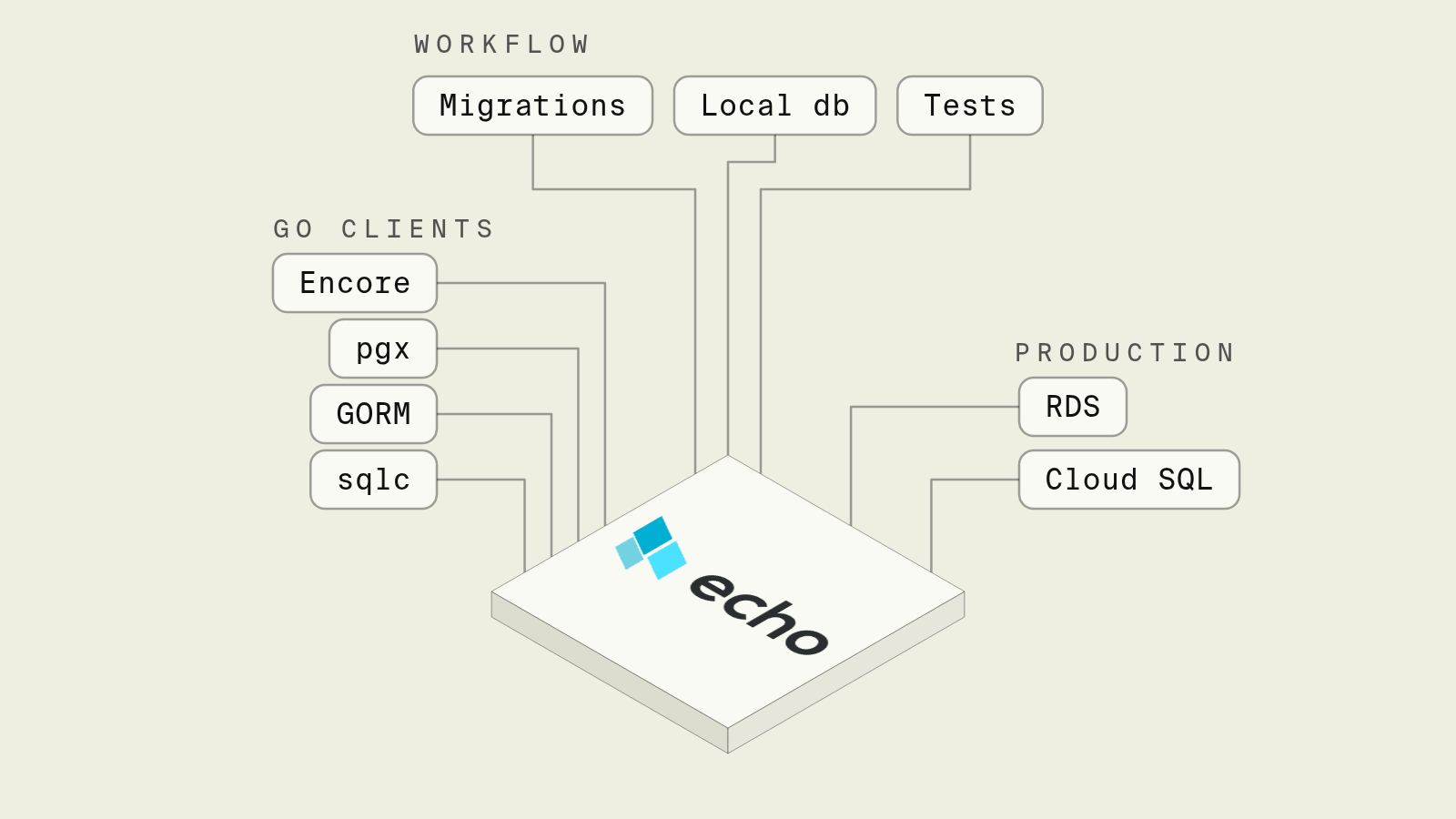
Echo gives a Go API routing, middleware and centralized error handling, and leaves the database to you, so the first table in an Echo app means picking a driver, sharing a pool with the handlers and deciding where migrations run. What takes longer than the code is everything around it: a Postgres that every developer can start, a database per environment and a DATABASE_URL that has to be right in each of them.
This guide adds Postgres to a small Echo notes API, first with Encore, which declares the database in Go and runs it locally and in your own AWS or GCP account, and then with pgx, golang-migrate and Amazon RDS set up by hand.
Postgres options for an Echo app at a glance
How do you add Postgres to Echo with Encore?

Encore works alongside Echo and provisions the infrastructure the code declares in your own AWS or GCP account. The *echo.Echo instance you already build is mounted in a single raw endpoint with a fallback route, and the handlers query a database declared in the same package.
Set up the app
Run in your terminal to get started locally.
-- notes/migrations/1_create_notes.up.sql
CREATE TABLE notes (
    id BIGSERIAL PRIMARY KEY,
    body TEXT NOT NULL,
    created_at TIMESTAMPTZ NOT NULL DEFAULT now()
);
The service declares the database, builds the Echo instance in initService and forwards every request that no Encore endpoint matches to it:
// notes/notes.go
package notes

import (
	"errors"
	"net/http"
	"strconv"

	"encore.dev/storage/sqldb"
	"github.com/labstack/echo/v4"
	"github.com/labstack/echo/v4/middleware"
)

// Postgres locally with `encore run`, Amazon RDS or Cloud SQL when deployed.
var db = sqldb.NewDatabase("notes", sqldb.DatabaseConfig{
	Migrations: "./migrations",
})

//encore:service
type Service struct {
	e *echo.Echo
}

func initService() (*Service, error) {
	e := echo.New()
	e.Use(middleware.Recover())
	e.POST("/notes", createNote)
	e.GET("/notes/:id", getNote)
	return &Service{e: e}, nil
}

// Fallback sends every request that no Encore endpoint matches to Echo.
//
//encore:api public raw path=/!fallback
func (s *Service) Fallback(w http.ResponseWriter, req *http.Request) {
	s.e.ServeHTTP(w, req)
}

type Note struct {
	ID   int64  `json:"id"`
	Body string `json:"body"`
}

func createNote(c echo.Context) error {
	var in struct {
		Body string `json:"body"`
	}
	if err := c.Bind(&in); err != nil || in.Body == "" {
		return echo.NewHTTPError(http.StatusBadRequest, "body is required")
	}
	var n Note
	err := db.QueryRow(c.Request().Context(), `
		INSERT INTO notes (body) VALUES ($1) RETURNING id, body
	`, in.Body).Scan(&n.ID, &n.Body)
	if err != nil {
		return err
	}
	return c.JSON(http.StatusCreated, n)
}

func getNote(c echo.Context) error {
	id, err := strconv.ParseInt(c.Param("id"), 10, 64)
	if err != nil {
		return echo.NewHTTPError(http.StatusBadRequest, "invalid id")
	}
	var n Note
	err = db.QueryRow(c.Request().Context(), `
		SELECT id, body FROM notes WHERE id = $1
	`, id).Scan(&n.ID, &n.Body)
	if errors.Is(err, sqldb.ErrNoRows) {
		return echo.NewHTTPError(http.StatusNotFound, "note not found")
	} else if err != nil {
		return err
	}
	return c.JSON(http.StatusOK, n)
}
encore run starts Postgres locally, creates the notes database and applies the migration before the first request, so a fresh clone answers POST /notes with nothing to configure. The handlers stay plain Echo code, returning echo.NewHTTPError so Echo's error handler shapes the response, and the database handle is a package variable that Encore connects in every environment. encore db shell notes opens psql against the local database, and the SQL database docs cover transactions and sharing one database between services.
On deploy, Encore provisions the database on Amazon RDS or Cloud SQL in your own account, in private subnets, with a database role per service and the migrations applied as part of the deploy. A coding agent that adds a tags column writes the migration and the handler change in one diff, runs both against the local Postgres, and reviewers see the schema change next to the code that reads it.
Routes can also move out of Echo gradually, since an Encore endpoint such as //encore:api public method=GET path=/notes/:id takes precedence over the fallback and gets tracing and generated API docs.
Best fit: Echo services that should keep their router and middleware and get a Postgres database that runs the same way on a laptop, in preview environments and in your own AWS or GCP account.
pgx, golang-migrate and Amazon RDS
The usual hand-built setup is pgx for the driver and pool, golang-migrate for schema changes and an RDS instance created in Terraform or the console. Echo handlers become methods on a struct that holds the pool:
type server struct{ db *pgxpool.Pool }

func main() {
	pool, err := pgxpool.New(context.Background(), os.Getenv("DATABASE_URL"))
	if err != nil {
		log.Fatal(err)
	}
	defer pool.Close()

	s := &server{db: pool}
	e := echo.New()
	e.Use(middleware.Recover())
	e.GET("/notes/:id", s.getNote)
	e.Logger.Fatal(e.Start(":8080"))
}

func (s *server) getNote(c echo.Context) error {
	var body string
	err := s.db.QueryRow(c.Request().Context(),
		`SELECT body FROM notes WHERE id = $1`, c.Param("id")).Scan(&body)
	if errors.Is(err, pgx.ErrNoRows) {
		return echo.NewHTTPError(http.StatusNotFound, "note not found")
	} else if err != nil {
		return err
	}
	return c.JSON(http.StatusOK, map[string]string{"body": body})
}
Locally that is a Postgres container in Docker Compose, a .env file with DATABASE_URL and a migrate -path ./migrations -database "$DATABASE_URL" up before go run. On AWS it is an RDS for PostgreSQL instance in private subnets, a DB subnet group, a security group that only accepts 5432 from the app, the password in Secrets Manager with secretsmanager:GetSecretValue on the task role, and a way for CI to reach the private database to run migrations, such as a one-off task inside the VPC. Each environment repeats the set, and the local Compose file and the RDS parameter group drift unless someone keeps them in step.
Best fit: Echo apps whose database is owned by a platform team in existing Terraform, or that need RDS settings managed outside the application.
GORM or sqlc on top
sqlc generates typed Go functions from SQL files and pairs naturally with pgx, while GORM adds models, associations and AutoMigrate for CRUD-heavy apps. Both sit on top of whichever connection you choose, and both work with an Encore database through the standard library handle that db.Stdlib() returns, as shown in the Atlas and GORM guide. Echo does not change either choice, because handlers only need a context and a database handle.
Best fit: Teams that want generated query code (sqlc) or model-driven CRUD (GORM) on top of the same Postgres.
How to choose
Pick Encore when you want to keep Echo and get Postgres declared next to the handlers, a local database that starts with the app, migrations applied for you, and RDS or Cloud SQL in your own cloud account. Pick pgx with RDS when the database already lives in Terraform and the team wants every setting in its own hands. Add sqlc or GORM on top of either if plain SQL in handlers is not how your team works.
Related guides
Frequently asked questions
How do I connect Echo to PostgreSQL?
Create a pgxpool.Pool once in main from the connection string, store it on a struct whose methods are your Echo handlers, and pass c.Request().Context() to every query so it is cancelled when the client disconnects. Return echo.NewHTTPError for not-found and validation errors so Echo's error handler formats them.
How do I add Postgres to an Echo app with Encore?
Declare the database with sqldb.NewDatabase("notes", sqldb.DatabaseConfig{Migrations: "./migrations"}), mount the Echo instance in a raw endpoint with path=/!fallback, and query db from the Echo handlers. encore run starts Postgres locally and applies the migrations, and on deploy Encore provisions Amazon RDS or Cloud SQL in your own cloud account.
Where should database migrations run for an Echo app?
Run them once per deploy before the new version takes traffic, not from every replica at startup, or two instances can try to migrate at the same time. A CI step with golang-migrate or Atlas is a typical way to do that.
Deploy to your cloud on AWS and Google Cloud
without managing infrastructure
Encore lets developers and agents define application infrastructure directly in code, then automatically provisions it from local development to production in your AWS or GCP account.
