How to Add Cron Jobs to a FastAPI App
Running scheduled tasks for a FastAPI service with Encore, APScheduler, Celery beat or a scheduler that calls an endpoint, and what changes once the app runs on more than one instance.

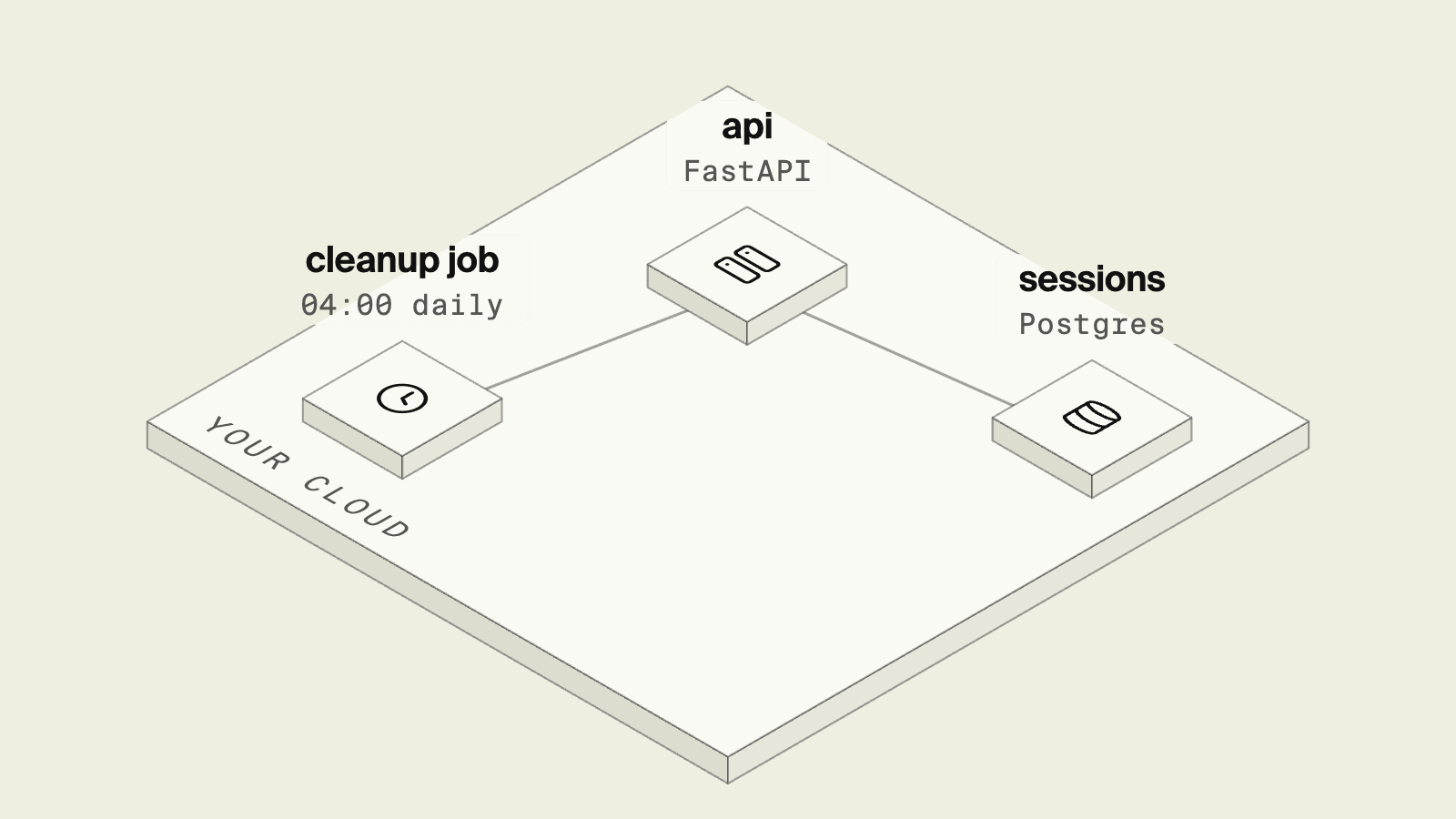
FastAPI serves requests and has no built-in way to run code on a schedule, so nightly cleanups, report emails and cache refreshes need something else to trigger them.
The simple options run inside the app process and get harder once there are several workers or replicas, while the options that avoid that add a broker or an external scheduler. This guide compares Encore, APScheduler, Celery beat and a cloud scheduler calling an endpoint.
In the 2024 Python Developers Survey by the PSF and JetBrains, 38% of respondents used FastAPI, up from 21% in 2021, and 35% used Django.
What you need to decide:
- Whether the schedule lives inside the app process or outside it.
- How you prevent a job from running once per replica.
- What happens when a run fails or overlaps the next one.
- How you trigger a job by hand in development.
Scheduling options for FastAPI at a glance
Encore: scheduled requests to your FastAPI routes

Encore combines the schedule and the route it calls into a declaration in your FastAPI code, where a job is a parse-time declaration and when it is due Encore sends a POST request for its path to the service that declares it, so the job is an ordinary FastAPI route with no scheduler process inside the app. Encore's Python SDK, which works alongside FastAPI, handles this together with databases and other resources.
from contextlib import asynccontextmanager

import encore
from encore import cron
from encore.storage import postgres
from fastapi import FastAPI

db = postgres.Database("users", migrations="./migrations")

# Encore sends POST /internal/cleanup-sessions at 04:00 every day.
cleanup = cron.Job(
    "cleanup-sessions",
    path="/internal/cleanup-sessions",
    title="Remove expired sessions",
    schedule="0 4 * * *",
)


@asynccontextmanager
async def lifespan(app: FastAPI):
    await encore.start()
    yield


app = FastAPI(lifespan=lifespan)


@app.post("/internal/cleanup-sessions")
async def cleanup_sessions() -> dict:
    result = await db.exec(
        "DELETE FROM sessions WHERE expires_at < now() - interval '1 day'"
    )
    return {"deleted": result.rows_affected}
A job takes exactly one of schedule, a cron expression, or every, an interval such as "1h", and the constructor rejects a job with both or neither, and a path that does not start with a slash.
Jobs run where the app is deployed and not under encore run, so in development you trigger one by sending POST /internal/cleanup-sessions to the local server. In a deployed environment, Encore provisions the infrastructure in the cloud account you connect, and when the job is due the platform sends a POST request for the job's path to the service, so the job does not start inside every worker process.
An agent adding a nightly job writes the declaration and the route in the same change and tests the route locally by calling it. The AI integration docs cover how to set up a coding agent to work in an Encore app.
Without Encore
Without Encore, either the app runs its own scheduler, as with APScheduler, or you run a separate process or cloud schedule and secure the endpoint it calls, which the sections below cover.
Good to know
The job route is a normal route, so a job that may overlap its next run or be retried should be safe to run twice, for example by deleting by a condition rather than by a list it computed earlier.
APScheduler in the lifespan
APScheduler runs jobs on the event loop of the FastAPI process, which makes it the quickest option to set up:
from contextlib import asynccontextmanager

from apscheduler.schedulers.asyncio import AsyncIOScheduler
from apscheduler.triggers.cron import CronTrigger
from fastapi import FastAPI

scheduler = AsyncIOScheduler()


async def cleanup_sessions() -> None:
    ...  # delete expired sessions


@asynccontextmanager
async def lifespan(app: FastAPI):
    scheduler.add_job(cleanup_sessions, CronTrigger(hour=4, minute=0))
    scheduler.start()
    yield
    scheduler.shutdown()


app = FastAPI(lifespan=lifespan)
Good to know
Every process that runs the lifespan starts its own scheduler, so uvicorn --workers 4 runs each job four times, and so does a deployment with four replicas. The usual fixes are a single dedicated scheduler process or a Postgres advisory lock taken at the start of the job, using pg_try_advisory_lock so only one run proceeds.
Celery beat
Celery beat is a separate process that enqueues tasks on a schedule, and Celery workers run them. It fits teams that already have a broker and workers for background jobs:
from celery import Celery
from celery.schedules import crontab

celery = Celery("app", broker="redis://localhost:6379/0")
celery.conf.beat_schedule = {
    "cleanup-sessions": {
        "task": "tasks.cleanup_sessions",
        "schedule": crontab(hour=4, minute=0),
    },
}


@celery.task(name="tasks.cleanup_sessions")
def cleanup_sessions() -> None:
    ...  # delete expired sessions
Good to know
Only one beat process may run, or tasks are enqueued twice, which means a broker, a worker deployment and a single-instance beat deployment next to the FastAPI service, which the Celery alternatives guide compares with lighter options.
A cloud scheduler calling an endpoint
The schedule can also live outside the app. EventBridge Scheduler on AWS or Cloud Scheduler on GCP calls an HTTP target or another AWS service on a cron expression. EventBridge Scheduler provides at-least-once delivery, so the endpoint should tolerate a repeated call, and because it is reachable over HTTP it needs authentication such as a shared secret header or IAM.
Good to know
This keeps one run per schedule regardless of replicas, although the schedule, its IAM role and the endpoint's authentication are separate resources that you create and keep in sync with the code.
How to choose
- Encore if you want schedules declared next to the routes they call and run once per schedule in your AWS or GCP account.
- APScheduler for a single-process app or with a lock around each job.
- Celery beat if Celery workers already run your background tasks.
- A cloud scheduler if you manage AWS resources already and want the schedule outside the app.
Python support in Encore is in beta, and you can sign up for access to try it with your FastAPI app.
Related guides
Frequently asked questions
How do I run a cron job in FastAPI?
FastAPI has no scheduler of its own. You can start APScheduler in the lifespan hook, run Celery beat next to a Celery worker, or have an external scheduler call an endpoint on a schedule. With Encore you declare cron.Job with a path and schedule, and Encore calls that FastAPI route with POST when the job is due in a deployed environment.
Why does my FastAPI scheduled task run twice?
An in-process scheduler such as APScheduler runs in every worker and every replica, so two Uvicorn workers run each job twice. Run the scheduler in a single process, take a database lock before the job, or move the schedule outside the app so it calls one instance.
Should I use APScheduler or Celery beat with FastAPI?
APScheduler is simpler and fits a single process. Celery beat fits teams that already run Celery workers and a broker, since beat only enqueues tasks and the workers run them.
Do Encore cron jobs run locally?
No. Encore cron jobs run where the app is deployed. Locally you exercise a job by sending a POST request to its path while encore run is running.
Deploy to your cloud on AWS and Google Cloud
without managing infrastructure
Encore lets developers and agents define application infrastructure directly in code, then automatically provisions it from local development to production in your AWS or GCP account.
