What Is Vercel? Uses, Pricing and Limits
What Vercel is used for, how its pricing works, and where you need a separate backend


Vercel is a cloud platform for deploying and hosting web frontends. You connect a Git repository, and Vercel builds your app on every push, gives each branch a preview URL, and serves the result from its global network. It is made by the company behind Next.js, and Next.js apps get the deepest support, but it also hosts React, Vue, Svelte, Astro and static sites. Server-side code runs as Vercel Functions.
Vercel works best for the frontend. For a backend with Postgres databases, queues and cron jobs running in your own AWS or GCP account, a common setup is to keep the frontend on Vercel and build the backend with Encore (infrastructure from code), covered below.
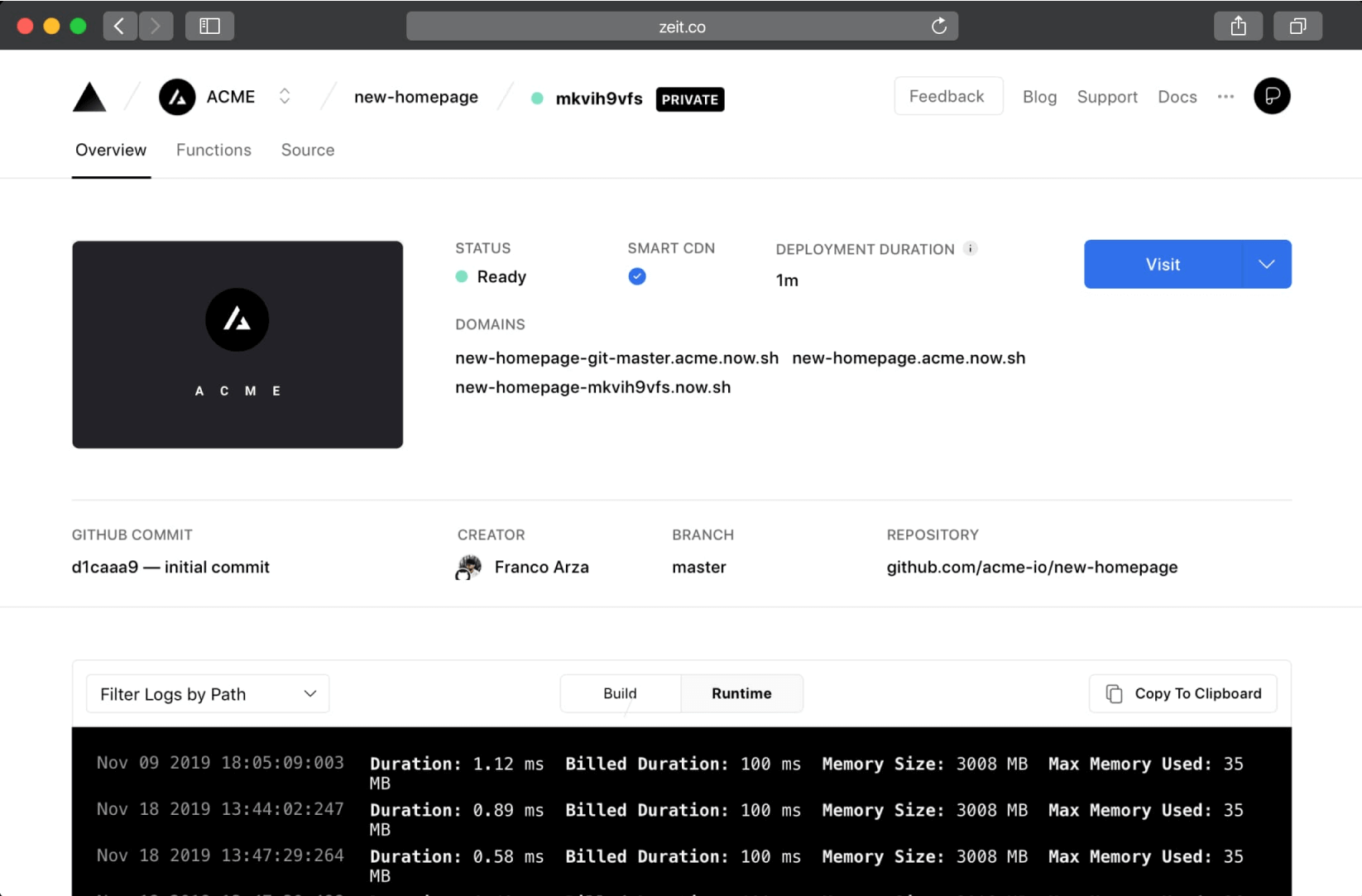
What is Vercel used for?
- Next.js apps. Server rendering, static generation, incremental static regeneration, middleware and image optimization work without extra configuration.
- Static sites and single-page apps. Marketing sites, docs and React or Vue SPAs served from the CDN.
- Preview deployments. Every pull request gets its own URL, so reviewers can check changes before merge.
- Light server-side logic. API routes, form handlers and webhooks running as Vercel Functions.
- Scheduled tasks. Cron jobs that call a function on a schedule.
How does Vercel work?
Git-based deployments
Vercel integrates with GitHub, GitLab and Bitbucket. It detects the framework, runs the build, and deploys every commit. The production branch goes to your production domain and other branches get preview URLs. Rollbacks point production at an earlier deployment.
Vercel Functions
Server-side code, such as Next.js route handlers, API routes and server actions, runs as serverless functions. Vercel now runs them on what it calls Fluid compute, where one instance can serve several requests at once, and bills for active CPU time and provisioned memory.
Global network
Static assets and cached responses are served from Vercel's points of presence close to the user, and functions run in the region you choose.
Storage and add-ons
Vercel has its own Blob storage, and databases such as Postgres and Redis come through Marketplace integrations with third-party providers, which you connect to your project.
How to deploy on Vercel
- Push your frontend code to a Git repository.
- Import the repository in the Vercel dashboard, or run
vercelfrom the project directory with the Vercel CLI. - Adjust build settings and environment variables if the defaults do not fit.
- Deploy. Later pushes deploy automatically.
Vercel pricing
Vercel has three plans. Prices below are from the official Vercel pricing page, checked October 27, 2026, in USD.
Usage on Pro is metered per resource. A few of the rates listed on the pricing page:
New Pro teams get a default on-demand budget of $200 with notifications, and you can configure a hard limit that pauses projects when it is reached.
Limits of Vercel for backends
Vercel has added backend features over time, including Cron Jobs, Queues (in beta) and Workflows. The model is still functions attached to a frontend project, and some backend needs fit it less well:
- Databases are separate products. Postgres and Redis come from Marketplace providers, so your data lives with a third party, configured outside your code.
- Background work is shaped by the function model. Long-running jobs, workers and event processing have to be split into function invocations, queue consumers or workflows.
- Your infrastructure is not in your cloud account. Running Vercel compute inside your own AWS account is listed as an Enterprise option.
- Costs follow usage. Busy APIs pay per invocation, CPU time, memory and data transfer, which is harder to forecast than a fixed instance.
Pairing Vercel with Encore for the backend
Encore is an open-source backend framework for TypeScript and Go, with a platform that deploys your backend to your own AWS or GCP account. The split many teams use: the frontend stays on Vercel, and the backend APIs, Postgres databases, Pub/Sub queues and cron jobs are Encore services.
You declare the infrastructure in your application code:
import { api } from "encore.dev/api";
import { SQLDatabase } from "encore.dev/storage/sqldb";
import { Topic } from "encore.dev/pubsub";

// migrations/1_create_orders.up.sql:
// CREATE TABLE orders (id BIGSERIAL PRIMARY KEY, item TEXT NOT NULL);
const db = new SQLDatabase("orders", { migrations: "./migrations" });

export const orderPlaced = new Topic<{ orderId: number }>("order-placed", {
  deliveryGuarantee: "at-least-once",
});

export const create = api(
  { expose: true, method: "POST", path: "/orders" },
  async ({ item }: { item: string }): Promise<{ id: number }> => {
    const row = await db.queryRow<{ id: number }>`
      INSERT INTO orders (item) VALUES (${item}) RETURNING id`;
    await orderPlaced.publish({ orderId: row!.id });
    return { id: row!.id };
  },
);
What you get with this setup:
- Local development with real infrastructure.
encore runstarts the backend with a local Postgres database and Pub/Sub, so the Vercel frontend can call it on your machine. - Postgres, queues and cron jobs in your own AWS or GCP account. On deploy, Encore provisions managed services such as RDS or Cloud SQL, SNS and SQS or GCP Pub/Sub, and runs cron jobs in the cloud.
- A typed client for the frontend. Encore generates a TypeScript client from your API definitions, so your Next.js app calls the backend with type-checked requests and responses.
- Preview environments per pull request, matching Vercel's preview deployments, so a frontend preview can point at a backend preview.
See how to host your frontend alongside Encore and the guide for moving backend workloads from Vercel to Encore.
Windows: iwr https://encore.dev/install.ps1 | iex
Linux: curl -L https://encore.dev/install.sh | bash
Summary
Vercel is a frontend cloud: Git-based deploys, preview URLs, a global network and functions for server-side code, with a free Hobby plan and a $20 per seat Pro plan. It fits Next.js and static frontends well. For a backend with its own database, queues and scheduled jobs in your own AWS or GCP account, keep the frontend on Vercel and build the backend with Encore.
Related Resources
For a deeper dive into backend deployment options:
- Encore vs Vercel for Backends: Why Vercel's serverless functions have limits for backend APIs
- Encore vs Render: Comparing PaaS deployment approaches
- Encore vs Fly.io: Container deployment at the edge
- Vercel Alternatives: Other platforms to weigh up if Vercel is not the right fit
- Migrate from Vercel to GCP: Moving a backend off Vercel onto Google Cloud
Deploy to your cloud on AWS and Google Cloud
without managing infrastructure
Encore lets developers and agents define application infrastructure directly in code, then automatically provisions it from local development to production in your AWS or GCP account.
