Amazon ElastiCache with Terraform: Redis and Valkey Replication Groups
Concrete Terraform for an ElastiCache replication group with a subnet group, security group, parameter group, encryption and failover, what keeps costing time after the first apply, and how Encore provisions caches from code.

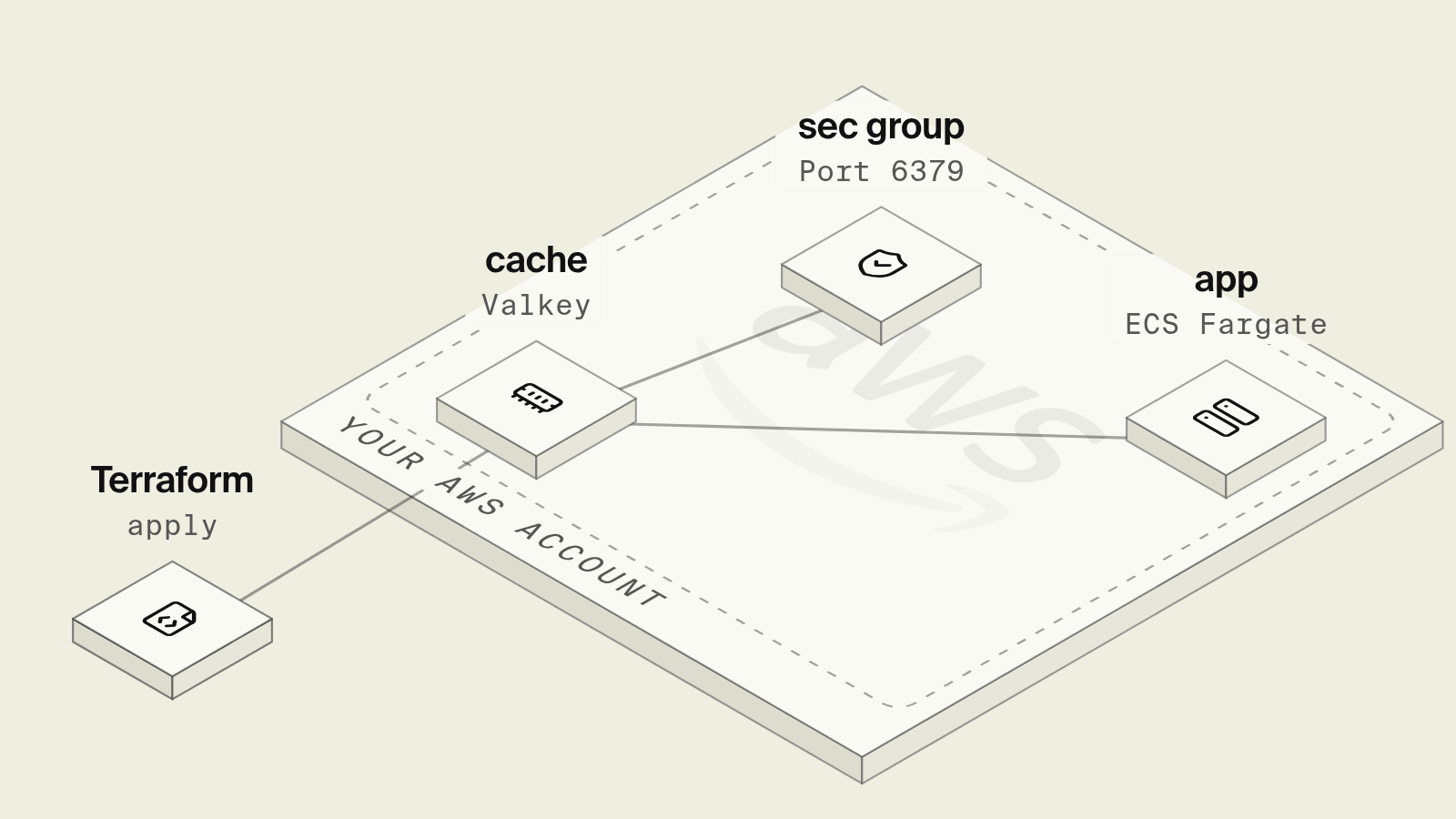
A Redis or Valkey cache on ElastiCache takes four Terraform resources before the first SET: a subnet group, a security group, a parameter group and the replication group itself, which carries the settings that matter most, such as encryption in transit, an auth token, failover and Multi-AZ. Several of them cannot be changed in place, so a decision made for the first apply, like turning TLS off to get a client working, can later force a new cluster and a cold cache.
This guide walks through a production-shaped configuration, the parts that keep costing time after it is applied, and how Encore provisions ElastiCache from a cache declared in the Go code that uses it.
What does an ElastiCache Terraform setup need?
Terraform for a Valkey or Redis replication group
resource "aws_elasticache_subnet_group" "cache" {
  name       = "app-cache"
  subnet_ids = var.private_subnet_ids
}

resource "aws_security_group" "cache" {
  name   = "app-cache"
  vpc_id = var.vpc_id

  ingress {
    from_port       = 6379
    to_port         = 6379
    protocol        = "tcp"
    security_groups = [var.app_security_group_id]
  }
}

resource "aws_elasticache_parameter_group" "cache" {
  name   = "app-cache-valkey8"
  family = "valkey8"

  parameter {
    name  = "maxmemory-policy"
    value = "allkeys-lru"
  }
}

resource "aws_elasticache_replication_group" "cache" {
  replication_group_id = "app-cache"
  description          = "Application cache"
  engine               = "valkey"
  engine_version       = "8.0"
  node_type            = "cache.t4g.medium"
  num_cache_clusters   = 2
  port                 = 6379

  subnet_group_name    = aws_elasticache_subnet_group.cache.name
  security_group_ids   = [aws_security_group.cache.id]
  parameter_group_name = aws_elasticache_parameter_group.cache.name

  automatic_failover_enabled = true
  multi_az_enabled           = true
  at_rest_encryption_enabled = true
  transit_encryption_enabled = true
  auth_token                 = var.cache_auth_token

  snapshot_retention_limit = 3
  apply_immediately        = false
}
num_cache_clusters = 2 gives one primary and one replica, which is the minimum for automatic_failover_enabled, and multi_az_enabled places them in different Availability Zones. The engine can be redis or valkey, and AWS prices Valkey nodes below Redis OSS nodes of the same type, according to the ElastiCache pricing page. auth_token only works with transit_encryption_enabled, so clients must connect with TLS, and the token itself lands in Terraform state, which is one reason teams move to ElastiCache RBAC user groups. The aws_elasticache_replication_group docs list which arguments force a replacement.
Connecting the app
The application gets the primary endpoint from aws_elasticache_replication_group.cache.primary_endpoint_address, and reads can go to reader_endpoint_address. Both reach the app through environment variables, and the auth token through Secrets Manager with secretsmanager:GetSecretValue on the task role. In Go, a client such as go-redis then needs TLSConfig set and the password from the secret, and every key the code writes is a string that the team keeps consistent by convention.
What still hurts after the first apply?
The cache is the same set of resources again in staging, usually on a smaller node with failover turned off to save money, which means staging never exercises failover. Locally, developers run Redis in Docker without TLS or auth, so the TLS and password path is first tested in a deployed environment. Node type changes and engine upgrades trigger a modification that AWS applies in the maintenance window unless apply_immediately is set, and a plan that looks like a small change can be a replacement that empties the cache.
How does Encore provision ElastiCache instead?

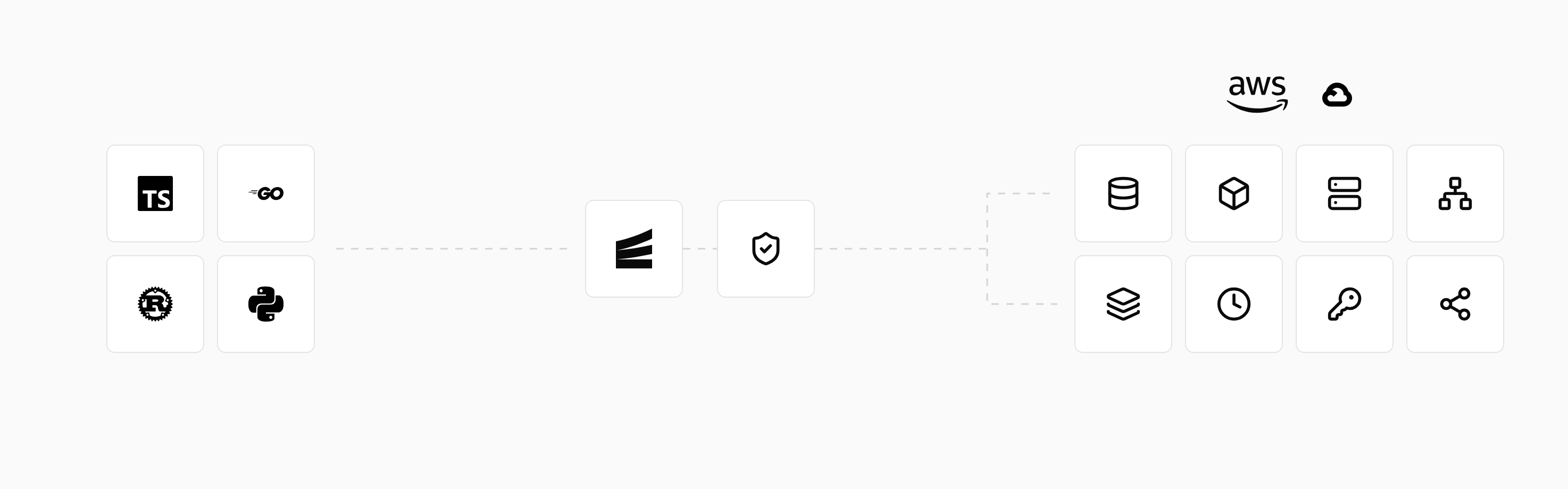
Encore combines an open source infrastructure SDK for TypeScript and Go with a platform that provisions and deploys into your own AWS or GCP account. A cache cluster and its keyspaces are declared in the Go service that uses them, and on AWS Encore provisions ElastiCache with Multi-AZ replication, automatic failover and Redis ACLs, or Memorystore on GCP, as described in the AWS infrastructure docs.
Set up the app
Run in your terminal to get started locally.
A keyspace is typed, so the key pattern and value shape are defined once instead of by convention:
// products/cache.go
package products

import (
	"context"
	"errors"
	"time"

	"encore.dev/storage/cache"
)

// ElastiCache on AWS, Memorystore on GCP, in-memory under `encore run`.
var cluster = cache.NewCluster("products", cache.ClusterConfig{
	EvictionPolicy: cache.AllKeysLRU,
})

type Product struct {
	ID         string `json:"id"`
	Name       string `json:"name"`
	PriceCents int64  `json:"price_cents"`
}

var productCache = cache.NewStructKeyspace[string, Product](cluster, cache.KeyspaceConfig{
	KeyPattern:    "product/:key",
	DefaultExpiry: cache.ExpireIn(10 * time.Minute),
})

//encore:api public method=GET path=/products/:id
func Get(ctx context.Context, id string) (*Product, error) {
	if p, err := productCache.Get(ctx, id); err == nil {
		return &p, nil
	} else if !errors.Is(err, cache.Miss) {
		return nil, err
	}
	p, err := loadProduct(ctx, id)
	if err != nil {
		return nil, err
	}
	_ = productCache.Set(ctx, id, *p) // a failed cache write should not fail the request
	return p, nil
}

func loadProduct(ctx context.Context, id string) (*Product, error) {
	// Read from Postgres or another service here.
	return &Product{ID: id, Name: "Example", PriceCents: 1999}, nil
}
encore run uses an in-memory Redis implementation locally, so the cache path runs on a laptop without Docker, a password or TLS settings, and the caching docs cover the other keyspace types, such as counters for rate limiting and lists. On deploy, the cluster is placed in the private storage subnet with access only from the application's compute subnet, and credentials are managed for the service rather than passed through Terraform state. A coding agent can add a keyspace for search results in the same change as the endpoint that fills it and check hit and miss behaviour locally before review.
Locally the keyspace runs against an in-memory Redis, and encore test provisions isolated infrastructure per test, per the test infrastructure docs. Each environment gets its own cluster, so staging cache keys never mix with production.
Best fit: Go teams who want ElastiCache in their own AWS account with failover and Multi-AZ, declared as typed keyspaces in the code that reads them, while keeping Terraform for shared account resources if they already have it.
Good to know
- ElastiCache Serverless (
aws_elasticache_serverless_cache) removes node sizing and bills by data stored and compute used, which suits spiky workloads. maxmemory-policymatters for caches:allkeys-lruevicts any key under memory pressure, while the defaultvolatile-lruonly evicts keys with a TTL.- Cluster mode (
num_node_groupsandreplicas_per_node_group) shards keys across node groups and requires a cluster-aware client.
Related guides
Frequently asked questions
How do I create an ElastiCache Redis cluster with Terraform?
Create an aws_elasticache_subnet_group over private subnets, an aws_security_group that allows port 6379 from the app, and an aws_elasticache_replication_group with engine redis or valkey, a node_type, num_cache_clusters of at least 2, automatic_failover_enabled, multi_az_enabled, transit_encryption_enabled and at_rest_encryption_enabled.
Should I use aws_elasticache_cluster or aws_elasticache_replication_group?
Use aws_elasticache_replication_group for Redis and Valkey. It supports replicas, automatic failover, Multi-AZ and encryption in transit, while aws_elasticache_cluster is mainly for Memcached or a single node without failover.
Why does automatic failover need two nodes?
Automatic failover promotes a replica when the primary fails, so the replication group needs at least one replica, which means num_cache_clusters of 2 or more in non-cluster mode. Terraform rejects automatic_failover_enabled with a single node.
How do I add a Redis cache to a Go service without Terraform?
With Encore, declare a cluster with cache.NewCluster("main", cache.ClusterConfig{EvictionPolicy: cache.AllKeysLRU}) and a typed keyspace such as cache.NewStructKeyspace, then call Get and Set in your endpoints. encore run uses an in-memory Redis implementation locally, and on AWS Encore provisions ElastiCache with Multi-AZ replication in your own account.
Deploy to your cloud on AWS and Google Cloud
without managing infrastructure
Encore lets developers and agents define application infrastructure directly in code, then automatically provisions it from local development to production in your AWS or GCP account.
