How to Deploy from GitHub to AWS or GCP
Three ways to turn a push to GitHub into a running backend in your own cloud account: Encore's GitHub integration, GitHub Actions with OIDC, and AWS CodePipeline, with what each one leaves you to set up.

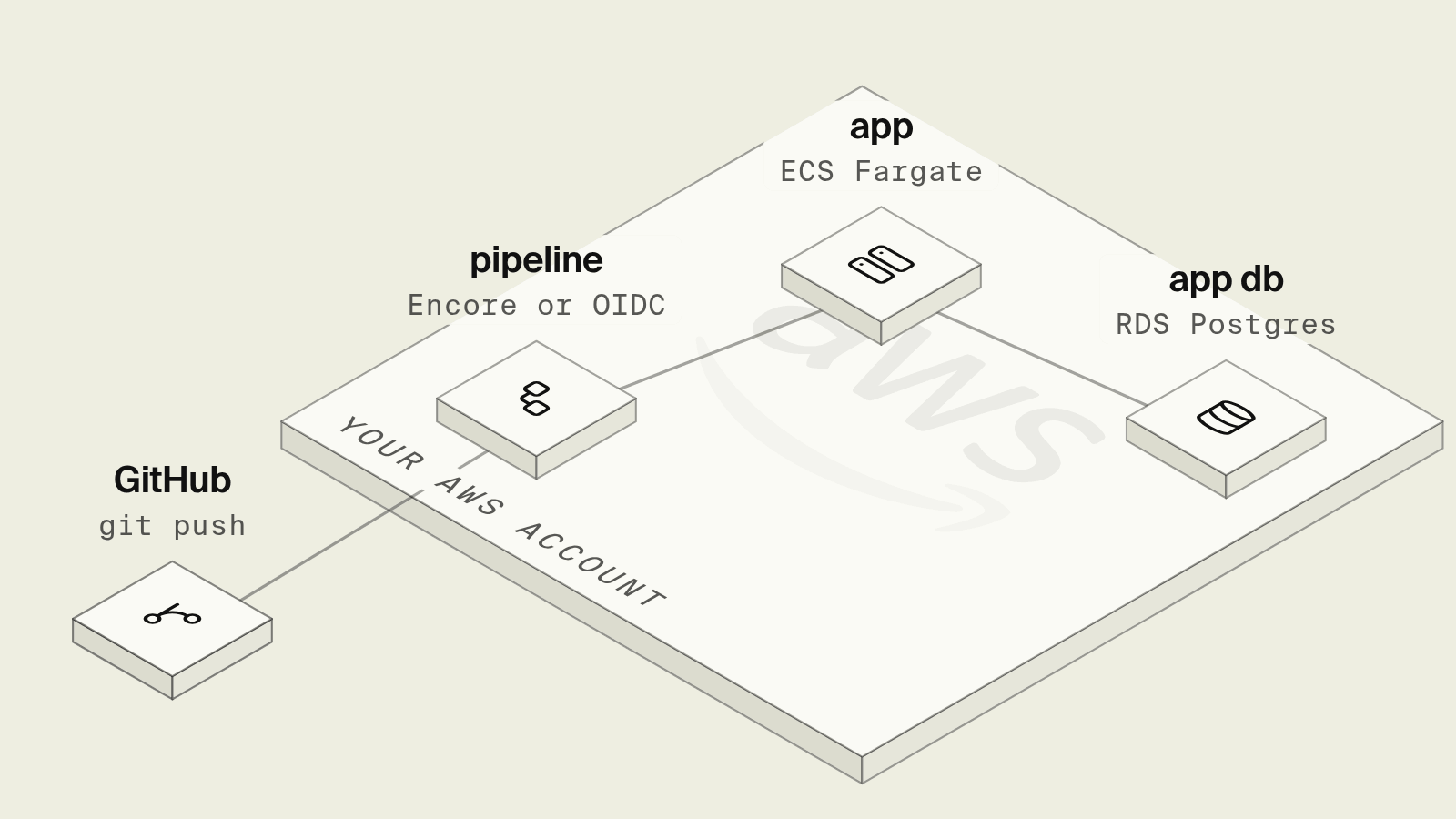
Deploying from GitHub sounds like one setting, and on a PaaS it is: connect the repo and every push to main goes live. Doing the same into your own AWS or GCP account means choosing who runs the build, how that runner gets cloud credentials, and where the load balancer, container service and database it deploys into came from, since a workflow file can only update infrastructure that already exists.
This guide compares three ways to go from a push to GitHub to a running backend in your own cloud: Encore's GitHub integration, a GitHub Actions workflow with OIDC, and AWS CodePipeline.
Deploying from GitHub at a glance
How do you deploy from GitHub with Encore?

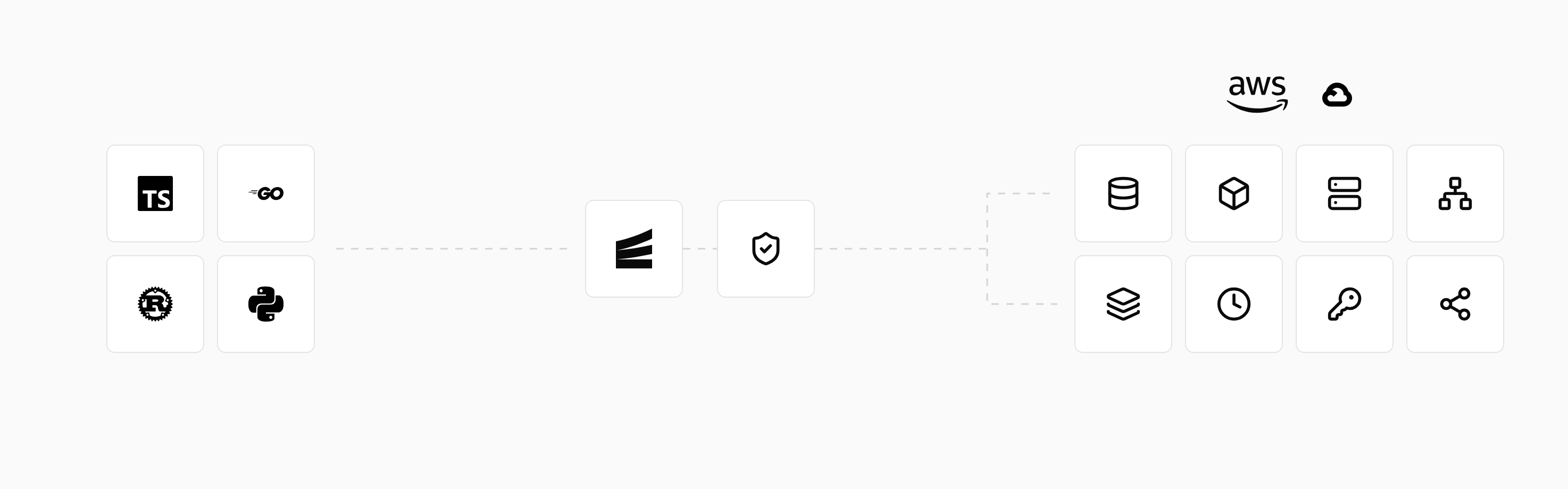
Encore combines an open source infrastructure SDK with a platform that provisions and deploys into your own AWS or GCP account. Linking an app to a GitHub repository makes each push to the configured branch a deploy, and because the infrastructure is declared in the code, a deploy that adds a database or a queue also creates it, as described in the GitHub integration docs.
Set up the app
Run in your terminal to get started locally.
The code declares what the service needs, here a database and a cron job, and those definitions are what the deploy provisions:
// signups/signups.ts
import { api } from "encore.dev/api";
import { CronJob } from "encore.dev/cron";
import { SQLDatabase } from "encore.dev/storage/sqldb";

const db = new SQLDatabase("signups", { migrations: "./migrations" });

export const create = api(
  { expose: true, method: "POST", path: "/signups" },
  async ({ email }: { email: string }): Promise<{ id: number }> => {
    const row = await db.queryRow<{ id: number }>`
      INSERT INTO signups (email) VALUES (${email}) RETURNING id
    `;
    return { id: row!.id };
  },
);

// Removes unconfirmed signups older than a week.
export const prune = api({}, async (): Promise<void> => {
  await db.exec`
    DELETE FROM signups
    WHERE confirmed = false AND created_at < now() - interval '7 days'
  `;
});

const _ = new CronJob("prune-signups", {
  title: "Prune unconfirmed signups",
  schedule: "0 4 * * *",
  endpoint: prune,
});
-- signups/migrations/1_create_signups.up.sql
CREATE TABLE signups (
  id BIGSERIAL PRIMARY KEY,
  email TEXT NOT NULL UNIQUE,
  confirmed BOOLEAN NOT NULL DEFAULT false,
  created_at TIMESTAMPTZ NOT NULL DEFAULT now()
);
After connecting your AWS or GCP account to an environment and linking the repository under Settings > GitHub in the dashboard, you choose the branch that triggers deploys for that environment. A push to main then builds the app, runs the migration, provisions RDS (or Cloud SQL), registers the cron job and rolls the service out, and the deploy shows in the dashboard with a link to the commit. Every pull request also gets its own preview environment with its own database, so reviewers can call the new endpoint before merge. Monorepos work by pointing the app's root directory at the folder that holds encore.app.
No AWS keys or role ARNs live in the repository or in GitHub secrets, so an AI coding agent opening pull requests in the repo can ship a change through review and deploy without ever holding cloud credentials. The connection to your cloud account is set up once, per the own-cloud docs.
Staging and production are separate environments, each with its own resources in your cloud account, and stateful resources such as databases and buckets are never deleted by a deploy unless they are unused and a user confirms it, as the infrastructure management docs explain.
Best fit: Teams who want "push to deploy" into their own AWS or GCP account, including the infrastructure each change needs, with a preview environment for every pull request.
GitHub Actions with OIDC
 GitHub Actions
A GitHub Actions workflow can assume an IAM role without stored keys by exchanging its OIDC token, following GitHub's OIDC for AWS guide. A typical deploy to ECS:
name: deploy
on:
  push:
    branches: [main]

permissions:
  id-token: write
  contents: read

jobs:
  deploy:
    runs-on: ubuntu-latest
    steps:
      - uses: actions/checkout@3d3c42e5aac5ba805825da76410c181273ba90b1 # v7.0.1
      - uses: aws-actions/configure-aws-credentials@e1253824e5c10ff9df46874f81ed3ec929e19cfd # v6.3.0
        with:
          role-to-assume: arn:aws:iam::123456789012:role/github-deploy
          aws-region: eu-central-1
      - uses: aws-actions/amazon-ecr-login@03f1aad4c6c7ffd436567f42f9384779290529bd # v2.1.7
        id: ecr
      - run: |
          IMAGE=${{ steps.ecr.outputs.registry }}/api:${{ github.sha }}
          docker build -t "$IMAGE" .
          docker push "$IMAGE"
          echo "IMAGE=$IMAGE" >> "$GITHUB_ENV"
      - uses: aws-actions/amazon-ecs-render-task-definition@8d79160660ad39c402a16e5fc7cd2a32e8f7d6b7 # v1.9.1
        id: render
        with:
          task-definition: task-definition.json
          container-name: api
          image: ${{ env.IMAGE }}
      - uses: aws-actions/amazon-ecs-deploy-task-definition@a00d4d57ac0de1a99b39fe469f3d898d38717c2b # v2.6.4
        with:
          task-definition: ${{ steps.render.outputs.task-definition }}
          service: api
          cluster: prod
          wait-for-service-stability: true
The workflow pins every third-party action, including actions/checkout and aws-actions/configure-aws-credentials, to an immutable commit SHA so a moved major-version tag cannot run unreviewed code with the deployment role. configure-aws-credentials exchanges the GitHub OIDC token for short-lived credentials of an IAM role. It assumes everything else exists: the OIDC identity provider in IAM, a role whose trust policy limits the sub claim to repo:org/api:ref:refs/heads/main, permissions on that role limited to the exact ECR repository and ECS service being deployed, plus the ECR repository, ECS cluster, service, load balancer and database, typically from Terraform. Migrations need a separate step that can reach the private database, and a pull request preview means writing a second workflow that creates and tears down a whole environment. The GitHub Actions to AWS without long-lived keys guide covers the trust policy in detail.
Best fit: Teams with existing Terraform-managed ECS or EKS infrastructure who want the deploy step in their own workflow files.
AWS CodePipeline
 AWS CodePipeline
CodePipeline connects to GitHub through an AWS CodeConnections connection, runs a CodeBuild project with a buildspec.yml to build and push the image, and deploys to ECS, including blue/green deployments through CodeDeploy. Credentials stay inside AWS as service roles, which some security teams prefer over a CI runner on GitHub's side. The trade is that the pipeline, the CodeBuild project, the artifact bucket and the roles are more AWS resources to define, the build logs live in CloudWatch instead of the pull request, and the infrastructure being deployed to still comes from somewhere else.
Best fit: AWS-only organizations that want builds and deploys to run entirely inside their AWS accounts.
How to choose
Pick Encore when a push to GitHub should deploy both the code and the infrastructure it declares into your own AWS or GCP account, with preview environments per pull request and no cloud credentials in the repo. Pick GitHub Actions with OIDC when your infrastructure is already in Terraform and you want the deploy logic in workflow files. Pick CodePipeline when the build itself must run inside AWS.
Related guides
Frequently asked questions
How do I deploy from GitHub to AWS?
The most common setup is a GitHub Actions workflow that assumes an IAM role through OIDC with aws-actions/configure-aws-credentials, builds and pushes a container image to ECR, and updates an ECS service. The role's trust policy should restrict the repository and branch through the token's sub claim, and the cluster, service and load balancer have to exist already.
How do I deploy from GitHub with Encore?
Link the app to the repository under Settings and GitHub in the Encore dashboard, and set the branch that triggers deploys for each environment. A push to that branch builds the app, provisions any infrastructure the code declares in your connected AWS or GCP account, and deploys it, and each pull request gets its own preview environment.
Do I need long-lived AWS keys in GitHub secrets to deploy?
No. GitHub Actions can exchange its OIDC token for short-lived credentials by assuming an IAM role whose trust policy names token.actions.githubusercontent.com and your repository, so the workflow does not need long-lived AWS keys in GitHub secrets.
What is the difference between deploying from GitHub and deploying with GitHub Actions?
Deploying from GitHub means a push or merge triggers a deploy. GitHub Actions is one way to run that deploy, as a workflow you write and maintain in the repository. Some platforms also offer a GitHub app that triggers the deploy without a workflow file.
Deploy to your cloud on AWS and Google Cloud
without managing infrastructure
Encore lets developers and agents define application infrastructure directly in code, then automatically provisions it from local development to production in your AWS or GCP account.
