AI-assisted development
Give coding agents application context and build-time guardrails
A coding agent can make better changes when it understands the system around the file it is editing. Encore gives it that context through the Encore Application Model, which contains the application's services, APIs, schemas, infrastructure resources, and the relationships between them.
The model is derived from declarations made with Encore's open source Infra SDK. APIs and infrastructure resources are type-safe, and Encore validates resource declarations during the build. Invalid or statically unresolved declarations produce build errors.
Deployment-specific infrastructure settings, including capacity, networking, and backups, are configured per environment. They are not part of the resource declarations an agent edits in the application code.
Together, these constraints provide guardrails for AI-assisted development: an agent can declare what the application uses, while the type system, parser, and environment configuration limit what can be expressed or changed from the application source.
How the integrations fit together
Encore provides three complementary ways to help coding agents work with an application:
Rules and skills guide how an agent writes code. MCP lets it inspect and interact with the application while that application is running locally.
Set up a project
New projects
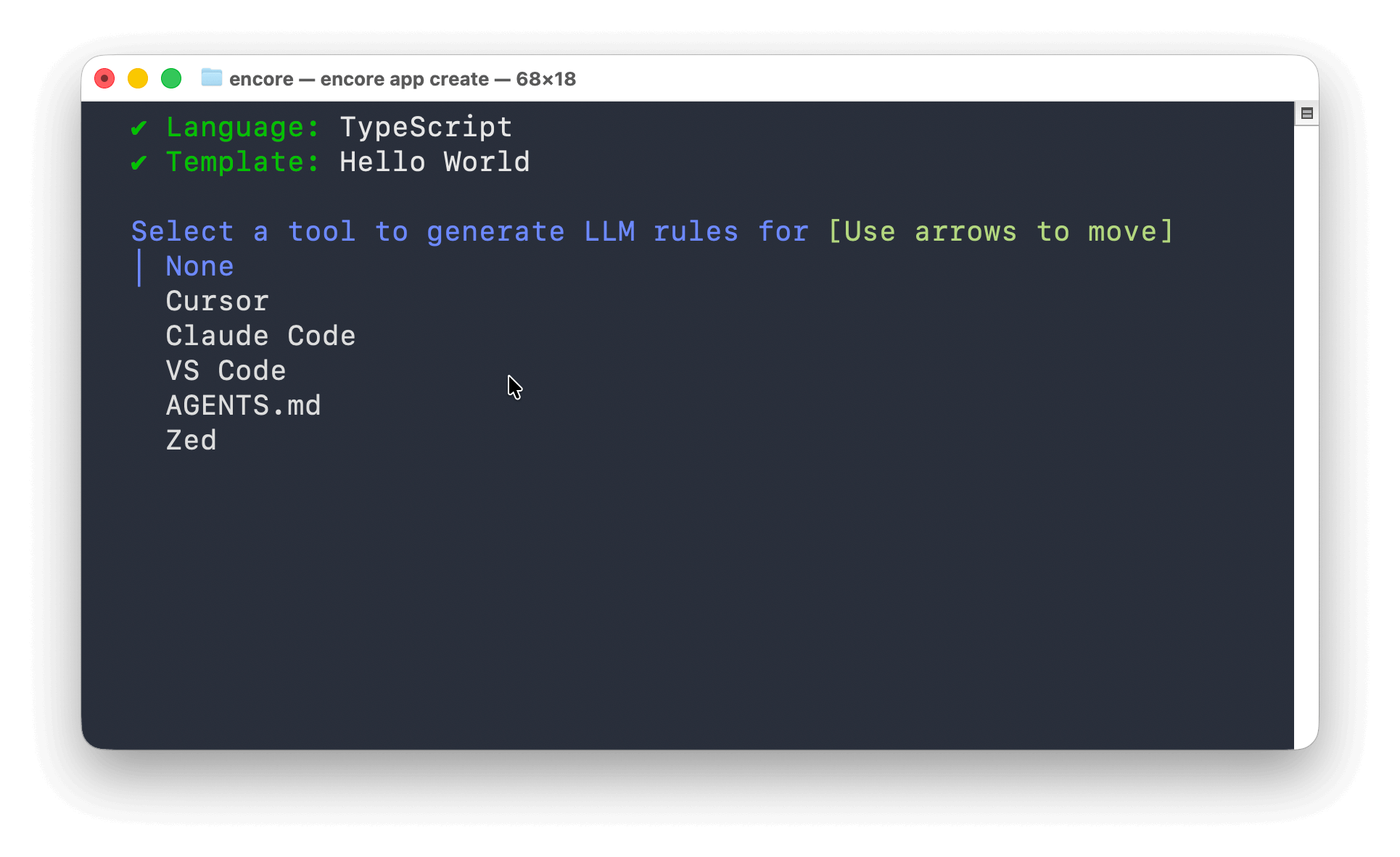
Run encore app create and select the AI tool you use. Encore generates the corresponding project rules and, for supported MCP hosts, the MCP configuration.
encore app create
Existing projects
From the application directory, run:
encore llm-rules init
Select your AI tool when prompted. The command generates the appropriate rules file, such as CLAUDE.md or Cursor rules, and configures the local MCP server for supported hosts.
The generated formats support tools and conventions including Cursor, Claude Code, VS Code, AGENTS.md, and Zed.
Install Encore skills
The Encore skills package supports Cursor, Claude Code, GitHub Copilot, and other agents:
npx add-skill encoredev/skills
List the available skills or install them for selected agents:
# List available skills
npx add-skill encoredev/skills --list

# Install for selected agents
npx add-skill encoredev/skills -a cursor -a claude-code
The package also includes a workflow for converting an existing TypeScript backend. See Migrate using an AI agent for its planning and validation process.
Connect the local MCP server
The Encore CLI includes a local Model Context Protocol server. It exposes tools for inspecting the application model, reading database schemas, querying local databases, calling APIs, and reading traces.
Configuration is generated automatically for supported hosts when you create a project or run encore llm-rules init. Use the following setup when you need to connect a host manually.
Start the server
From the Encore application directory, run:
encore mcp start
The command prints the SSE URL and stdio command for the application. Keep the server running when connecting over SSE. Hosts configured with the stdio command start their own MCP process.
Connect Cursor
Use the button below after replacing your-app-id with the ID from encore.app:

To configure it manually, create .cursor/mcp.json:
{
  "mcpServers": {
    "encore-local": {
      "command": "encore",
      "args": ["mcp", "run", "--app=your-app-id"]
    }
  }
}
Connect Claude Code
From the Encore application directory, run:
claude mcp add --transport stdio encore-local -- encore mcp run --app=your-app-id
Verify the connection with claude mcp list.
What an agent can inspect and test
The available actions depend on the tools supported by the agent and the permissions you grant it. Through Encore's local MCP server, an agent can:
- Inspect services, APIs, middleware, authentication handlers, and infrastructure resources
- Read SQL database schemas and query local application data
- Call API endpoints in the running application
- Search traces and inspect spans across API calls and Pub/Sub handlers
- Inspect Pub/Sub topics, object storage, caches, cron jobs, metrics, and secret metadata
- Search and read Encore documentation
See the Local MCP server reference for the complete tool list.
MCP tools can read source files and local application data, execute database queries, and call endpoints. Review the MCP configuration, the application it targets, and each tool request according to your AI tool's approval settings. Secret values are not exposed by the secret metadata tool.
Example workflow
Start the application with encore run, then ask the agent to make and verify a change:
- Ask it to add an API, database, topic, or another infrastructure primitive (TypeScript, Go).
- Build or run the application. Type errors and invalid resource declarations are reported before deployment.
- Let the agent call the local API and inspect the resulting database state or trace through MCP.
- Review the code and any environment configuration needed for deployment.
For example:
- "Add an endpoint that publishes to a Pub/Sub topic, call it, and verify the publish in the trace."
- "Inspect the users database schema and add an endpoint that returns accounts created in the last week."
- "Create a service with CRUD endpoints backed by PostgreSQL, then run its tests."
Local development uses the implementations provided by encore run, including PostgreSQL in Docker and local implementations of other declared resources. See Development workflow for how the same application declarations are used across local, preview, and production environments.