Architecture Diagrams
Architecture diagrams that update automatically as your code changes. No more maintaining Miro boards or Lucidchart files that drift out of sync.
Always accurate, always current
Encore generates diagrams directly from your source code. Add a new service, it appears in the diagram. Add a database connection, the relationship shows up automatically.
- ✓Service dependencies
- ✓Database connections
- ✓Pub/sub topic flows
- ✓API call relationships
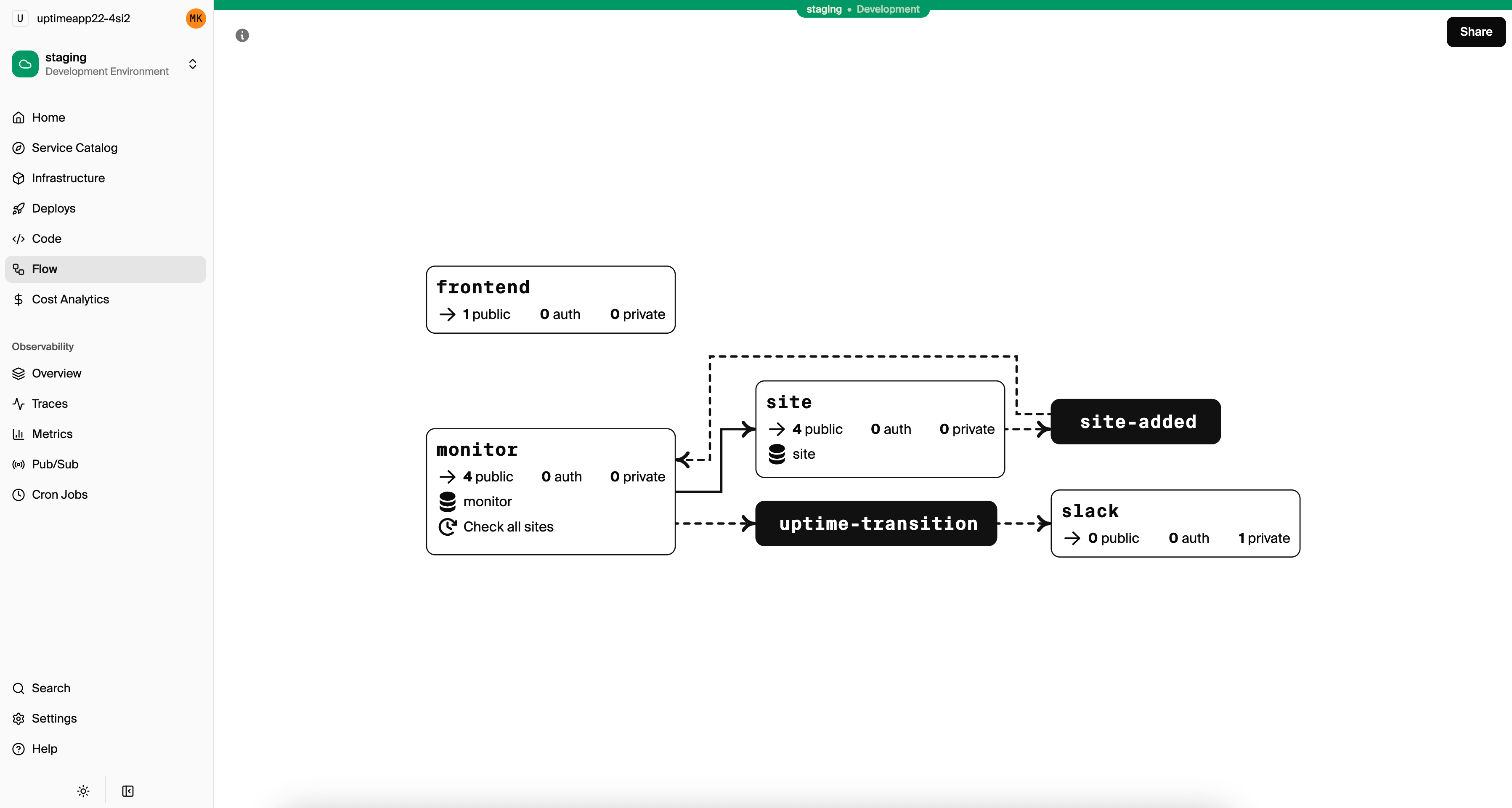
Diagrams that maintain themselves
Encore generates diagrams directly from your source code. Add a new service, it appears in the diagram. Add a database connection, the relationship shows up. The diagram is always accurate because it's derived from your actual code.
- ✓Services and their API endpoints
- ✓Service-to-service dependencies
- ✓Database connections
- ✓Pub/Sub topic relationships
- ✓Cron job triggers
Interactive, not just static
Click on any service to see its endpoints. Click on a connection to understand the relationship. The diagram is a live view of your system, not a static image.
During incidents, use the diagram to quickly understand which services might be affected by an issue. During planning, use it to see how a new feature will fit into the existing architecture.
Useful every day
Onboarding
New developers understand the system in minutes. No more spending days reading code to build a mental model.
Planning
See how new features will fit. Understand dependencies before you start building.
Debugging
Trace issues through the system. See which services might be affected by a problem.




Stop maintaining diagrams manually
Let your code draw the picture.