# Custom Domains
> Expose APIs from your own domain
By default, all application [environments](/docs/platform/deploy/environments) are accessible as subdomains of the shared Encore domain `encr.app`. When exposing APIs publicly, you often want to provide a URL endpoint branded with your own domain.
Follow these instructions to serve your backend using your own custom domain name. This also has the benefit of providing a built-in Web Application Firewall (WAF) using [Cloudflare WAF](https://www.cloudflare.com/en-gb/application-services/products/waf/).
## Adding a domain
Modify the DNS records for your domain, adding a CNAME record pointing at:
`custom-domain.encr.app` It's recommended to set a TTL (Time-To-Live) of 30 minutes for the CNAME record.
Encore requires that you add a CNAME record for each domain you wish to serve traffic from.
CNAME record using wildcards, e.g. `*.example.com`, are not currently supported.
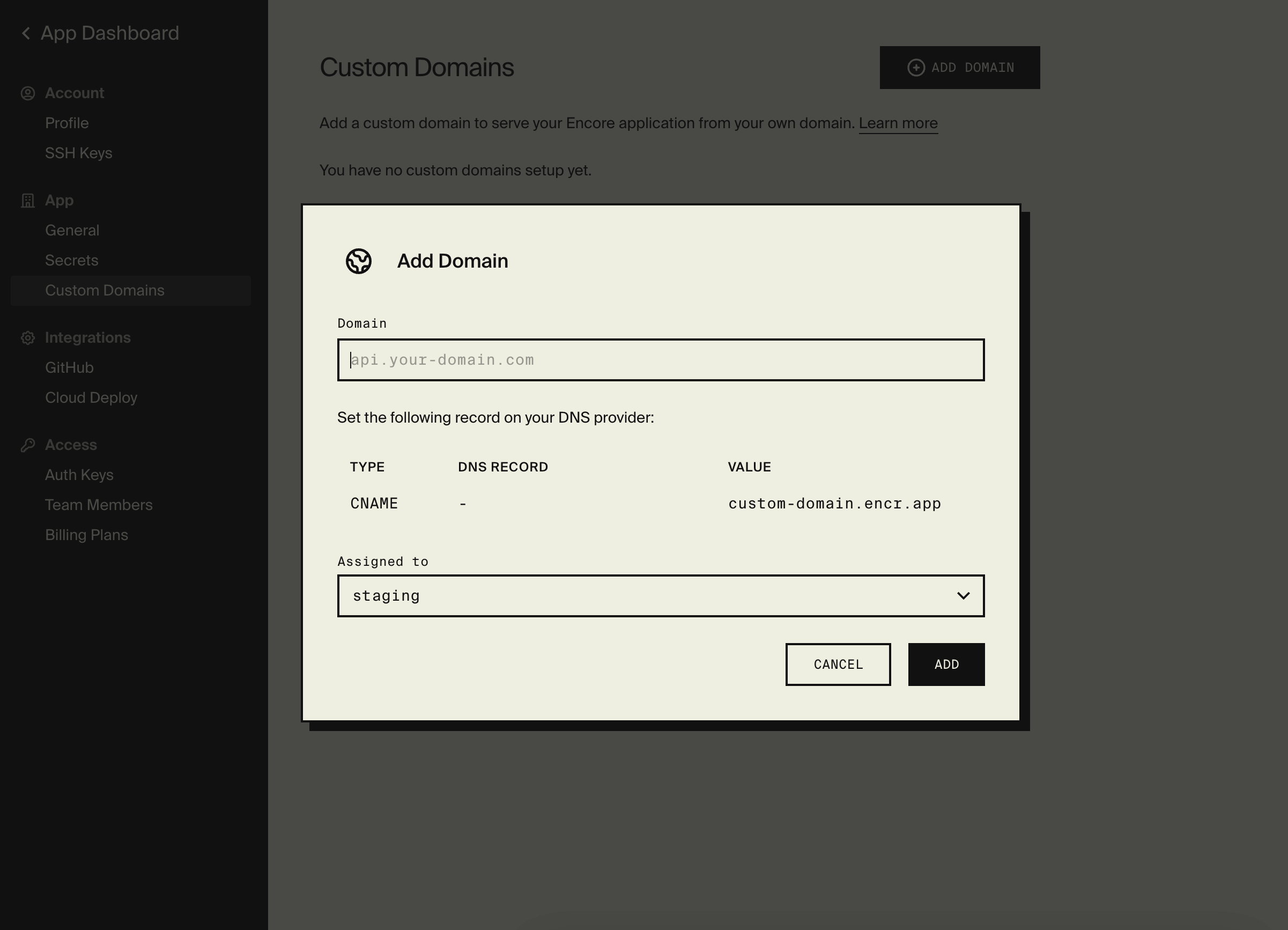
Once you've added the CNAME record, go to the Custom Domains settings page by opening
**[Your apps](https://app.encore.cloud/) > (Select your app) > Settings > Custom Domains**. Click on `Add Domain`
on the top right of the page.
Enter the domain name you configured the CNAME on and select which [environment](/docs/platform/deploy/environments) you wish to
serve on that domain, then click `Add`.
Encore will now set up your domain and issue SSL certificates to serve traffic through.
 If you configure multiple domains against a single environment, Encore will serve traffic through all
configured domains. The `encr.app` subdomain which was created when you originally created an environment will always be
configured to serve traffic to that environment.
This allows you to migrate to a custom domain safely without risking
cutting traffic off to older clients which may be hard coded to access your applications via the default subdomain.
## Domain statuses
On the Custom Domains settings page, you can see the various statuses throughout the lifecycle of a custom domain.
| Status | Description |
| -------------------------- | --------------------------------------------------------------------------------------------------------------------------------------------------------------------------------- |
| `Pending` | The domain is currently queued to be provisioned by Encore. |
| `Waiting for CNAME` | Encore is waiting for the CNAME to become active and for the SSL certificate to be issued for the domain. |
| `Configuring Edge Routers` | The SSL certificate has been issued and the Encore edge routers are being configured to route traffic on the domain. |
| `Active` | The domain is serving traffic to your Encore application. |
| `Not Working` | A non-recoverable problem has occurred. This could be a result of the CNAME record being removed or pointed elsewhere. If you see this error, please [contact support](/contact). |
If you configure multiple domains against a single environment, Encore will serve traffic through all
configured domains. The `encr.app` subdomain which was created when you originally created an environment will always be
configured to serve traffic to that environment.
This allows you to migrate to a custom domain safely without risking
cutting traffic off to older clients which may be hard coded to access your applications via the default subdomain.
## Domain statuses
On the Custom Domains settings page, you can see the various statuses throughout the lifecycle of a custom domain.
| Status | Description |
| -------------------------- | --------------------------------------------------------------------------------------------------------------------------------------------------------------------------------- |
| `Pending` | The domain is currently queued to be provisioned by Encore. |
| `Waiting for CNAME` | Encore is waiting for the CNAME to become active and for the SSL certificate to be issued for the domain. |
| `Configuring Edge Routers` | The SSL certificate has been issued and the Encore edge routers are being configured to route traffic on the domain. |
| `Active` | The domain is serving traffic to your Encore application. |
| `Not Working` | A non-recoverable problem has occurred. This could be a result of the CNAME record being removed or pointed elsewhere. If you see this error, please [contact support](/contact). |